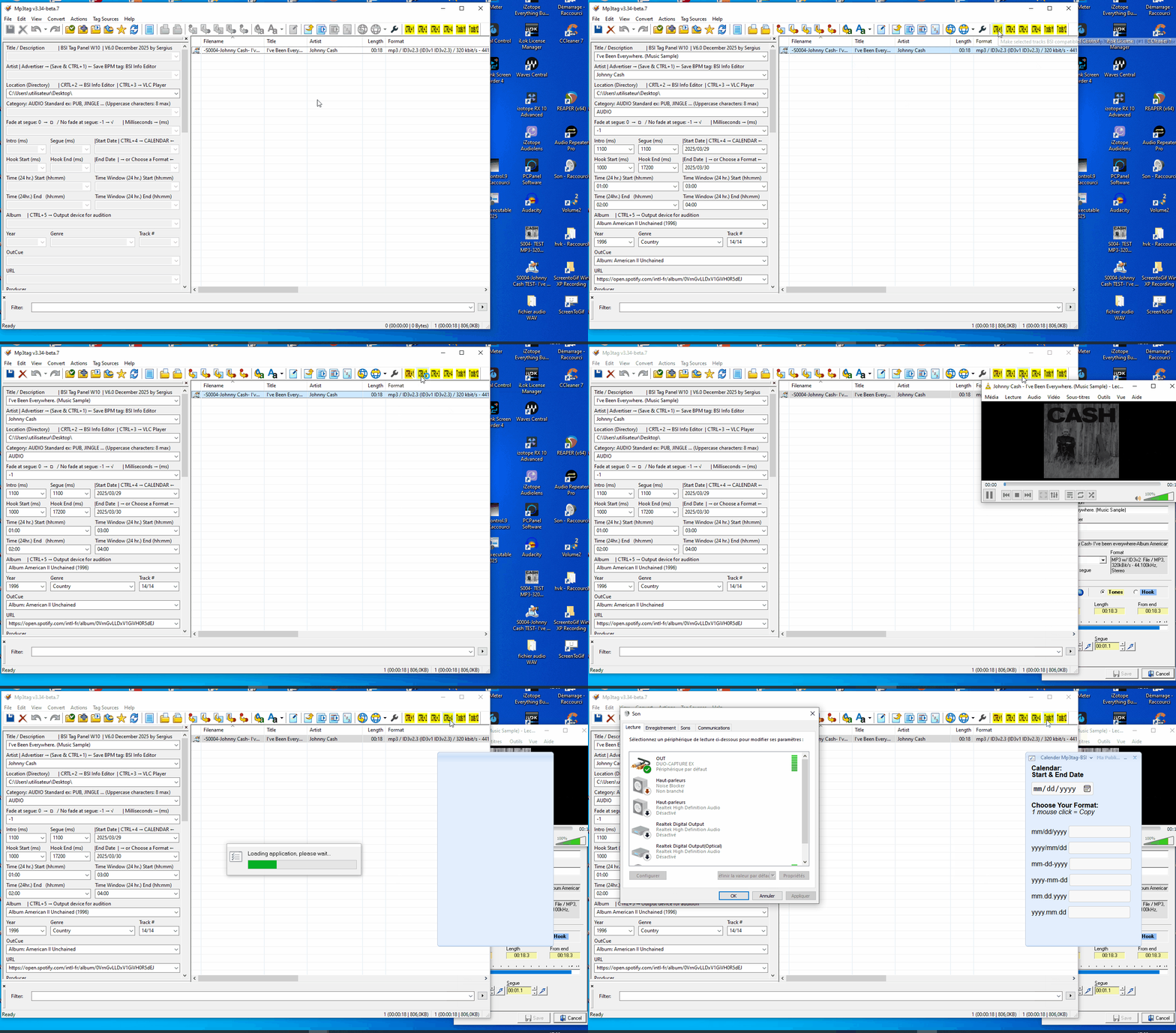
I want to congratulate you, @Florian, you've done a remarkable and incredible job programming. We can customize the icons on the Toolbar...
I thought we only had an update bringing back the old, modernized icons. I was expecting a new update for programming personal icons.. 
Thanks to @LyricsLover for your photos: View: Customize Toolbar... and the toolbar.ini file. I'm speechless. I'll say the same as you... Just great!
I had a blast! You can reprogram the icons with other .ico images, and you can place your Actions and Tools commands on the Toolbar.
I can finally program my Tools! Now I can create a "Toolsbar" directly with Mp3tag, without using an intermediary program. This program is incredible, I can't say it enough!
Now we can program a huge number of icons according to our needs, with the long lists I saw in Customize Toolbar...
Florian, it would be great to also have a second row of icons, allowing us to add more personal icons, for those who would like this option, directly below the first row. I want to keep the icons you've placed on the first row because they're my work tools, and I don't want to put too many icons on that row. With my work laptops, my screens are smaller...
Would it be... It's possible to place two commands in the Customize Toolbar: a "Hide" button to uncheck all the icons at once, and a "Show" button to check and uncheck all the icons simultaneously, because doing them one by one is very time-consuming.
@LyricsLover, how do you program separators in the Customize Toolbar? I haven't figured it out...
I cheat by programming it directly in the toolbar.ini file; just copy and paste. 
Florant, your new image management commands are truly impressive! Congratulations again on this fantastic icon management program in Mp3tag!
Here are my images, for my request for a second row of icons, and a short video where I'm having fun with the Tools icons (Toolsbar) directly with Mp3tag.