# Add own cover art
**URL:** https://community.mp3tag.de/t/add-own-cover-art/13778
**Category:** Support
**Created:** [August 20, 2012, 6:38am UTC](https://community.mp3tag.de/t/add-own-cover-art/13778 "2012-08-20T06:38:51Z")
**Posts on this page:** 5
**Page:** 1
### Author:  [@Glyn\_Foster](https://community.mp3tag.de/u/Glyn_Foster)
#### Post date: [August 20, 2012, 6:38am UTC](https://community.mp3tag.de/t/add-own-cover-art/13778/1 "2012-08-20T06:38:51Z")
I've got a large number of vinyl LPs that have been ripped as FLACs, to which there is no cover art available on Amazon. I thought that it would be fun to add my own 300x300 photos as cover art to these flacs, but can't work how to do it in MP3Tag - can anyone help?
---
### Author:  [@ohrenkino](https://community.mp3tag.de/u/ohrenkino)
#### Post date: [August 20, 2012, 6:49am UTC](https://community.mp3tag.de/t/add-own-cover-art/13778/2 "2012-08-20T06:49:20Z")
> [@GlynF](#):
>
> .. add my own 300x300 photos ...
Load the files into MP3tag
Select the files that should get the same photo.
Presst Alt-T to open the Extended Tags dialog
On the right you see the current images (probably none)
Klick on the "New" button for images.
Navigate to the file you want to include as picture and select it, press OK.
Press OK again to close the dialogue.
Done.
---
### Author:  [@stevehero](https://community.mp3tag.de/u/stevehero)
#### Post date: [August 20, 2012, 7:33am UTC](https://community.mp3tag.de/t/add-own-cover-art/13778/3 "2012-08-20T07:33:10Z")
> [@GlynF](#):
>
> I've got a large number of vinyl LPs that have been ripped as FLACs, to which there is no cover art available on Amazon. I thought that it would be fun to add my own 300x300 photos as cover art to these flacs, but can't work how to do it in MP3Tag - can anyone help?
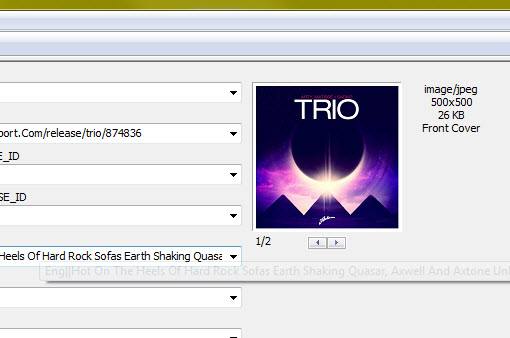
You can select single files or multiple files and drag the cover art from your windows explorer window to the window in mp3tag.
> > > > 
Then CTRL + S (Save)
I find this much easier as it's basically drag + drop and then save.

---
### Author:  [@Glyn\_Foster](https://community.mp3tag.de/u/Glyn_Foster)
#### Post date: [August 20, 2012, 5:45pm UTC](https://community.mp3tag.de/t/add-own-cover-art/13778/4 "2012-08-20T17:45:58Z")
Thanks - both methods worked - much appreciated
---
### Author:  [@system](https://community.mp3tag.de/u/system)
#### Post date: [February 9, 2026, 12:24pm UTC](https://community.mp3tag.de/t/add-own-cover-art/13778/5 "2026-02-09T12:24:01Z")