# Center crop cover art
**URL:** https://community.mp3tag.de/t/center-crop-cover-art/66164
**Category:** Support
**Created:** [October 6, 2024, 4:31am UTC](https://community.mp3tag.de/t/center-crop-cover-art/66164 "2024-10-06T04:31:40Z")
**Posts on this page:** 5
**Page:** 1
### Author:  [@standard](https://community.mp3tag.de/u/standard)
#### Post date: [October 6, 2024, 4:31am UTC](https://community.mp3tag.de/t/center-crop-cover-art/66164/1 "2024-10-06T04:31:40Z")
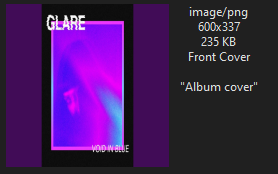
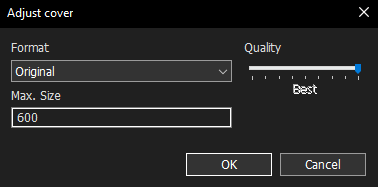
I have mp3 files with 600x337 embedded cover art and I would like to center crop them to 337x337. Selecting "Correct aspect ratio" is just just selecting between fit or stretch to fill. The Adjust Cover action doesn't have an option to change crop or fit options. Is there a way to do this with mp3tag?

---
### Author:  [@ohrenkino](https://community.mp3tag.de/u/ohrenkino)
#### Post date: [October 6, 2024, 6:23am UTC](https://community.mp3tag.de/t/center-crop-cover-art/66164/2 "2024-10-06T06:23:56Z")
Octobre 2024 - there is no function
> [@standard](#):
>
> to center crop
---
### Author:  [@standard](https://community.mp3tag.de/u/standard)
#### Post date: [October 6, 2024, 6:27am UTC](https://community.mp3tag.de/t/center-crop-cover-art/66164/3 "2024-10-06T06:27:11Z")
It used to be an option in the Convert Cover action?

---
### Author:  [@ohrenkino](https://community.mp3tag.de/u/ohrenkino)
#### Post date: [October 6, 2024, 6:32am UTC](https://community.mp3tag.de/t/center-crop-cover-art/66164/4 "2024-10-06T06:32:10Z")
The second example looks like a dialogue from the Mac, while the first shows the function in Windows.
For Windows I think it is still valid to say
> [@ohrenkino](#):
>
> Octobre 2024 - there is no function
to center crop
---
### Author:  [@system](https://community.mp3tag.de/u/system)
#### Post date: [November 5, 2024, 6:32am UTC](https://community.mp3tag.de/t/center-crop-cover-art/66164/5 "2024-11-05T06:32:28Z")
This topic was automatically closed 30 days after the last reply. New replies are no longer allowed.