# Cover-art in Tag Panel
**URL:** https://community.mp3tag.de/t/cover-art-in-tag-panel/2903
**Category:** General Discussion
**Created:** [February 15, 2006, 4:07pm UTC](https://community.mp3tag.de/t/cover-art-in-tag-panel/2903 "2006-02-15T16:07:57Z")
**Posts on this page:** 20
**Page:** 1
### Author:  [@milka](https://community.mp3tag.de/u/milka)
#### Post date: [February 15, 2006, 4:07pm UTC](https://community.mp3tag.de/t/cover-art-in-tag-panel/2903/1 "2006-02-15T16:07:57Z")
It would be great to have ability to add cover-art (like in extended tag dialog) in "Tag Panel". So that you can see included cover in extended tag fields.

Comments?
~ milka

---
### Author:  [@nickless](https://community.mp3tag.de/u/nickless)
#### Post date: [February 15, 2006, 4:28pm UTC](https://community.mp3tag.de/t/cover-art-in-tag-panel/2903/2 "2006-02-15T16:28:36Z")
I would like it 🙂
Regards
nickless
---
### Author:  [@Lego](https://community.mp3tag.de/u/Lego)
#### Post date: [February 15, 2006, 6:40pm UTC](https://community.mp3tag.de/t/cover-art-in-tag-panel/2903/3 "2006-02-15T18:40:26Z")
> [@](#):
>
> Comments?
Where is the benefit for such a function?
i have never missed Cover Art tagged in Files. Most People didn't tag Pictures in Files or use an iPod/iTunes.
In result they have all the time a blank Field (200x200 or something) on the lower right. If this is an idea, so it should be easy to deactivate.
Regards
---
### Author:  [@milka](https://community.mp3tag.de/u/milka)
#### Post date: [February 16, 2006, 10:53am UTC](https://community.mp3tag.de/t/cover-art-in-tag-panel/2903/4 "2006-02-16T10:53:36Z")
> [@](#):
>
> Where is the benefit for such a function?
> i have never missed Cover Art tagged in Files.
Benefit is that you dont have to open extended tag dialog to see, add or delete Cover-art in file, instead you can do it quicker via Tag Panel. 😉
> [@](#):
>
> Most People didn't tag Pictures in Files or use an iPod/iTunes.
Lets see [Tagging Cover-art Poll](http://forums.mp3tag.de/index.php?act=ST&f=11&t=3225&st=)
---
### Author:  [@nickless](https://community.mp3tag.de/u/nickless)
#### Post date: [February 16, 2006, 1:09pm UTC](https://community.mp3tag.de/t/cover-art-in-tag-panel/2903/5 "2006-02-16T13:09:07Z")
> [@](#):
>
> Where is the benefit for such a function?
There would be even more benefit for this function if it would be a part of customizeable left panel with support of custom cover path, e.g. "c:\All my covers\%artist%\%album%\Front.jpg" 
Regards
nickless
---
### Author:  [@milka](https://community.mp3tag.de/u/milka)
#### Post date: [February 16, 2006, 8:41pm UTC](https://community.mp3tag.de/t/cover-art-in-tag-panel/2903/6 "2006-02-16T20:41:59Z")
> [@](#):
>
> There would be even more benefit for this function if it would be a part of customizeable left panel with support of custom cover path, e.g. "c:\All my covers\%artist%\%album%\Front.jpg"
Main idea was tagging Cover-art in Tag panel (extended tag fields), but I like your idea of custom cover path.
---
### Author:  [@nadeem](https://community.mp3tag.de/u/nadeem)
#### Post date: [June 15, 2006, 1:00pm UTC](https://community.mp3tag.de/t/cover-art-in-tag-panel/2903/7 "2006-06-15T13:00:02Z")
so with the new customisable tag panel, is it possible to do this, I've tried a few things but not succeeded so far
---
### Author:  [@dano](https://community.mp3tag.de/u/dano)
#### Post date: [June 15, 2006, 1:44pm UTC](https://community.mp3tag.de/t/cover-art-in-tag-panel/2903/8 "2006-06-15T13:44:27Z")
No, it's not possible.
---
### Author:  [@MioKawaii](https://community.mp3tag.de/u/MioKawaii)
#### Post date: [June 15, 2006, 5:13pm UTC](https://community.mp3tag.de/t/cover-art-in-tag-panel/2903/9 "2006-06-15T17:13:10Z")
Not just album art , lyrics can't be loaded with this method either. Too bad!
---
### Author:  [@dano](https://community.mp3tag.de/u/dano)
#### Post date: [June 15, 2006, 5:42pm UTC](https://community.mp3tag.de/t/cover-art-in-tag-panel/2903/10 "2006-06-15T17:42:52Z")
Not true. Lyrics can be added!
---
### Author:  [@noroom](https://community.mp3tag.de/u/noroom)
#### Post date: [June 24, 2006, 7:01am UTC](https://community.mp3tag.de/t/cover-art-in-tag-panel/2903/11 "2006-06-24T07:01:01Z")
I'd like to be able to add the CD Cover Art to the tag panel too. 🙂
---
### Author:  [@milka](https://community.mp3tag.de/u/milka)
#### Post date: [June 24, 2006, 8:07am UTC](https://community.mp3tag.de/t/cover-art-in-tag-panel/2903/12 "2006-06-24T08:07:29Z")
Thanks to nickless and noroom for supporting this idea (feature request).
---
### Author:  [@MioKawaii](https://community.mp3tag.de/u/MioKawaii)
#### Post date: [June 28, 2006, 4:36am UTC](https://community.mp3tag.de/t/cover-art-in-tag-panel/2903/13 "2006-06-28T04:36:19Z")
> [@dano](#):
>
> Not true. Lyrics can be added!
Sorry, I didn't mean show by just showing up in just one row/line. I personally think that lyrics should show up in multi lines so that it can be editable in a comfortable way instead of scrolling in one line.
Sorry about my bad english, but I hope you understand what I'm trying to say.
Here's an example of what I have in mind :

---
### Author:  [@w0qj](https://community.mp3tag.de/u/w0qj)
#### Post date: [June 28, 2006, 3:18pm UTC](https://community.mp3tag.de/t/cover-art-in-tag-panel/2903/14 "2006-06-28T15:18:15Z")
I feel strongly that by showing CD Cover Art image in MP3Tag (on bottom-left corner, where there's idle space anyways) would greatly enhance one's mood to browse through one's song collection, and to use MP3Tag more in general.
[In fact, if MP3Tag can implement a quick 5 second song preview of the song selected, this would even further enhance this theme. User can turn off this feature by Tools\>\>Options, of course].
All my MP3 album collections have both Front and Back cover art images, saved in the same folder as the rest of the MP3 songs (one folder for each CD).
But I'm holding back from embedding the cover art images into my MP3/WMA files, and waiting to see how Windows-Vista to see how this is treated.
---
### Author:  [@milka](https://community.mp3tag.de/u/milka)
#### Post date: [June 29, 2006, 3:34am UTC](https://community.mp3tag.de/t/cover-art-in-tag-panel/2903/15 "2006-06-29T03:34:15Z")
More and more users are interested in this idea. 🙂
---
### Author:  [@tomy1](https://community.mp3tag.de/u/tomy1)
#### Post date: [August 29, 2006, 5:07am UTC](https://community.mp3tag.de/t/cover-art-in-tag-panel/2903/16 "2006-08-29T05:07:45Z")
Yes, Iwould really like this also!
And I would like to have a way to convert my "old" way of coverart:
I am having a file folder.jpg in every dir with an album.
to the way you explaines here:
having coverart saved directly in the tag
thanks
tomy1
---
### Author:  [@dano](https://community.mp3tag.de/u/dano)
#### Post date: [August 29, 2006, 6:19am UTC](https://community.mp3tag.de/t/cover-art-in-tag-panel/2903/17 "2006-08-29T06:19:54Z")
> [@tomy1](#):
>
> I am having a file folder.jpg in every dir with an album.
> to the way you explaines here:
> having coverart saved directly in the tag
[/t/3683/1](https://community.mp3tag.de/t/3683/1)
---
### Author:  [@nohart](https://community.mp3tag.de/u/nohart)
#### Post date: [November 25, 2006, 8:05pm UTC](https://community.mp3tag.de/t/cover-art-in-tag-panel/2903/18 "2006-11-25T20:05:07Z")
This would be awesome! This is exactly what I was thinking about when I stumbled onto this post. Please keep up the excellent work on this program 
---
### Author:  [@wab66](https://community.mp3tag.de/u/wab66)
#### Post date: [November 29, 2006, 10:29pm UTC](https://community.mp3tag.de/t/cover-art-in-tag-panel/2903/19 "2006-11-29T22:29:43Z")
> [@Lego](#):
>
> Where is the benefit for such a function?
>
> i have never missed Cover Art tagged in Files. Most People didn't tag Pictures in Files or use an iPod/iTunes.
>
> In result they have all the time a blank Field (200x200 or something) on the lower right. If this is an idea, so it should be easy to deactivate.
>
> Regards
Benefits
1. Mood
2. Quick view that maybe a wrong cover was imported (by action means batch job)
3. Quick editing
Missing cover arts in tagged files is a question of personal favour - nothing else , you like it or not...
but it will be an important market in the future...
as I also would love services to get well formated/tagged files with
- lyrics
- translated lyrics
- charaoke control sequences
---
### Author:  [@pilaar39](https://community.mp3tag.de/u/pilaar39)
#### Post date: [December 3, 2006, 11:43am UTC](https://community.mp3tag.de/t/cover-art-in-tag-panel/2903/20 "2006-12-03T11:43:08Z")
I am a bit confused..
I just got a new iPod Video, and it supports cover art. In fact, iTunes 7.0 now has an option to get the cover art for an album (not sure where it is getting it from), and I really like it because when I play the tracks on my iPod, it displays the cover art along with the other track verbiage.
However, the system is not foolproof, in that many for many of my albums, iTunes cannot find the artwork online, and I must manually add it myself. I get the artwork either online from sites like Amazon, or simply scan in my own artwork from the album.
iTunes can display the artwork for individual files, with 'GET INFO' for that track:
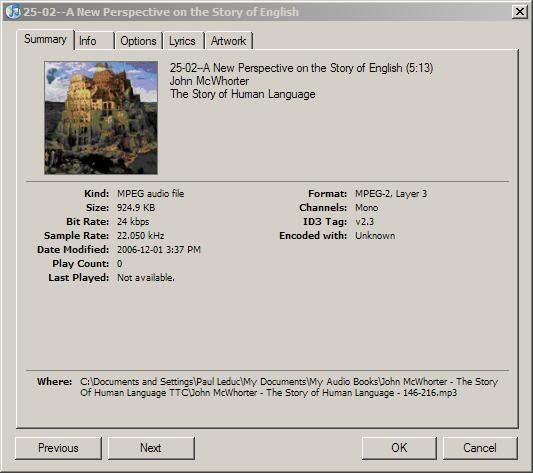
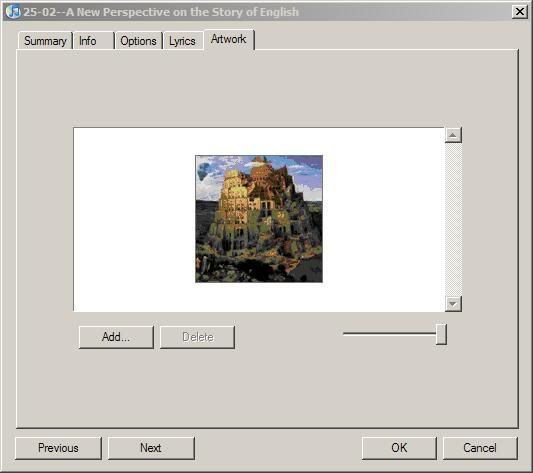
If no artwork exists, you can add your own in this dialog:
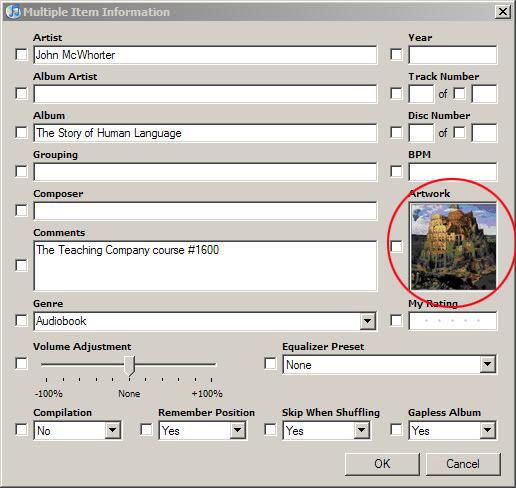
Or you can add artwork to multiple tracks with this dialog, just by dragging and dropping the artwork into the artwork box (highlighted here):
An alternative to iTunes, called RedChair Anapod, also offers importing cover artwork - and again, it can be done automatically by searching [amazon.com](http://amazon.com), or manually by inserting the artwork under the name cover.jpg in the same folder as the tracks being imported.
While both these methods seem to work, it is rather a pain, in that I would prefer do all my ID tagging in Mp3Tag "before" importing the tracks into iTunes or Anapod.
So.. I would really like to see some method of including artwork in the ID tag data. I am not really sure what the status of this is in Mp3Tag, but from reading here, it appears it is not included and people are asking for it.
I am using V2.27e - if there is a method of including cover artwork, either manually or automatically, please advise. I did not see it in the help files.
Thanks..
[Next page](https://community.mp3tag.de/t/cover-art-in-tag-panel/2903.md?page=2)