# Cover window element on the Tag Panel allows adding covers via drag and drop even if no files are selected
**URL:** https://community.mp3tag.de/t/cover-window-element-on-the-tag-panel-allows-adding-covers-via-drag-and-drop-even-if-no-files-are-selected/71699
**Category:** Fixed Bugs
**Tags:** bug-fixed
**Created:** [August 4, 2026, 3:41pm UTC](https://community.mp3tag.de/t/cover-window-element-on-the-tag-panel-allows-adding-covers-via-drag-and-drop-even-if-no-files-are-selected/71699 "2026-08-04T15:41:24Z")
**Posts on this page:** 4
**Page:** 1
### Author:  [@LyricsLover](https://community.mp3tag.de/u/LyricsLover)
#### Post date: [August 4, 2026, 3:41pm UTC](https://community.mp3tag.de/t/cover-window-element-on-the-tag-panel-allows-adding-covers-via-drag-and-drop-even-if-no-files-are-selected/71699/1 "2026-08-04T15:41:24Z")
I found one situation where D&D works, but the cover will not be saved, even if you confirm "Do you want to save the changes?":
Steps to reproduce:
1. Open Mp3tag with some random tracks
2. Do not select them.
(If they are selected automatically, deselect all tracks by clicking on a empty space in the File List)
3. Drag & Drop an random image to the Cover Art placeholder, the image appears there
4. Click on one of your tracks.
Depending on your settings, this question-messagebox appears:
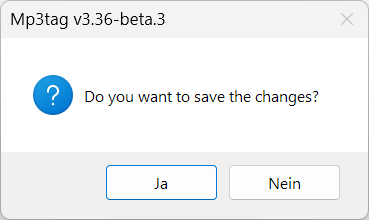
5. No matter which option you select (Ja or Nein or Yes or No), the cover will not be saved - this is obvious and logical, as you have not selected any target tracks beforehand.
---
### Author:  [@Florian](https://community.mp3tag.de/u/Florian)
#### Post date: [August 7, 2026, 3:44pm UTC](https://community.mp3tag.de/t/cover-window-element-on-the-tag-panel-allows-adding-covers-via-drag-and-drop-even-if-no-files-are-selected/71699/2 "2026-08-07T15:44:17Z")
I've fixed this with [Mp3tag v3.36-beta.4](https://community.mp3tag.de/t/455). Thanks for pointing!
---
### Author:  [@LyricsLover](https://community.mp3tag.de/u/LyricsLover)
#### Post date: [August 7, 2026, 6:21pm UTC](https://community.mp3tag.de/t/cover-window-element-on-the-tag-panel-allows-adding-covers-via-drag-and-drop-even-if-no-files-are-selected/71699/3 "2026-08-07T18:21:15Z")
I can confirm that in Mp3tag 3.36-beta.4, it is no longer possible to drop a file onto the cover window element without first selecting at least one track in the File List.
Thanks for this fix too!
---
### Author:  [@system](https://community.mp3tag.de/u/system)
#### Post date: [August 21, 2026, 6:21pm UTC](https://community.mp3tag.de/t/cover-window-element-on-the-tag-panel-allows-adding-covers-via-drag-and-drop-even-if-no-files-are-selected/71699/4 "2026-08-21T18:21:27Z")
This topic was automatically closed 14 days after the last reply. New replies are no longer allowed.