### Author:  [@Yesbut](https://community.mp3tag.de/u/Yesbut)
#### Post date: [July 1, 2025, 9:27pm UTC](https://community.mp3tag.de/t/dark-mode-on-linux/69015/1 "2025-07-01T21:27:55Z")
I am currently on the path to becoming a Linux user. Apart from Mp3tag, every app on my Linux computer is in Dark Mode.
Unfortunately, the Mp3tag Dark Mode setting only partially works via Linux Bottles. I have tried 3 different Linux distros, all with the same result:

Unfortunately, most of the screen area remains as white.
This is the effect with the Display setting within Mp3tag set to Dark Mode.
Does anyone know if there is something within the Windows environment that Mp3tag depends on to properly change the unchanged white area to a dark colour?
Has any other Linux user found a satisfactory fix or workaround for Mp3tag that achieves a proper Dark Mode display?
---
### Author:  [@Kamera](https://community.mp3tag.de/u/Kamera)
#### Post date: [August 14, 2025, 5:04pm UTC](https://community.mp3tag.de/t/dark-mode-on-linux/69015/2 "2025-08-14T17:04:25Z")
This worked for me.
If you are running a recent version of wine, before applying the breeze dark patch, first run winecfg, then under desktop integration set Theme to No Theme.
If you still have this issue I hope this solves it for you.
Best wishes.
>
---
### Author:  [@Yesbut](https://community.mp3tag.de/u/Yesbut)
#### Post date: [August 21, 2025, 5:27pm UTC](https://community.mp3tag.de/t/dark-mode-on-linux/69015/3 "2025-08-21T17:27:37Z")
Many thanks for your reply. Sorry that I did not reply sooner. It is good to know that there is a way to avoid setting up a dual-boot Windows/Linux computer - just to have a proper Dark Mode Mp3tag.
One thing I have done in the meantime is to upgrade my Linux distro (Kubuntu) to the latest version. Next I will install actual Wine - instead of depending on intermediaries like Bottles - then follow the steps that you have provided.
I expect to post an update within several days.
---
### Author:  [@Yesbut](https://community.mp3tag.de/u/Yesbut)
#### Post date: [August 27, 2025, 1:29pm UTC](https://community.mp3tag.de/t/dark-mode-on-linux/69015/4 "2025-08-27T13:29:48Z")
Many thanks Kamera. I have marked your post as a solution. Thanks to you, I now have Mp3tag version 3.31a in Dark Mode running on a Linux-only computer.

Although any Linux user who does not care about Dark Mode can still use the Bottles (and, presumably, PlayonLinux) plus Flatseal combo, I would encourage switching to Wine because it has better integration with Linux with regard to Mp3tag. For example, I can now load Mp3tag either from the Linux Desktop or Start Menu. When I used Bottles, I always had to first open a Bottle then load Mp3tag from that Bottle.
Anyone considering a switch to Linux should be aware that the icon next to the Filename column which displays a white X on a red background when there could be an issue with a file, does not work. It always displays as a text icon. This is not a deal breaker for me but it is something to be aware of.
Also, Play does not work as there is no music player installed by Wine. Maybe there is a way to get Play to work. However, I am content to play my music files using my Linux music player which I can do whilst editing in Mp3tag.
---
### Author:  [@Kamera](https://community.mp3tag.de/u/Kamera)
#### Post date: [August 27, 2025, 3:05pm UTC](https://community.mp3tag.de/t/dark-mode-on-linux/69015/5 "2025-08-27T15:05:02Z")
That’s great I am glad it worked for you.
The next thing I need to work out is right click to open MP3Tag with files or a folder’s contents.
---
### Author:  [@Casual\_Tea](https://community.mp3tag.de/u/Casual_Tea)
#### Post date: [May 19, 2026, 2:20pm UTC](https://community.mp3tag.de/t/dark-mode-on-linux/69015/8 "2026-05-19T14:20:56Z")
While this does work, I recommend to additionally set:
`File` → `Options` → `Appearance` → `Color Mode` to `Default` or `Light`
within Mp3tag. Otherwise a good portion of the Options menu may be invisible.
`Default` only works if you have set `WinRT theme` to `Light` in `winecfg` for the wine prefix you are using for Mp3tag:
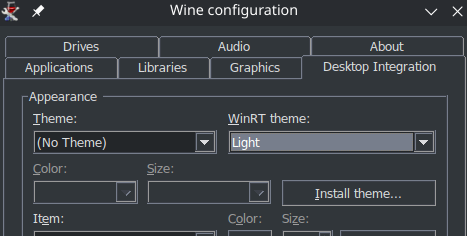
My recommendation is to set `No Theme` and `Light` in `winecfg` and then to set `Default` in Mp3tag. That way you can use the same Mp3tag config on a Windows PC with Dark Mode enabled and Mp3tag ought to respect that, which allows using the same Mp3tag instance with Dark Mode on Windows as well as Linux.
Default/Light:
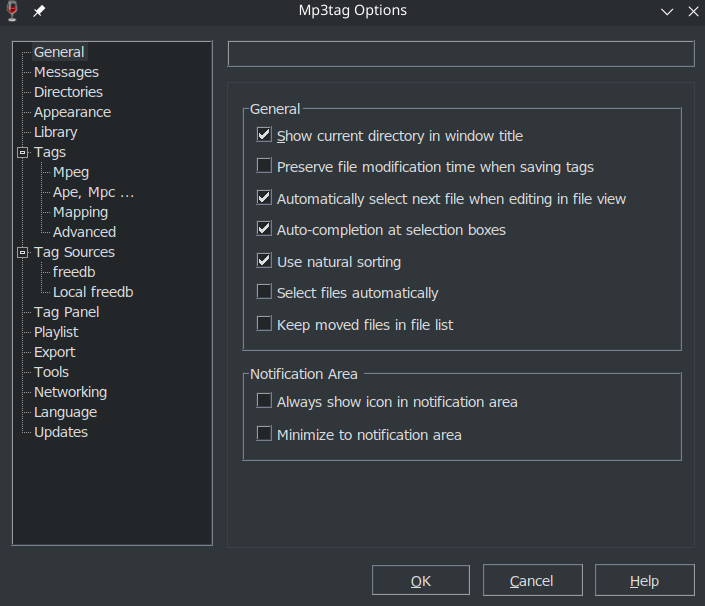
Dark:
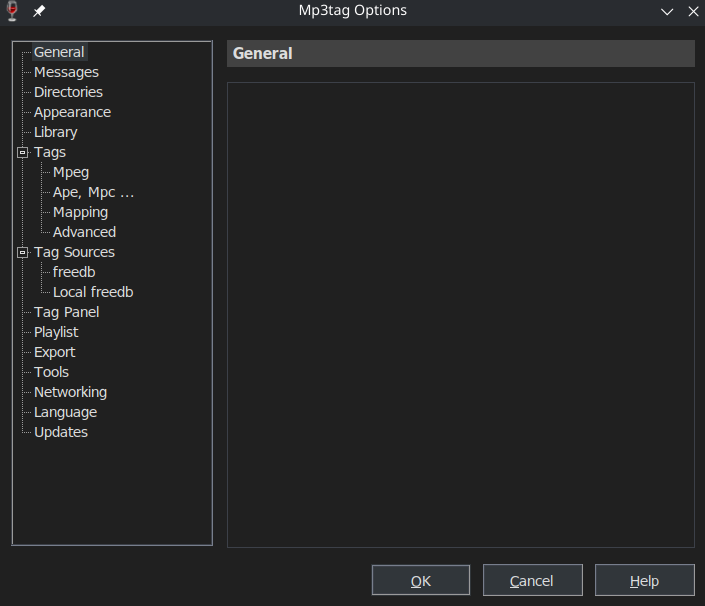
On another note:
Do you happen to know which of the values in:
> **wine-breeze-dark.reg**
>
> ```auto
> Windows Registry Editor Version 5.00
>
> [HKEY_CURRENT_USER\Control Panel\Colors]
> "ActiveBorder"="49 54 58"
> "ActiveTitle"="49 54 58"
> "AppWorkSpace"="60 64 72"
> "Background"="49 54 58"
> "ButtonAlternativeFace"="200 0 0"
> "ButtonDkShadow"="154 154 154"
> "ButtonFace"="49 54 58"
> "ButtonHilight"="119 126 140"
> "ButtonLight"="60 64 72"
> "ButtonShadow"="60 64 72"
> "ButtonText"="219 220 222"
> "GradientActiveTitle"="49 54 58"
> "GradientInactiveTitle"="49 54 58"
> "GrayText"="155 155 155"
> "Hilight"="119 126 140"
> "HilightText"="255 255 255"
> "InactiveBorder"="49 54 58"
> "InactiveTitle"="49 54 58"
> "InactiveTitleText"="219 220 222"
> "InfoText"="159 167 180"
> "InfoWindow"="49 54 58"
> "Menu"="49 54 58"
> "MenuBar"="49 54 58"
> "MenuHilight"="119 126 140"
> "MenuText"="219 220 222"
> "Scrollbar"="73 78 88"
> "TitleText"="219 220 222"
> "Window"="35 38 41"
> "WindowFrame"="49 54 58"
> "WindowText"="219 220 222"
>
> ```
is responsible for the text color/brightness in the tag column headers?
I personally find black on dark gray quite hard to read and would like them to be the same color as the text in the tag panel and the values of the columns.

After playing around with this a bit more, neither using `Dark` nor `Light` yields really satisfactory results.
Default/Light:
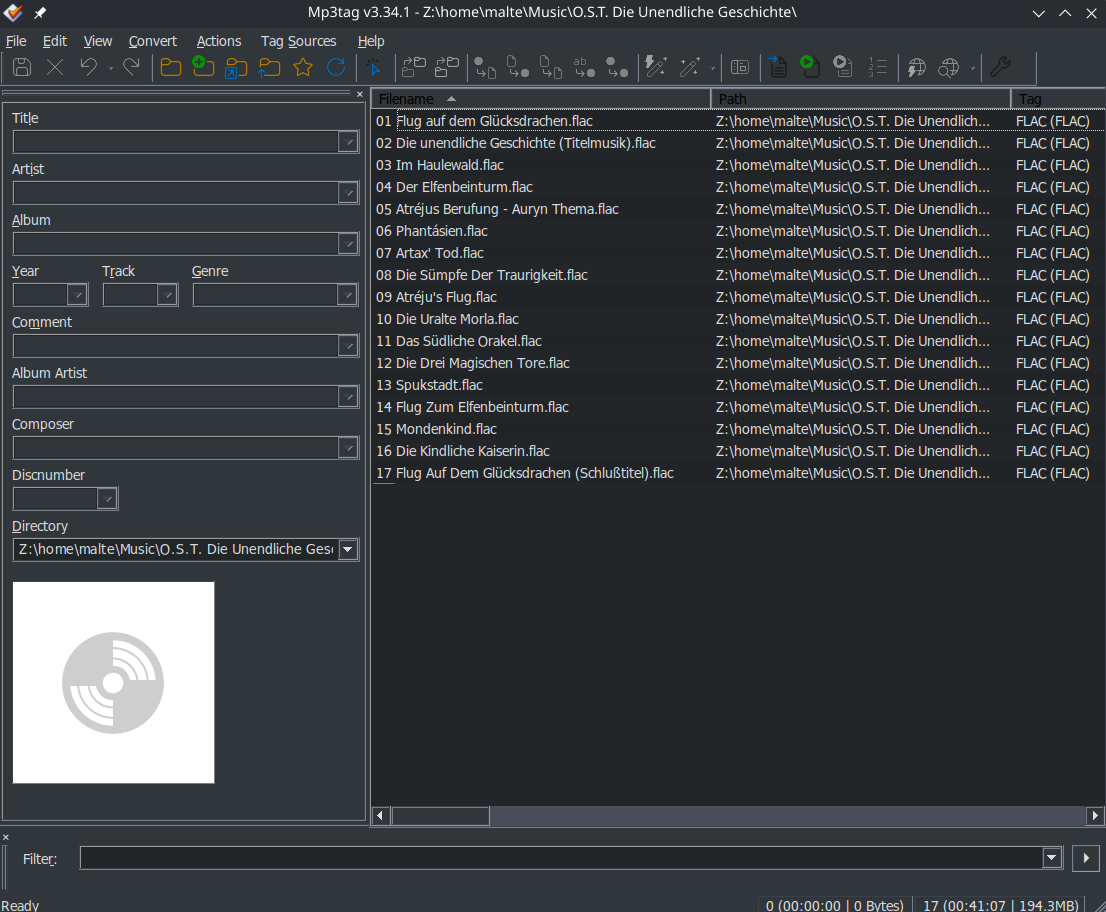
Pro:
- all menu entries visible
Con:
- cover preview bright
- toolbar colors/brightness muted/low contrast
Dark:
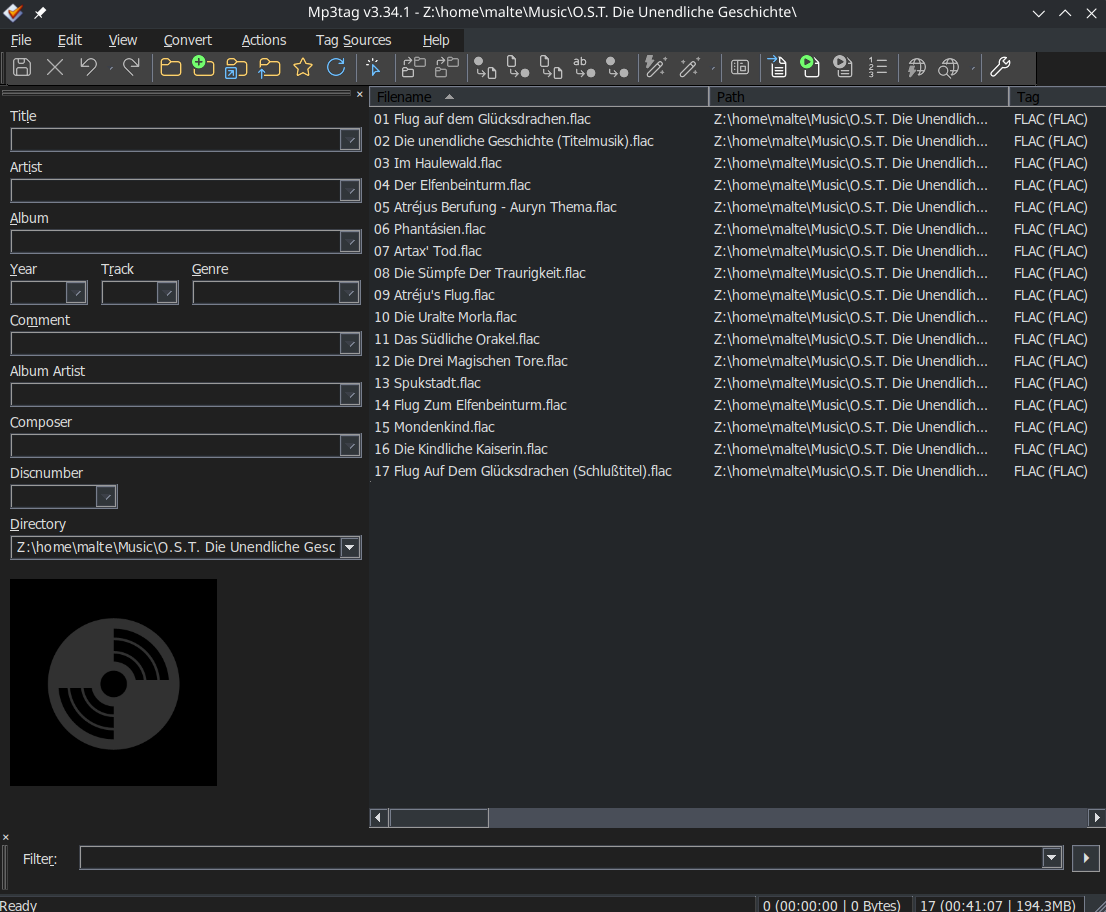
Pro:
- toolbar colors/brightness high contrast
- cover preview dark
Con:
- some menu entries invisible
Shared Con:
- tag column headers have a low contrast (black on gray)
---
### Author:  [@Casual\_Tea](https://community.mp3tag.de/u/Casual_Tea)
#### Post date: [May 20, 2026, 4:43pm UTC](https://community.mp3tag.de/t/dark-mode-on-linux/69015/9 "2026-05-20T16:43:32Z")
> [@Casual\_Tea](#):
>
> On another note:
> Do you happen to know which of the values in:
>
> wine-breeze-dark.reg
>
> is responsible for the text color/brightness in the tag column headers?
Answered that one myself by applying a test registry edit that sets all available values to pure white:
```auto
Windows Registry Editor Version 5.00
[HKEY_CURRENT_USER\Control Panel\Colors]
"ActiveBorder"="255 255 255"
"ActiveTitle"="255 255 255"
"AppWorkSpace"="255 255 255"
"Background"="255 255 255"
"ButtonAlternativeFace"="255 255 255"
"ButtonDkShadow"="255 255 255"
"ButtonFace"="255 255 255"
"ButtonHilight"="255 255 255"
"ButtonLight"="255 255 255"
"ButtonShadow"="255 255 255"
"ButtonText"="255 255 255"
"GradientActiveTitle"="255 255 255"
"GradientInactiveTitle"="255 255 255"
"GrayText"="255 255 255"
"Hilight"="255 255 255"
"HilightText"="255 255 255"
"InactiveBorder"="255 255 255"
"InactiveTitle"="255 255 255"
"InactiveTitleText"="255 255 255"
"InfoText"="255 255 255"
"InfoWindow"="255 255 255"
"Menu"="255 255 255"
"MenuBar"="255 255 255"
"MenuHilight"="255 255 255"
"MenuText"="255 255 255"
"Scrollbar"="255 255 255"
"TitleText"="255 255 255"
"Window"="255 255 255"
"WindowFrame"="255 255 255"
"WindowText"="255 255 255"
```
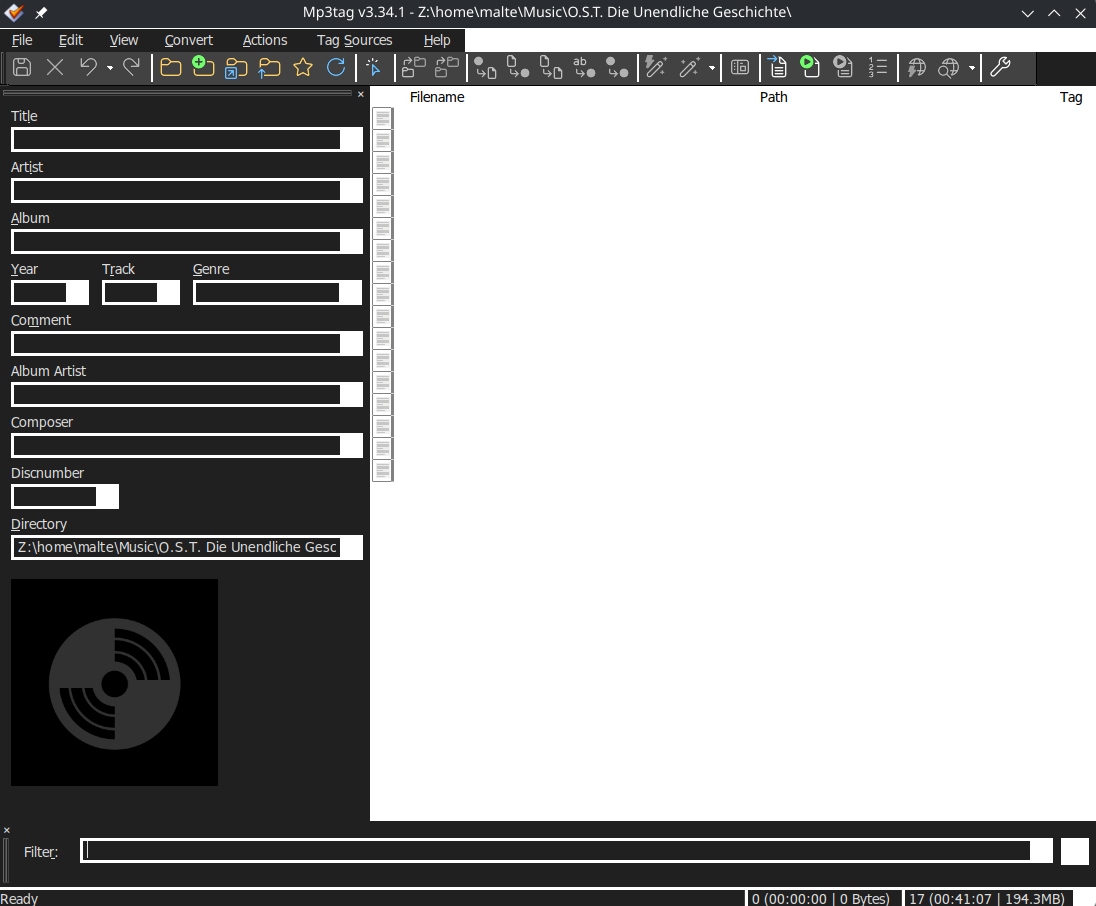
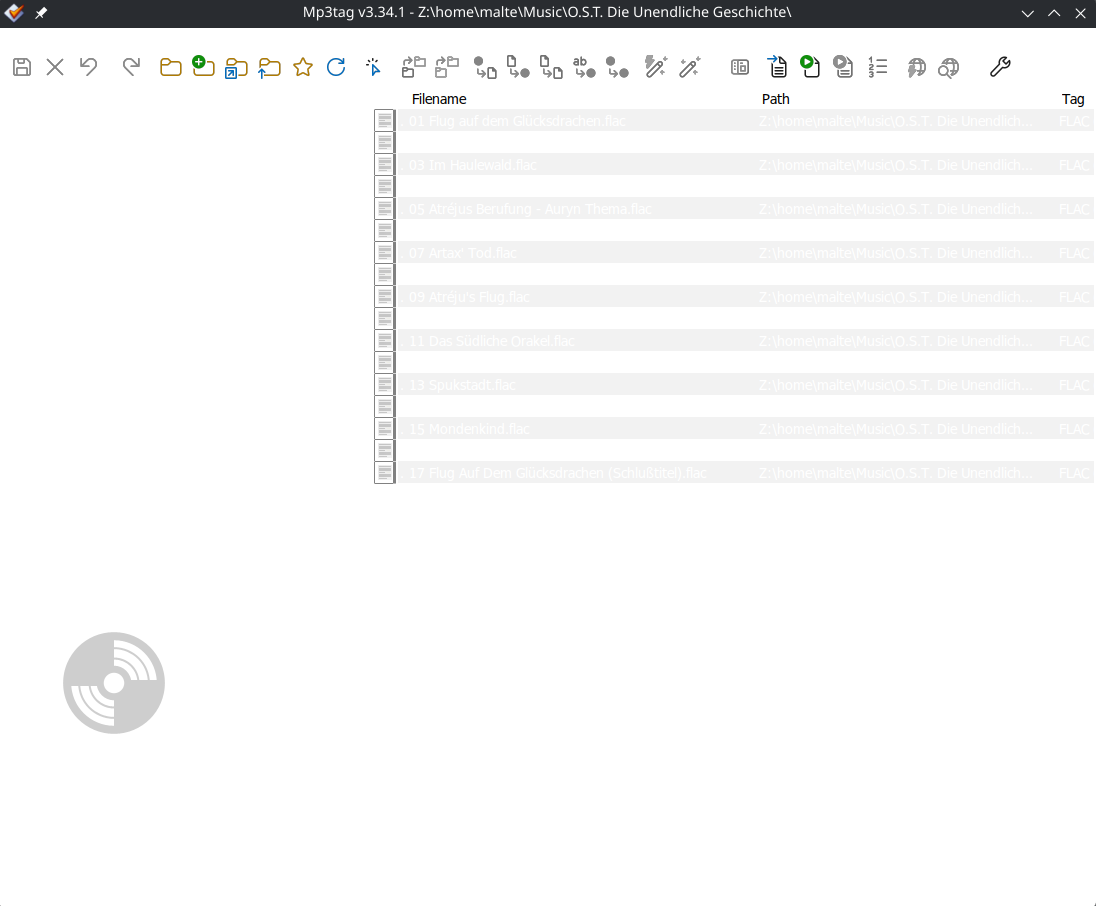
Which sadly revealed that the tag column header text cannot be changed this way.
With Mp3tag set to `Dark`:
With Mp3tag set to `Light`:
---
### Author:  [@Florian](https://community.mp3tag.de/u/Florian)
#### Post date: [May 22, 2026, 2:54pm UTC](https://community.mp3tag.de/t/dark-mode-on-linux/69015/10 "2026-05-22T14:54:18Z")
> [@Casual\_Tea](#):
>
> the tag column header text cannot be changed this way
Can you try [Mp3tag v3.35-beta.1](https://community.mp3tag.de/t/455) and see if it improves the situation?
---
### Author:  [@Casual\_Tea](https://community.mp3tag.de/u/Casual_Tea)
#### Post date: [May 23, 2026, 8:50am UTC](https://community.mp3tag.de/t/dark-mode-on-linux/69015/11 "2026-05-23T08:50:21Z")
That solves the issue, thank you.
The remaining issue of many menu entries not being visible while Mp3tag is set to `Dark` can be circumvented by temporarily setting it to `Light`, so it's perfectly usable for me.
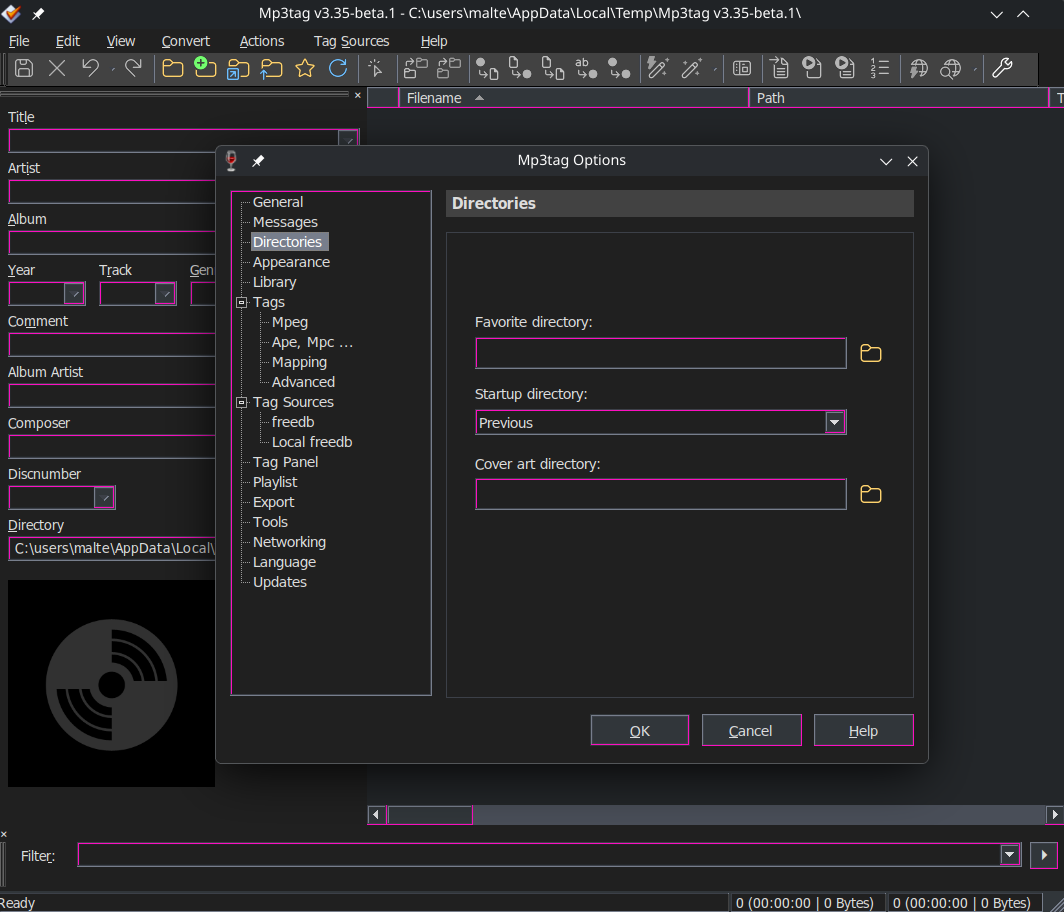
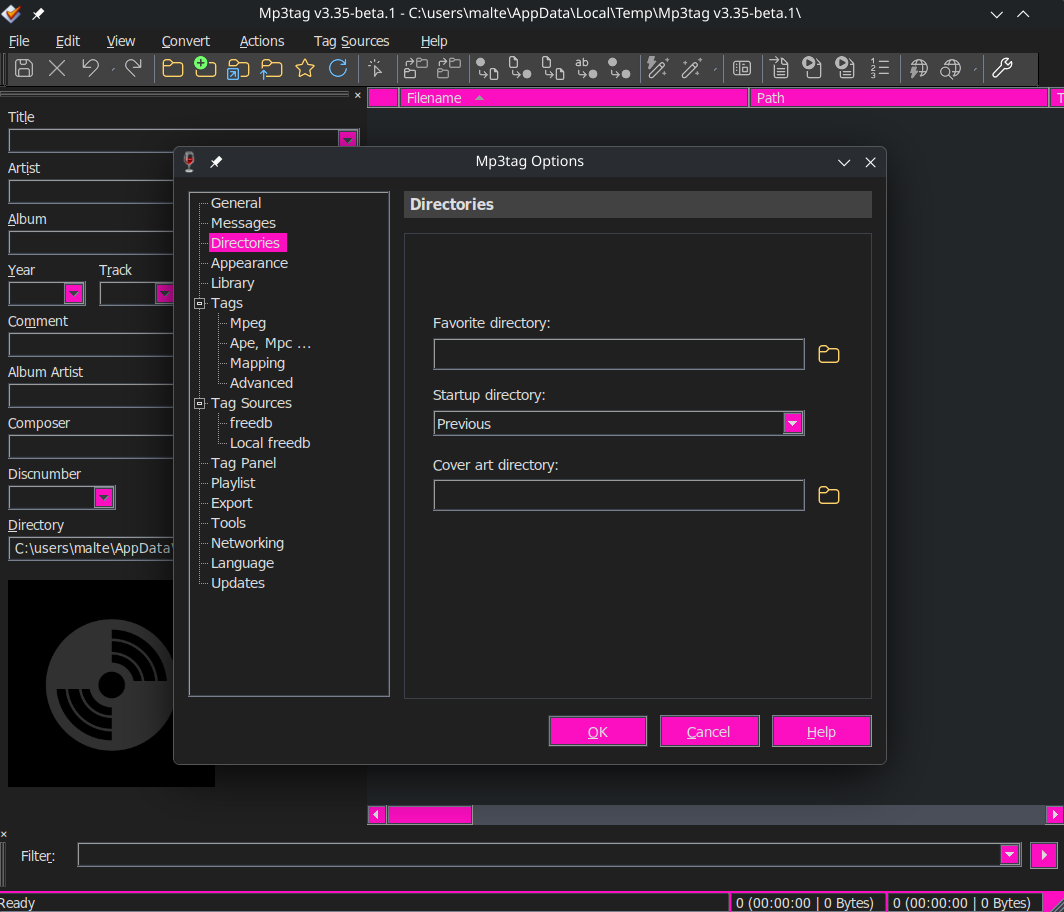
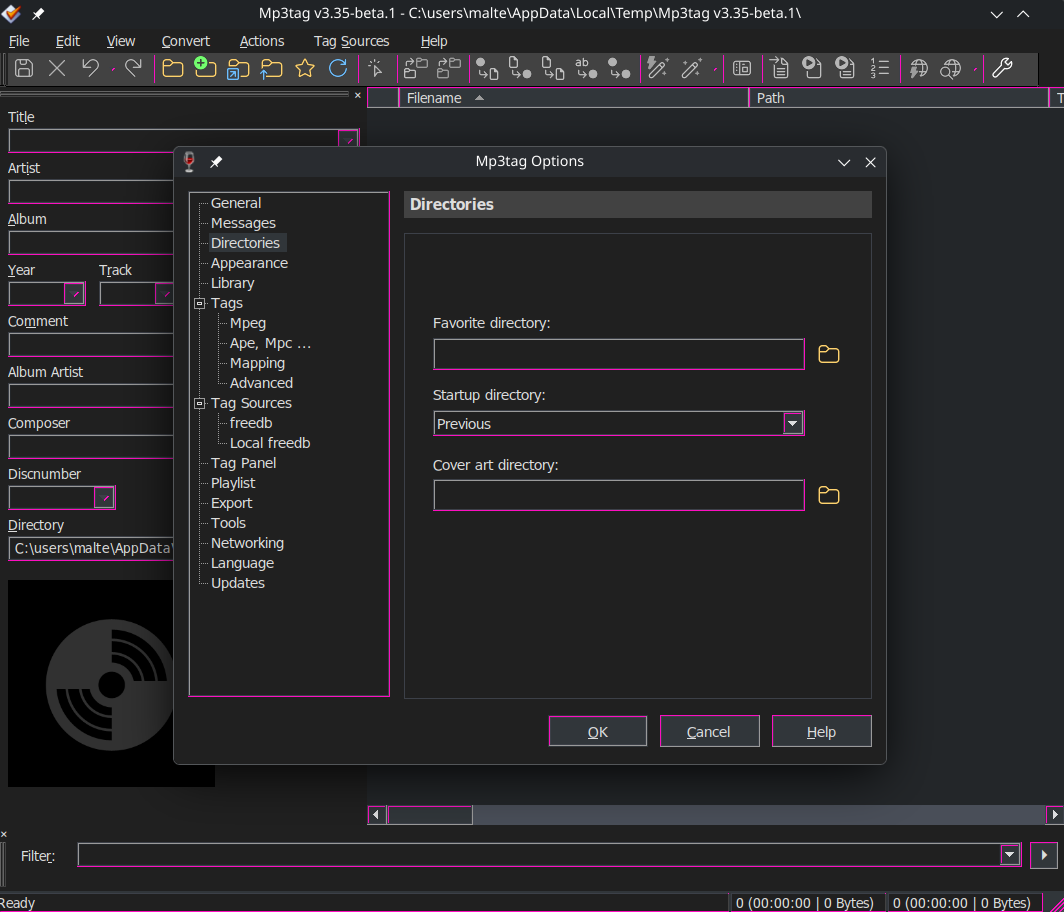
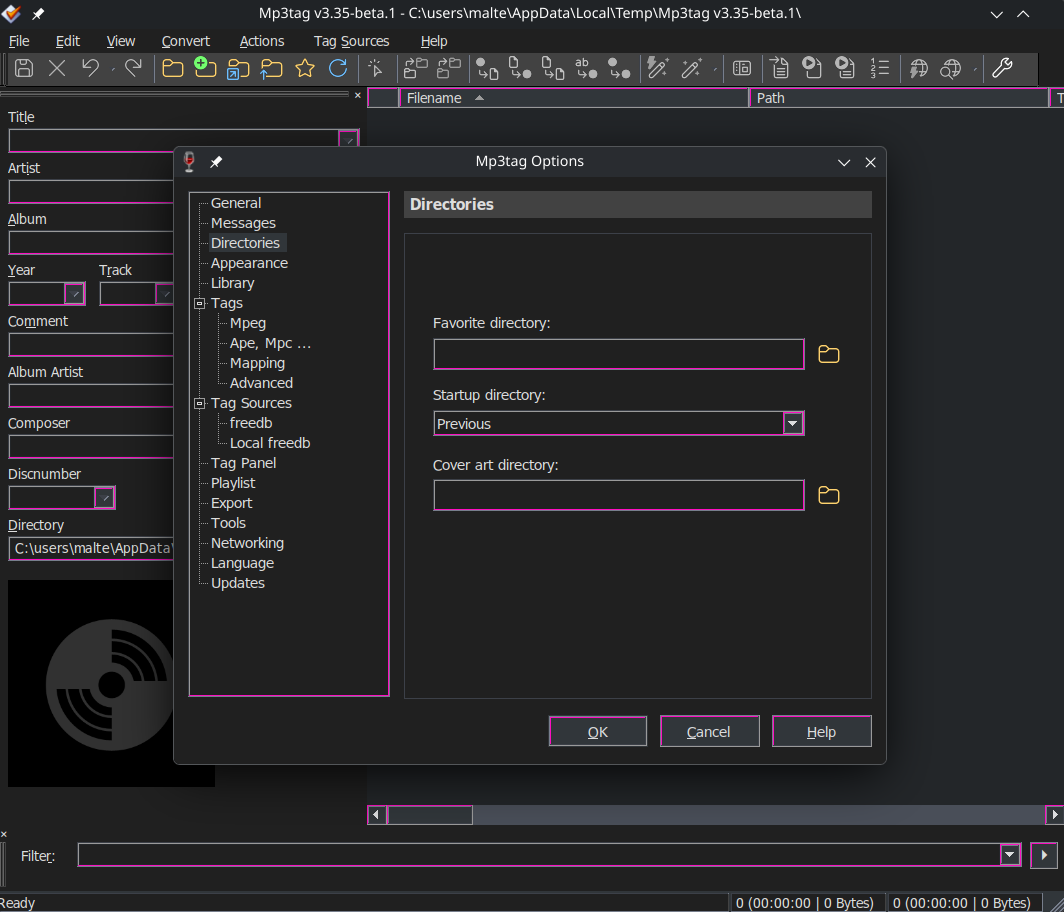
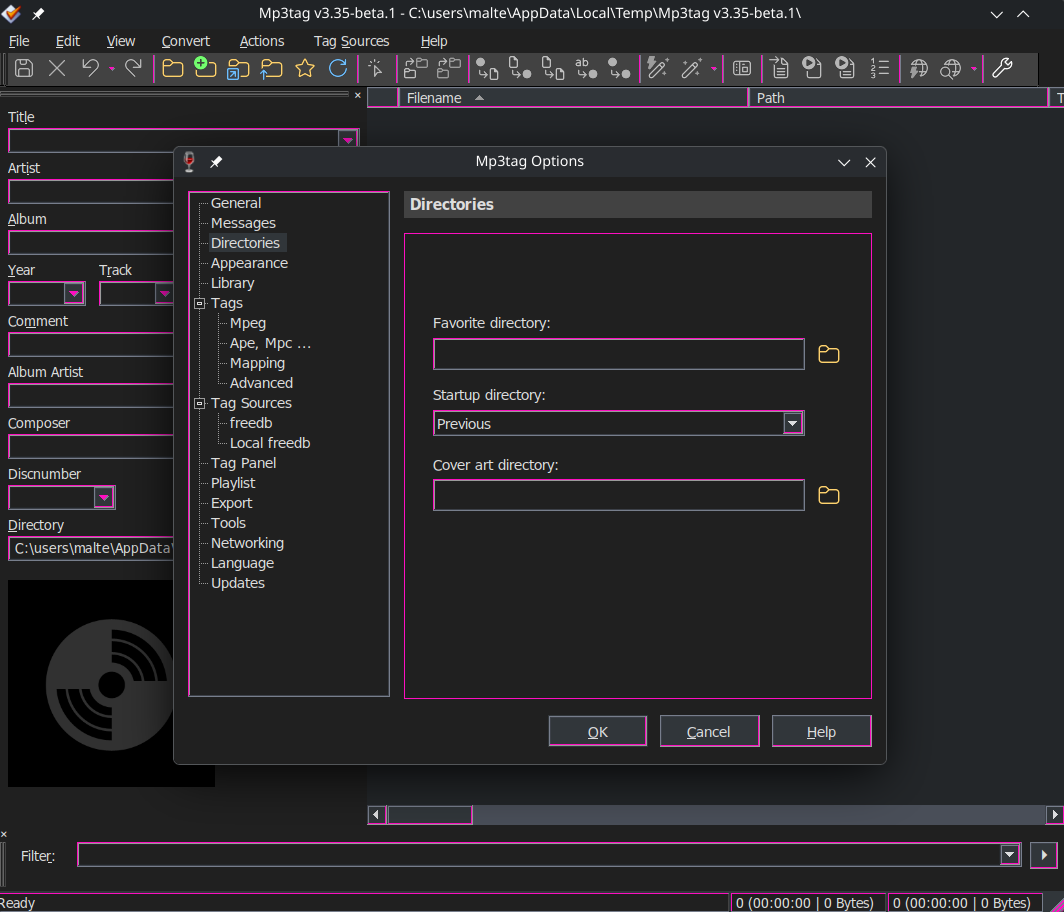
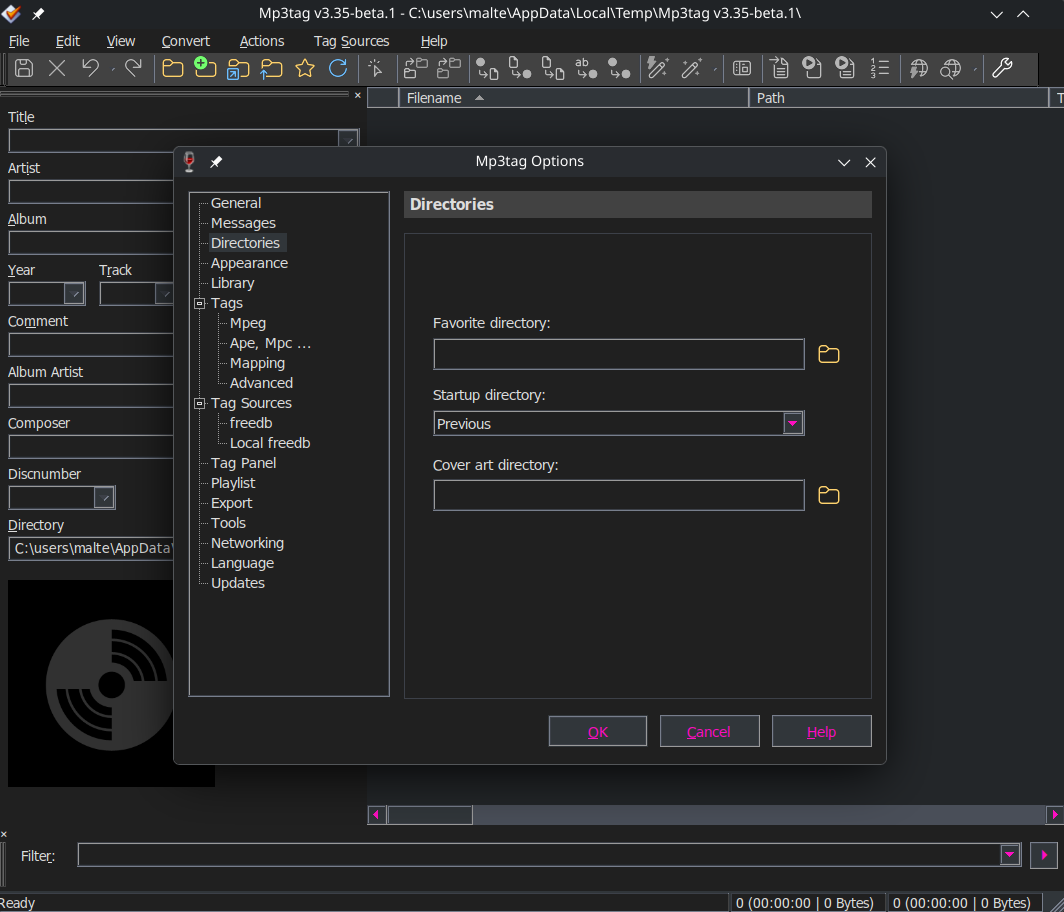
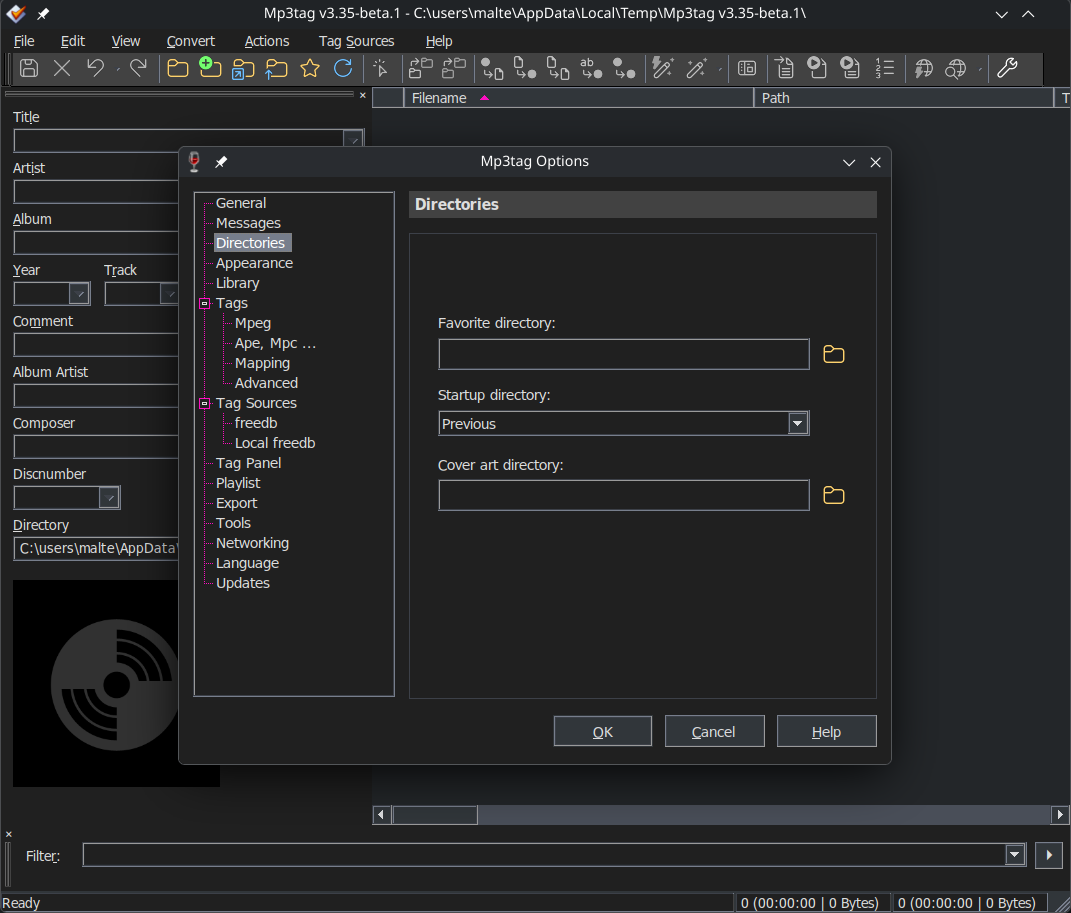
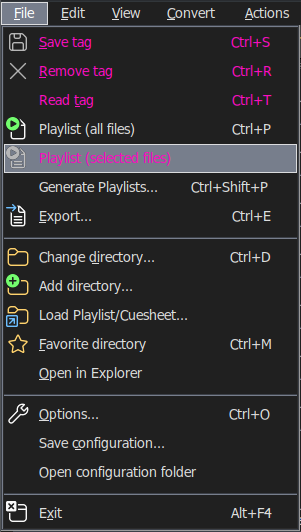
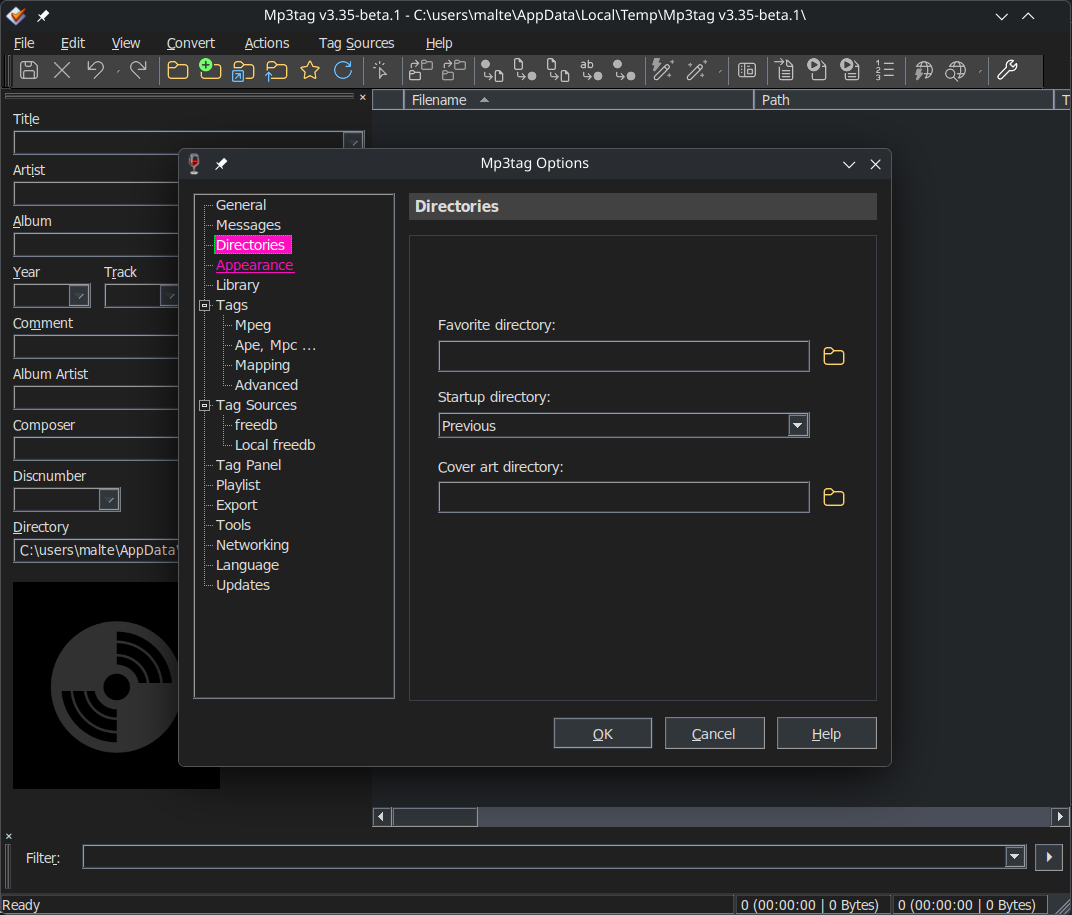
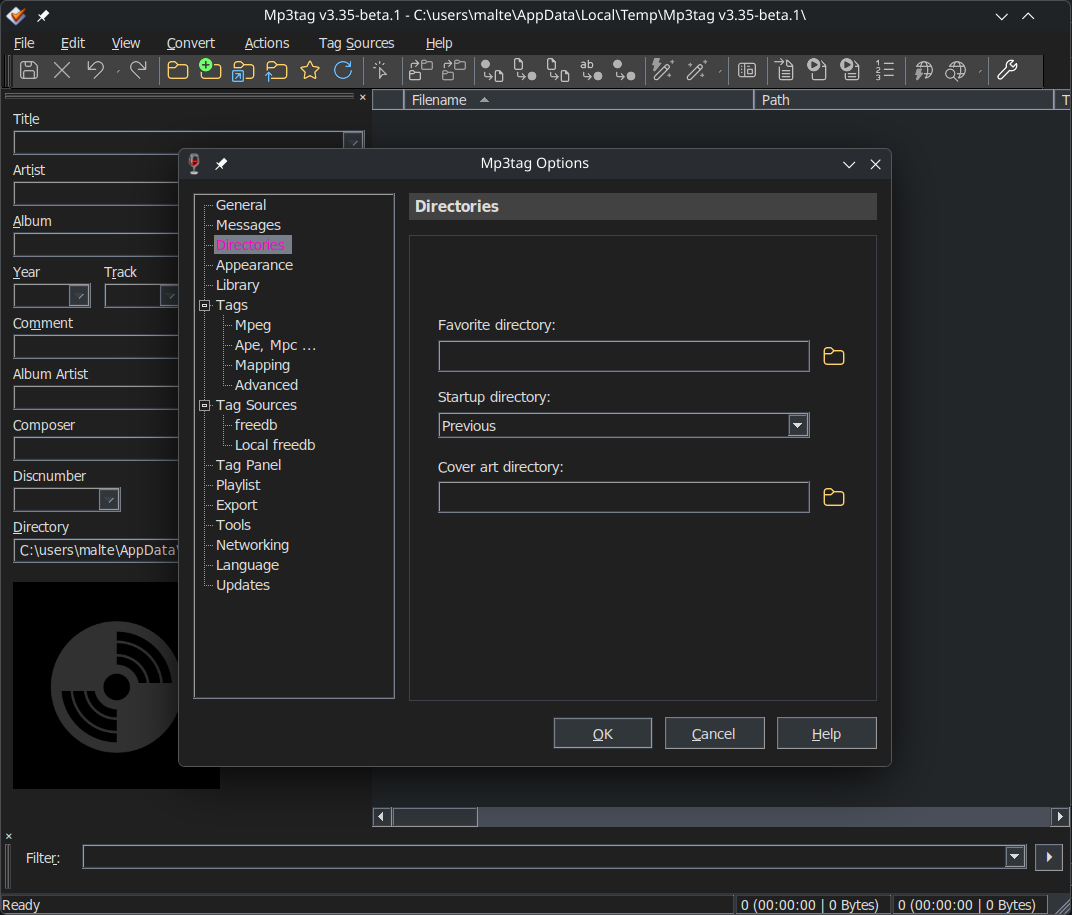
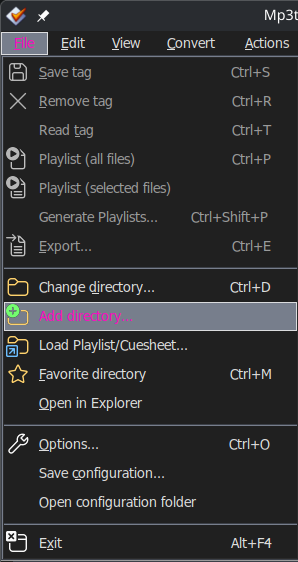
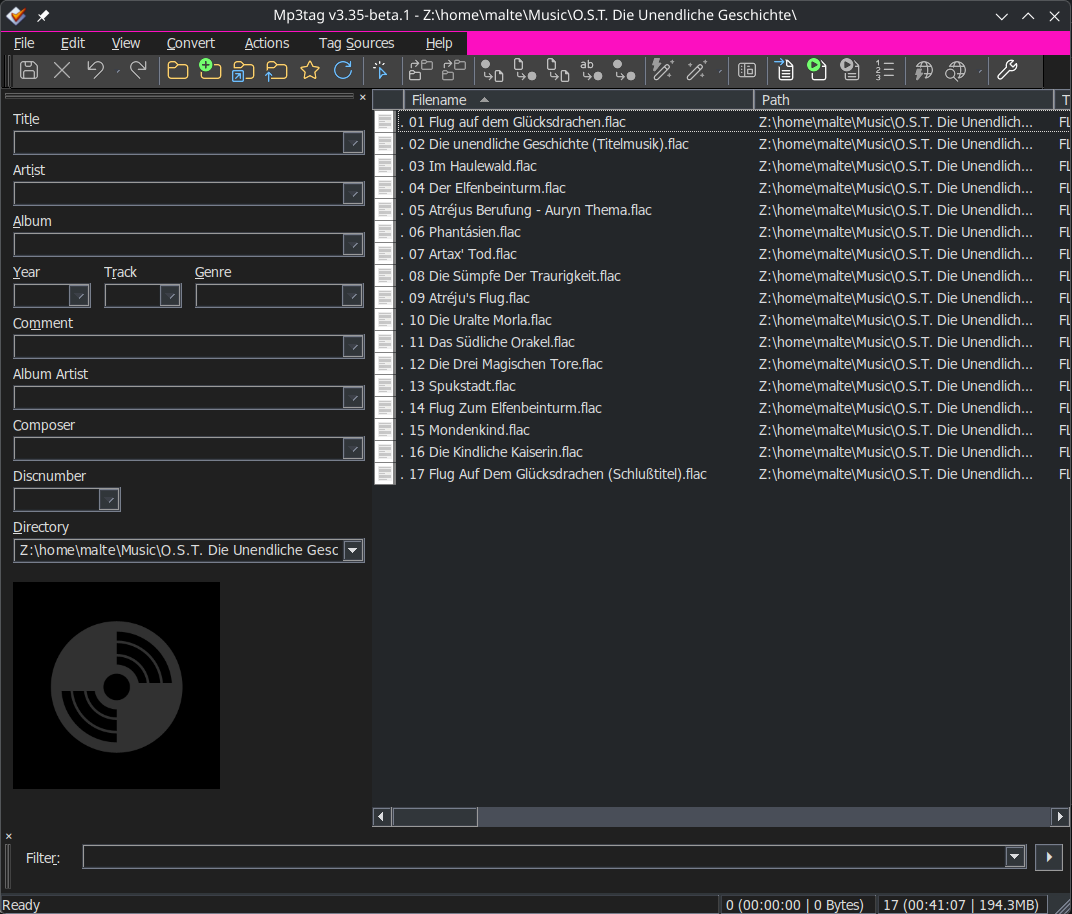
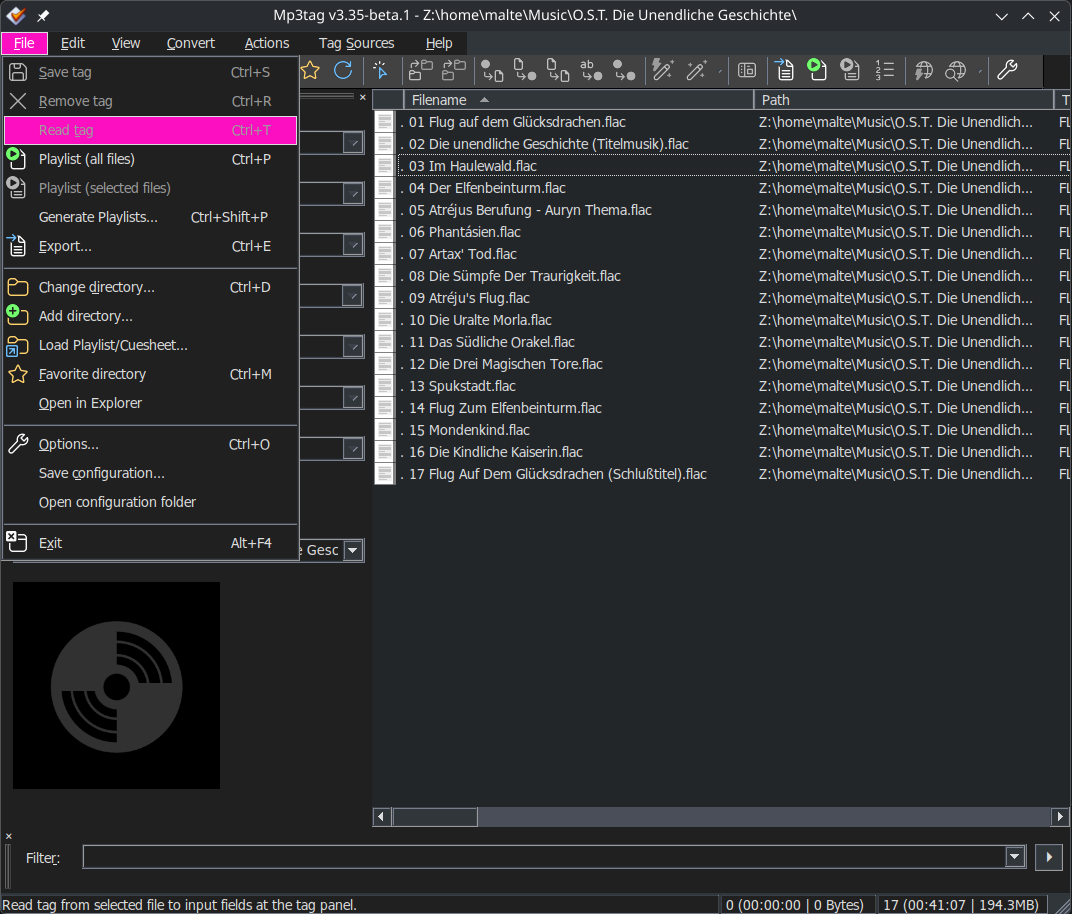
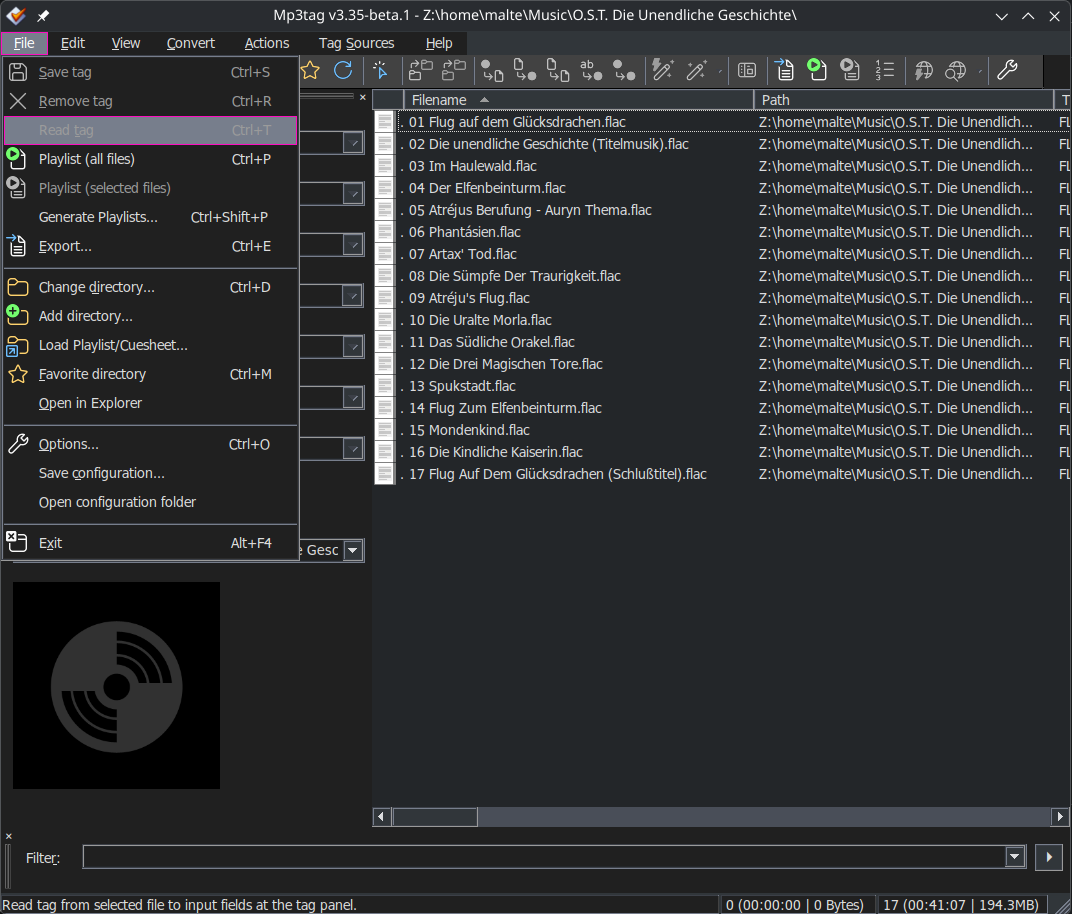
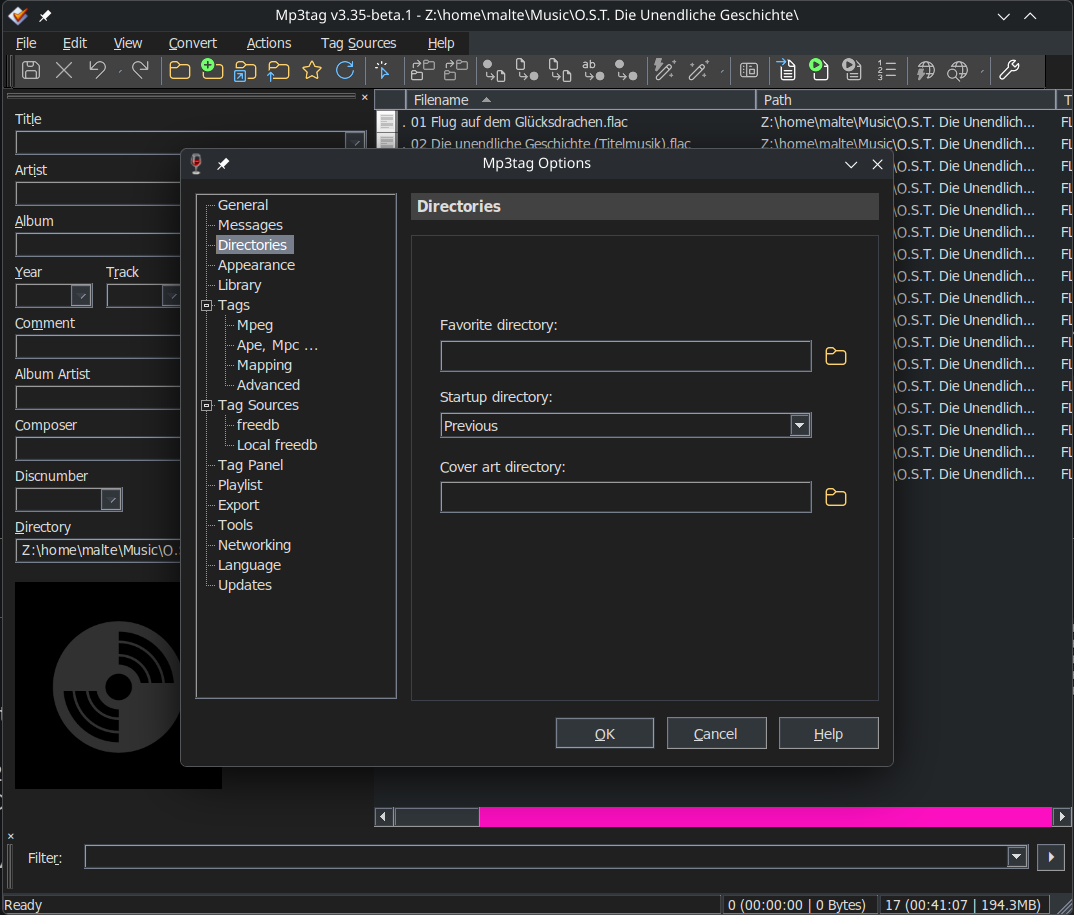
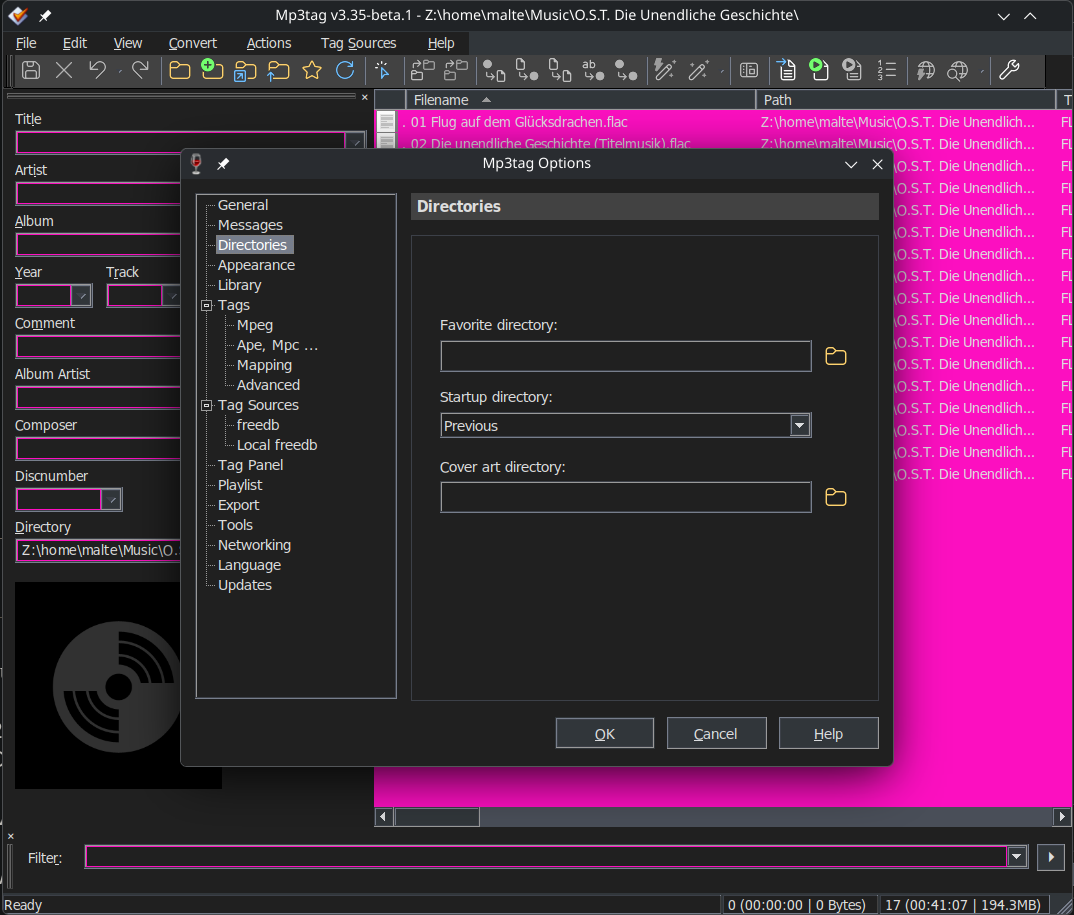
I've tried to see if I can adjust the registry edit to make those visible in `Dark` mode by changing them to bright pink 1 by 1 and noting what changes (if anything).
> **The only values I found to make a difference in Mp3tag are:**
>
> `"ButtonDkShadow"="154 154 154"`
>
> 
> `"ButtonFace"="49 54 58"`
> 
> `"ButtonHilight"="119 126 140"`
> 
> `"ButtonLight"="60 64 72"`
> 
> `"ButtonShadow"="60 64 72"`
> 
> `"ButtonText"="219 220 222"`
> 
> `"GrayText"="155 155 155"`
> 
> 
> `"Hilight"="119 126 140"`
> 
> `"HilightText"="255 255 255"`
> 
> 
> `"Menu"="49 54 58"`
> 
> `"MenuHilight"="119 126 140"`
> 
> `"MenuText"="219 220 222"`
> 
> `"Scrollbar"="73 78 88"`
> 
> `"Window"="35 38 41"`
> 
> `"WindowFrame"="49 54 58"`
> 
> `"WindowText"="219 220 222"`
> 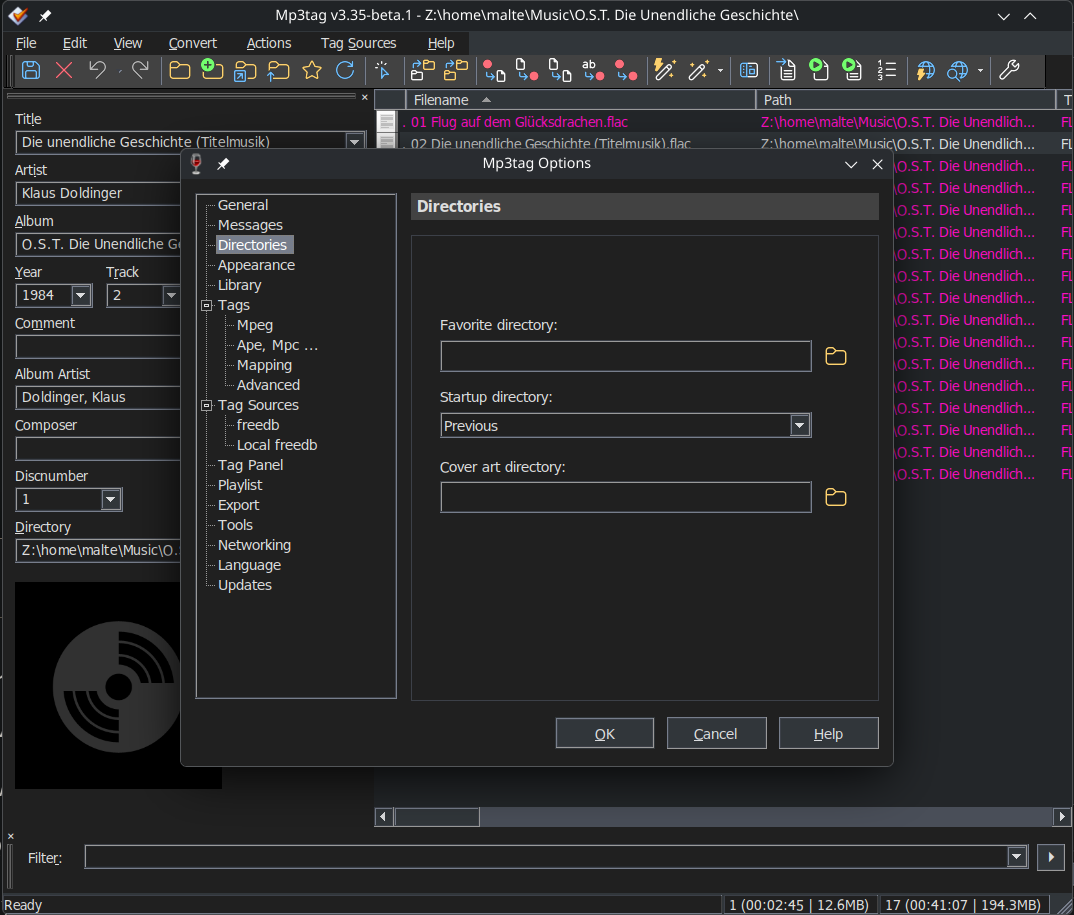
While the invisible menu entries cannot be influenced this way, this list should give users a good starting point if they do want to tweak the parts of the dark mode that are currently tweakable.
At the very least I recommend setting:
`"Menu"="49 54 58"` to
`"Menu"="32 32 32"`
to change this:

to match:

> **My recommended regedit**
>
> ```auto
> Windows Registry Editor Version 5.00
>
> [HKEY_CURRENT_USER\Control Panel\Colors]
> "ActiveBorder"="49 54 58"
> "ActiveTitle"="49 54 58"
> "AppWorkSpace"="60 64 72"
> "Background"="49 54 58"
> "ButtonAlternativeFace"="200 0 0"
> "ButtonDkShadow"="154 154 154"
> "ButtonFace"="49 54 58"
> "ButtonHilight"="119 126 140"
> "ButtonLight"="60 64 72"
> "ButtonShadow"="60 64 72"
> "ButtonText"="219 220 222"
> "GradientActiveTitle"="49 54 58"
> "GradientInactiveTitle"="49 54 58"
> "GrayText"="155 155 155"
> "Hilight"="119 126 140"
> "HilightText"="255 255 255"
> "InactiveBorder"="49 54 58"
> "InactiveTitle"="49 54 58"
> "InactiveTitleText"="219 220 222"
> "InfoText"="159 167 180"
> "InfoWindow"="49 54 58"
> "Menu"="32 32 32"
> "MenuBar"="49 54 58"
> "MenuHilight"="119 126 140"
> "MenuText"="219 220 222"
> "Scrollbar"="73 78 88"
> "TitleText"="219 220 222"
> "Window"="35 38 41"
> "WindowFrame"="49 54 58"
> "WindowText"="219 220 222"
>
> ```
On another note:
Is there a way to disable or at least adjust the display of the program preview icon?
Whenever I open Mp3tag, it's displayed like this:
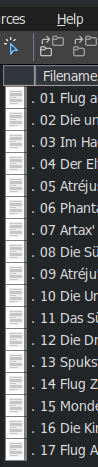
I find the `.` distracting and would prefer not to see the field at all.
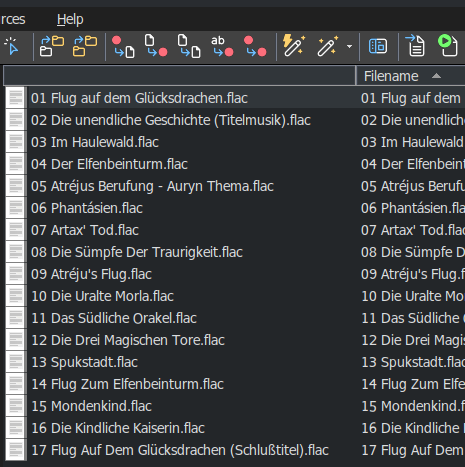
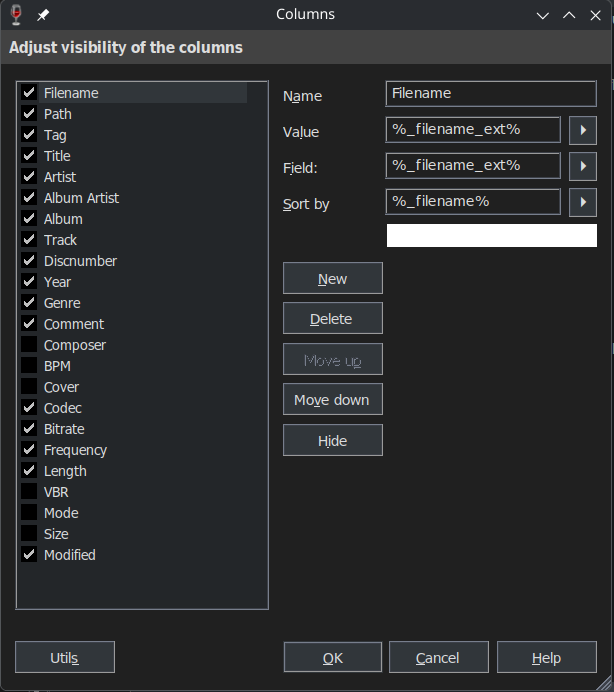
I don't see it in the default columns.
---
### Author:  [@Yesbut](https://community.mp3tag.de/u/Yesbut)
#### Post date: [May 27, 2026, 12:25pm UTC](https://community.mp3tag.de/t/dark-mode-on-linux/69015/12 "2026-05-27T12:25:39Z")
Thanks for your contribution Casual\_Tea
1. I have yet to experience invisible options. I think these can be avoided by changing the Desktop Integration tab via winecfg before running regedit and leaving the Mp3tag Appearance settings as the defaults.
2. The latest Mp3tag beta has also fixed the column header colour issue for me as well.
3. The leftmost column is useful for identifying MP3 files with errors. Also, the Tag column provides basic information about any errors.
Due to the icon being displayed incorrectly, I previously assumed that the error checking feature did not work on Linux. However, it actually does work, as you can see below. (The bad track in the screenshot is an MP3 file deliberately corrupted by me for testing purposes.)
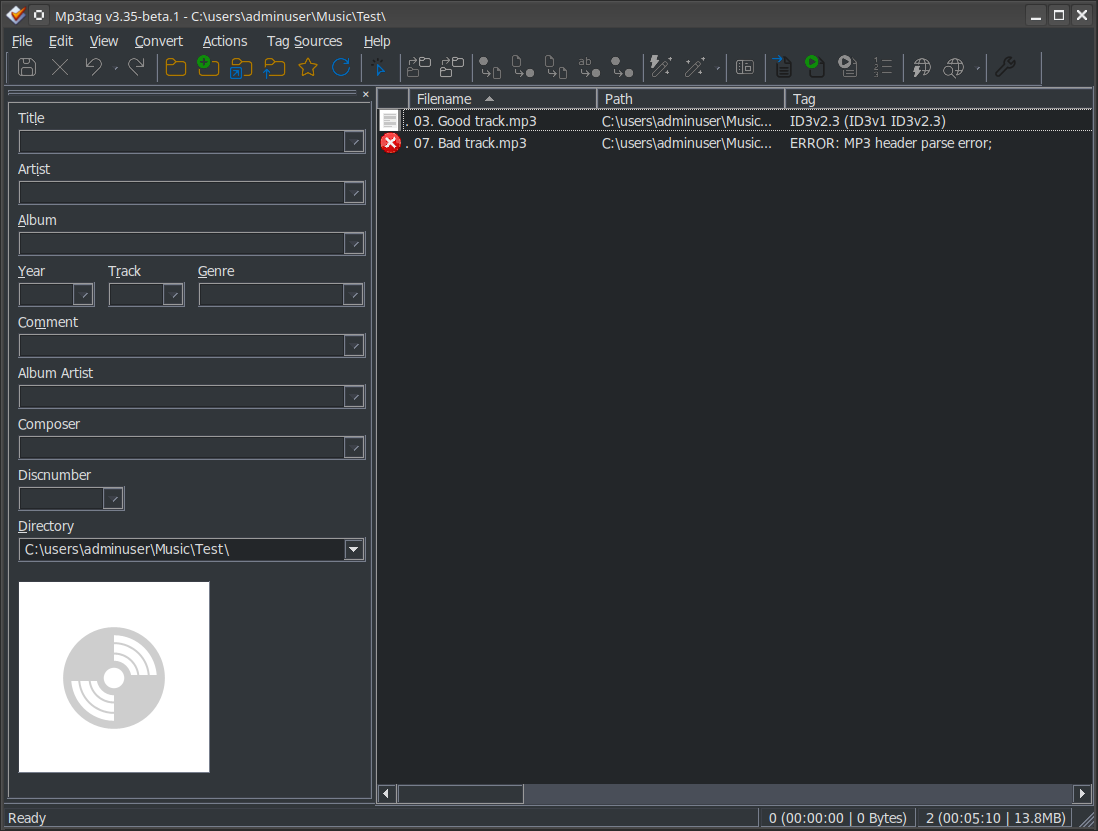
Even though an MP3 file with an error is a rare occurrence in my experience, I appreciate Mp3tag warning me so that I can choose to either fix or ignore the error. Therefore, I would disagree with removing the leftmost column or hiding it.
The crux of the problem is that Linux either cannot access or interpret whatever the Windows icon is for a normal Mp3 file. So, it always substitutes a white text icon which is unfortunate - especially for Dark Mode Linux users. Why the 'error' icon displays correctly but the 'normal' MP3 icon does not is an issue that Mr Florian may wish to consider.
---
### Author:  [@Casual\_Tea](https://community.mp3tag.de/u/Casual_Tea)
#### Post date: [May 27, 2026, 1:18pm UTC](https://community.mp3tag.de/t/dark-mode-on-linux/69015/13 "2026-05-27T13:18:38Z")
> [@Yesbut](#):
>
> I have yet to experience invisible options.
That's because your Mp3tag is set to `Light` (or `Default` and Wine is set to `Light`). I can tell by the muted colors in the tool bar and the white cover placeholder in your screenshot. Set Mp3tag to `Dark` internally or change the Wine setting to `Dark` and you'll notice the invisible menus.
> [@Yesbut](#):
>
> Therefore, I would disagree with removing the leftmost column or hiding it.
Good point, removing it would be detrimental. I still wish it wouldn't reset visually to always display a `.` beside the icon.
I haven't tried it yet but perhaps setting a default program for the file type (.mp3/.flac) would display the icon of that program instead of the default white text.