# Function to import text from clipboard into fields analogue to Convert\>text file - tag
**URL:** https://community.mp3tag.de/t/function-to-import-text-from-clipboard-into-fields-analogue-to-convert-text-file-tag/71791
**Category:** General Discussion
**Tags:** feature
**Created:** [August 30, 2026, 6:48pm UTC](https://community.mp3tag.de/t/function-to-import-text-from-clipboard-into-fields-analogue-to-convert-text-file-tag/71791 "2026-08-30T18:48:40Z")
**Posts on this page:** 4
**Page:** 1
### Author:  [@ohrenkino](https://community.mp3tag.de/u/ohrenkino)
#### Post date: [August 30, 2026, 6:48pm UTC](https://community.mp3tag.de/t/function-to-import-text-from-clipboard-into-fields-analogue-to-convert-text-file-tag/71791/1 "2026-08-30T18:48:40Z")
I would like to see a function that is sort of the reverse function to Edit\>Copy as text ...
Basically, it should work like Convert\>Text file - tag: a list of fields would be required as described right now in the documenation but instead of an also necessary file name, the contents of the clipboard should be a possible source.
So perhaps the function Convert\>Text file - tag could be expanded to select either a file or the clipboard contents.
(Admittedly, the name of the Convert function would not be 100% accurate any more).
IMHO the import from the clipboard would be a nice counterpart to Edit\>Copy as text ...
---
### Author:  [@Florian](https://community.mp3tag.de/u/Florian)
#### Post date: [August 30, 2026, 6:59pm UTC](https://community.mp3tag.de/t/function-to-import-text-from-clipboard-into-fields-analogue-to-convert-text-file-tag/71791/2 "2026-08-30T18:59:36Z")
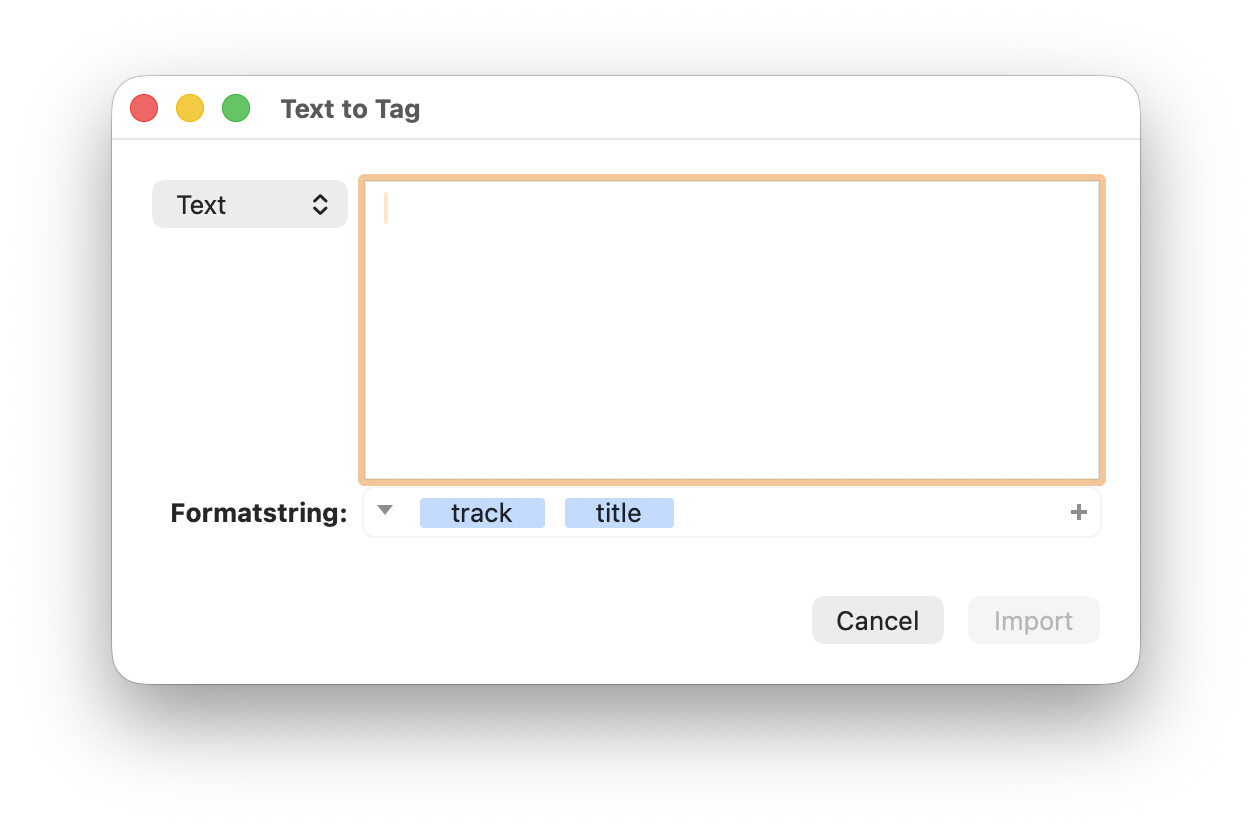
It's on my list, the Mac version has this already. I named the converter **Text - Tag** there with the option to choose between Text File and Text.
---
### Author:  [@Florian](https://community.mp3tag.de/u/Florian)
#### Post date: [October 9, 2026, 3:43pm UTC](https://community.mp3tag.de/t/function-to-import-text-from-clipboard-into-fields-analogue-to-convert-text-file-tag/71791/5 "2026-10-09T15:43:05Z")
I've added this feature with [Mp3tag v3.37-beta.1](https://community.mp3tag.de/t/455), where you can now selected between using **Text file** and **Text** as source.
When switching to **Text** , the dialog becomes fully resizable and any the text field is pre-filled with the contents from the clipboard.
I've also added a live preview to both modes, so that the effects of the format string can be observed directly.
---
### Author:  [@ohrenkino](https://community.mp3tag.de/u/ohrenkino)
#### Post date: [October 11, 2026, 3:43pm UTC](https://community.mp3tag.de/t/function-to-import-text-from-clipboard-into-fields-analogue-to-convert-text-file-tag/71791/6 "2026-10-11T15:43:43Z")
This topic was automatically closed 2 days after the last reply. New replies are no longer allowed.