This is how I understand the new feature so far:
You can create a non-standard field however you like.
In this example I choose EyeColor as new fieldname.
Then I enter the text
Green
and press Shift + Ctrl + Enter.
(Keyboard shortcut changed with v3.37)
This saves Green in the drop-down list with possible values.
Then I enter
Blue
and press again Shift + Ctrl + Enter.
This saves Blue additonally in the drop-down list of possible values.
And so on.
Ultimately, all of the eye colours I have previously entered are saved in the list.
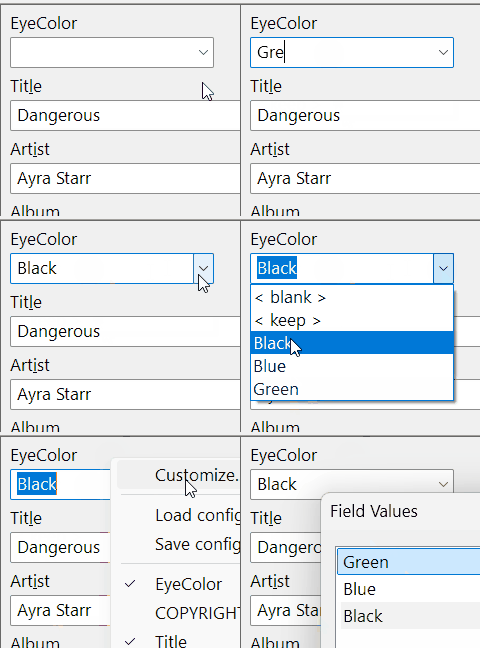
This list can be managed using
File -> Options -> Tag Panel -> EyeColor -> Edit field... -> Manage...
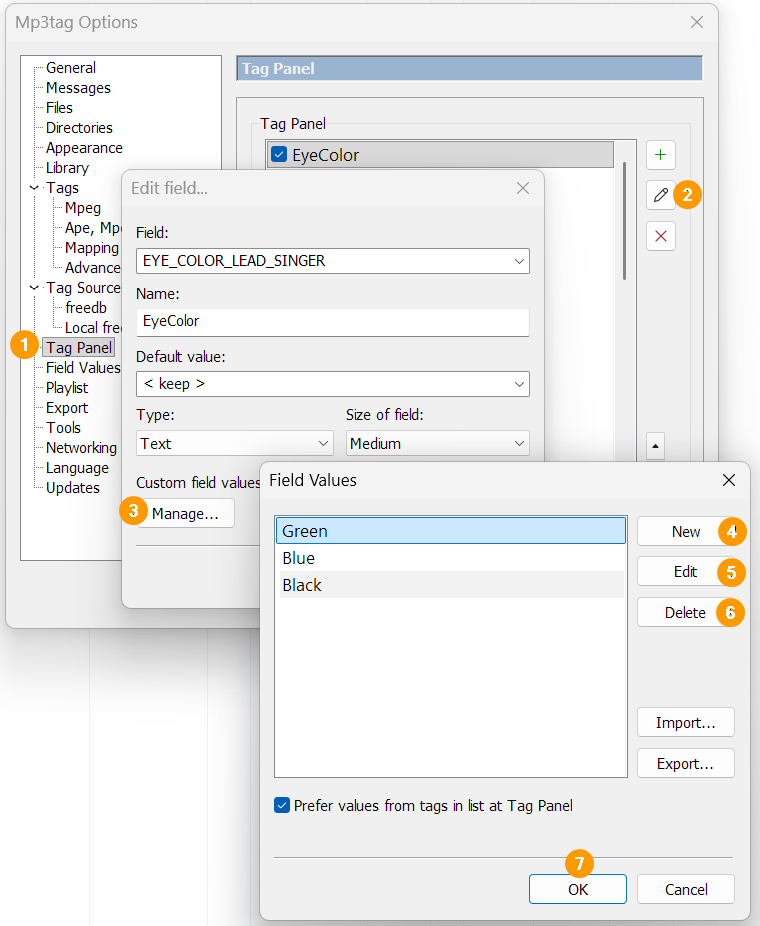
As I learned from @ohrenkino:
The same list is also availabe with
File -> Options -> Field Values -> EYE_COLOR_LEAD_SINGER -> Edit field...
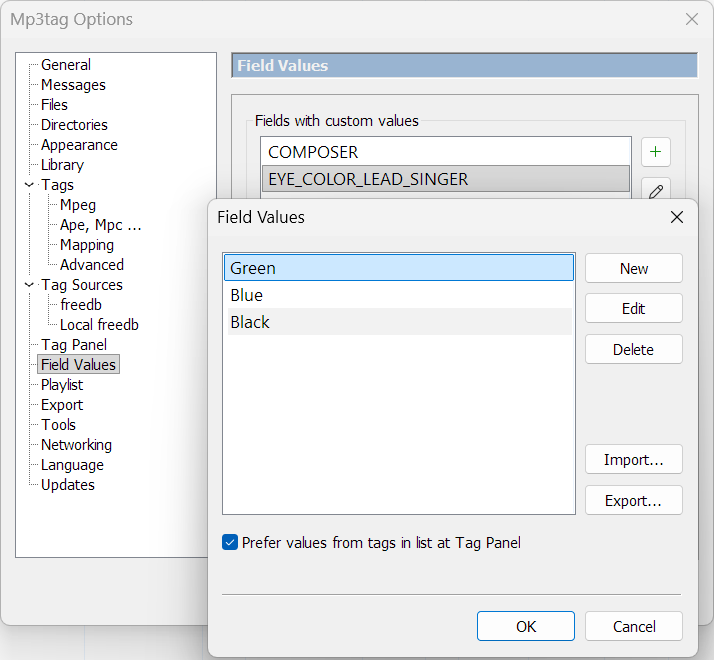
EYE_COLOR_LEAD_SINGER is the technical field name where the values are saved.
EyeColor is the visible name in the Tag Panel.