# Unable to write the Tags in the file "xxx.m4a" of the folder "yyy"
**URL:** https://community.mp3tag.de/t/unable-to-write-the-tags-in-the-file-xxx-m4a-of-the-folder-yyy/71730
**Category:** Mac
**Created:** [August 15, 2026, 6:23pm UTC](https://community.mp3tag.de/t/unable-to-write-the-tags-in-the-file-xxx-m4a-of-the-folder-yyy/71730 "2026-08-15T18:23:27Z")
**Posts on this page:** 9
**Page:** 1
### Author:  [@TheAppleSpirit](https://community.mp3tag.de/u/TheAppleSpirit)
#### Post date: [August 15, 2026, 6:23pm UTC](https://community.mp3tag.de/t/unable-to-write-the-tags-in-the-file-xxx-m4a-of-the-folder-yyy/71730/1 "2026-08-15T18:23:27Z")
Hi,
I use Mp3tag Version 1.13.5 (143)
With somme file it's impossible to manage the Tags.
1. Mp3tag doesn't display de Tags (but I know they exist)
2. When I modify the Tags and I save I have the error message
With the Subler App, I see the Tags, I can change and save them.
I use MAC OS Tahoe 26.5.1
I've tryed several tests, I've deleted the files in Apple Music, and put it into the trash.
I take a CD to make a new import of my album with Apple Music, but there is aways only 1 title that I can't manage with Mp3tag.
I have the same problem with others albums with only 1, 2, or 3 titles.
I don't understand why ?
With Subler it's OK, but Mp3Tag can't manage them.
Best Regards
---
### Author:  [@Florian](https://community.mp3tag.de/u/Florian)
#### Post date: [August 15, 2026, 7:02pm UTC](https://community.mp3tag.de/t/unable-to-write-the-tags-in-the-file-xxx-m4a-of-the-folder-yyy/71730/2 "2026-08-15T19:02:11Z")
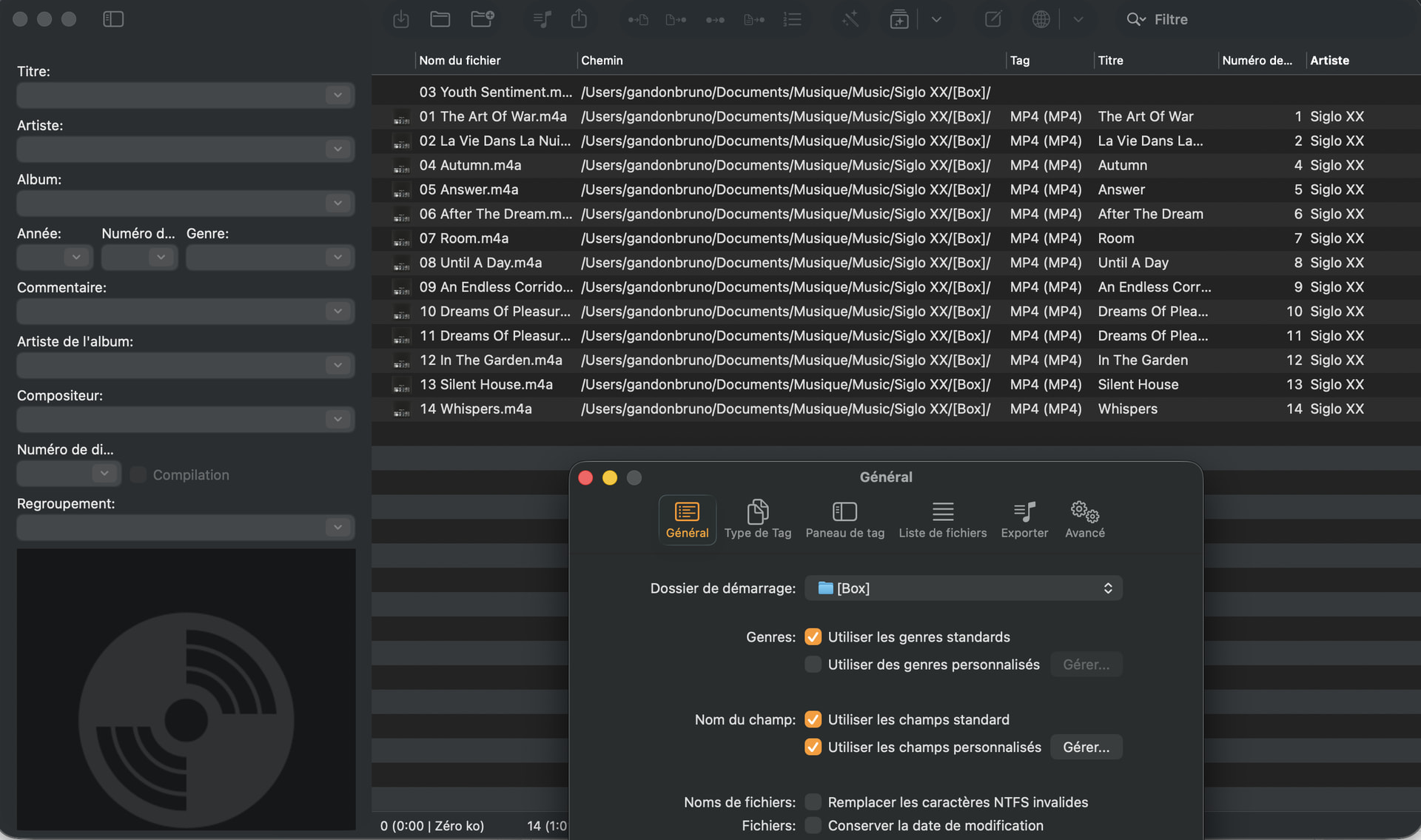
Can you try adding the folder or a parent folder via **Preferences → General → Folder access** and if it's already there, remove it and add it again.
After that, try opening the folder via ⌘O. Please open the folder, not the individual files.
---
### Author:  [@TheAppleSpirit](https://community.mp3tag.de/u/TheAppleSpirit)
#### Post date: [August 15, 2026, 7:34pm UTC](https://community.mp3tag.de/t/unable-to-write-the-tags-in-the-file-xxx-m4a-of-the-folder-yyy/71730/3 "2026-08-15T19:34:33Z")
Hi,
I do it but I have the same problem.
---
### Author:  [@Florian](https://community.mp3tag.de/u/Florian)
#### Post date: [August 15, 2026, 7:38pm UTC](https://community.mp3tag.de/t/unable-to-write-the-tags-in-the-file-xxx-m4a-of-the-folder-yyy/71730/4 "2026-08-15T19:38:50Z")
It's **Accès au dossier** in French.
---
### Author:  [@TheAppleSpirit](https://community.mp3tag.de/u/TheAppleSpirit)
#### Post date: [August 15, 2026, 8:13pm UTC](https://community.mp3tag.de/t/unable-to-write-the-tags-in-the-file-xxx-m4a-of-the-folder-yyy/71730/5 "2026-08-15T20:13:53Z")
Hi,
same problem

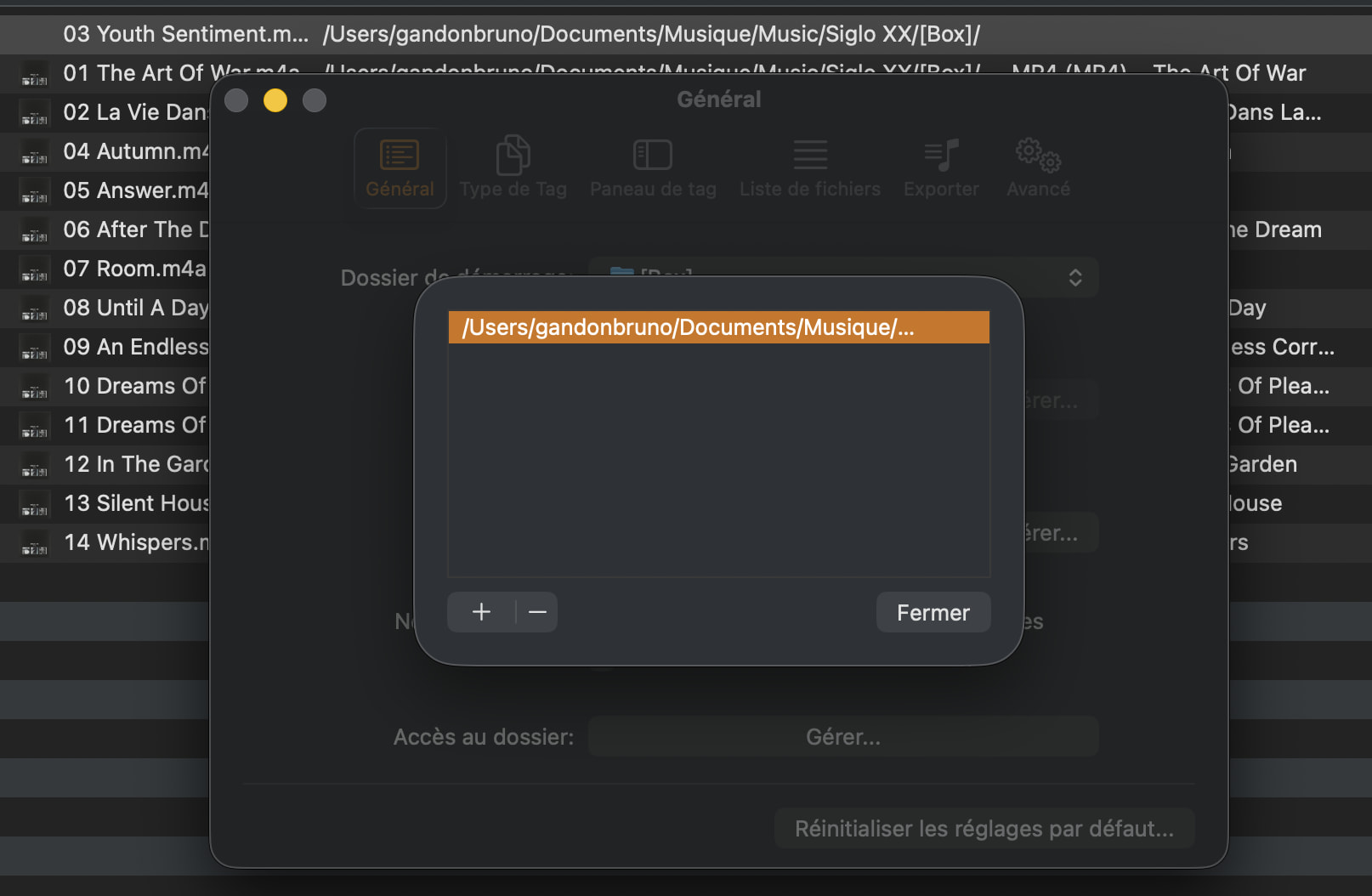
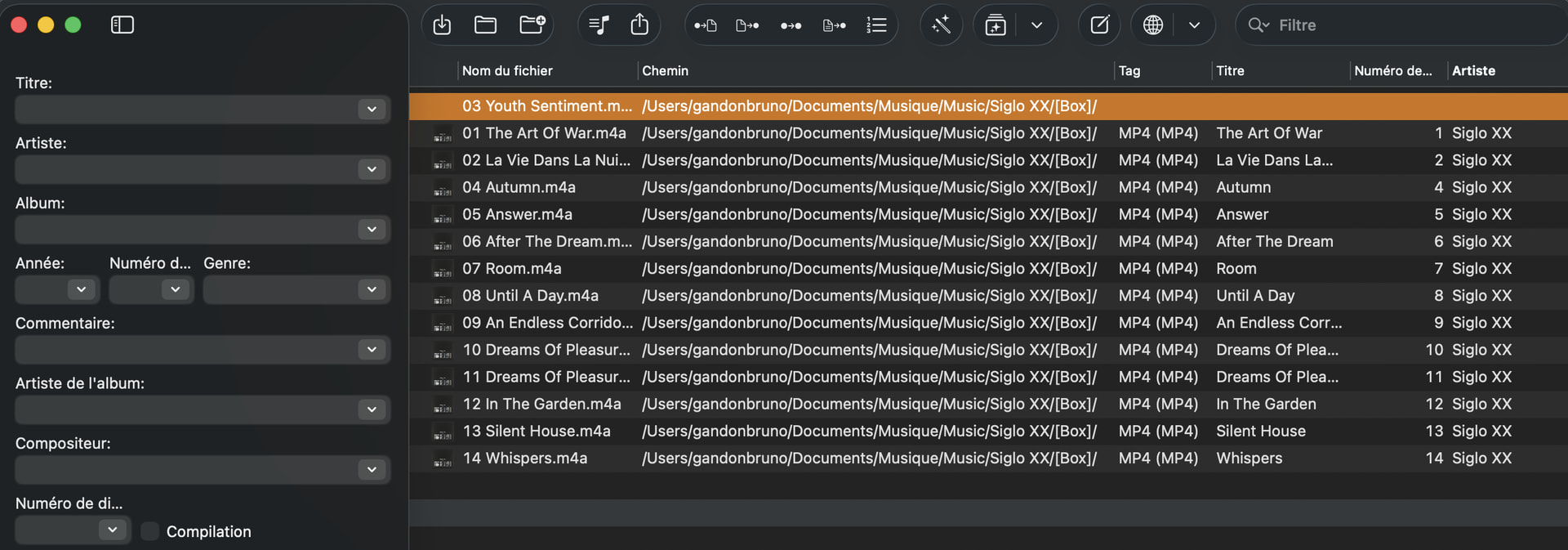
I Would want to buy Mp3Tag because it is wonderful, I use a a test version.
But if I have always this problem, I can't buy it.
Thanks for help
---
### Author:  [@TheAppleSpirit](https://community.mp3tag.de/u/TheAppleSpirit)
#### Post date: [August 16, 2026, 5:55am UTC](https://community.mp3tag.de/t/unable-to-write-the-tags-in-the-file-xxx-m4a-of-the-folder-yyy/71730/6 "2026-08-16T05:55:11Z")
Hi,
I have downloaded some files where there is the problem.
Thanks for help
---
### Author:  [@Florian](https://community.mp3tag.de/u/Florian)
#### Post date: [August 16, 2026, 8:02am UTC](https://community.mp3tag.de/t/unable-to-write-the-tags-in-the-file-xxx-m4a-of-the-folder-yyy/71730/7 "2026-08-16T08:02:56Z")
I've analyzed the files and all of them have certain issues, mostly corrupted atoms. This is not an issue with Mp3tag, but with malformed files.
foobar2000's integrity verification also reports errors for all four files.
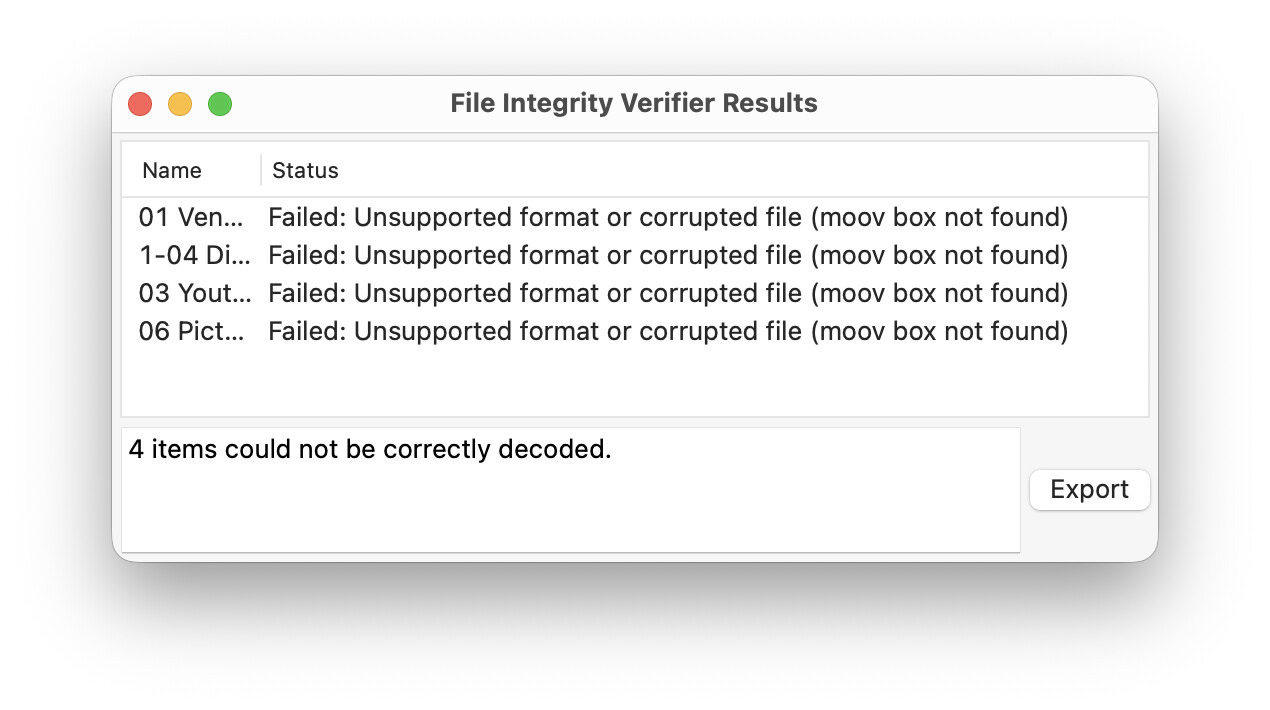
If you're familiar with ffmpeg and the command line, you can try to repackage them in a fresh MP4 container via Terminal.app and this command:
`ffmpeg -i input.m4a -c copy output.m4a`
---
### Author:  [@TheAppleSpirit](https://community.mp3tag.de/u/TheAppleSpirit)
#### Post date: [August 16, 2026, 4:49pm UTC](https://community.mp3tag.de/t/unable-to-write-the-tags-in-the-file-xxx-m4a-of-the-folder-yyy/71730/8 "2026-08-16T16:49:43Z")
Hi,
Sorry for wasting your time.
Indeed, the problem is in my files.
It was iTunes or Music that sometimes created incorrect music files from my CDs.
I didn't understand why by deleting the entire album with Music and responding to place the titles in the trash, redoing, the files were always wrong.
But I realised what was going on.
When I replied to put the titles in the trash with Music, they remained in the Music library.
When I imported my CD again, it updated the files!!!! and kept the mistakes!!!!
So I deleted the files in Music and also deleted them by going to the Finder.
This time, there was nothing left!!!
By re-importing my CDs, the files were quite correct.
Now I am able to do mass actions with your great Mp3Tag software on my library without any error message.
In summary, it came from 2 iTunes/Music bugs
1. Random errors in the conversion of CDs into music files
2. Error in trashing with Music.
A BIG thank you for your help.
I buy Mp3Tag right away.
I have a library of 30,000 songs and Music contains other bugs.
With your software, it will help me a lot.
Best Regards
---
### Author:  [@system](https://community.mp3tag.de/u/system)
#### Post date: [August 18, 2026, 4:49pm UTC](https://community.mp3tag.de/t/unable-to-write-the-tags-in-the-file-xxx-m4a-of-the-folder-yyy/71730/9 "2026-08-18T16:49:55Z")
This topic was automatically closed 2 days after the last reply. New replies are no longer allowed.