# Windows Media Player cannot play an M4A file after editing the Album field in Mp3tag v3.35
**URL:** https://community.mp3tag.de/t/windows-media-player-cannot-play-an-m4a-file-after-editing-the-album-field-in-mp3tag-v3-35/71500
**Category:** Support
**Created:** [June 26, 2026, 5:04am UTC](https://community.mp3tag.de/t/windows-media-player-cannot-play-an-m4a-file-after-editing-the-album-field-in-mp3tag-v3-35/71500 "2026-06-26T05:04:33Z")
**Posts on this page:** 6
**Page:** 1
### Author:  [@BBB](https://community.mp3tag.de/u/BBB)
#### Post date: [June 26, 2026, 5:04am UTC](https://community.mp3tag.de/t/windows-media-player-cannot-play-an-m4a-file-after-editing-the-album-field-in-mp3tag-v3-35/71500/1 "2026-06-26T05:04:33Z")
Hello,
I would appreciate your advice regarding a problem I encountered after editing an M4A file with Mp3tag.
### Environment
- Mp3tag version: 3.35
- Operating System: Windows 11
- File type: M4A (AAC)
- Windows Media Player language: Japanese
- Mp3tag interface language: Japanese
### What happened
Before editing, the M4A file played normally in the new Windows Media Player.
I opened the file in Mp3tag.
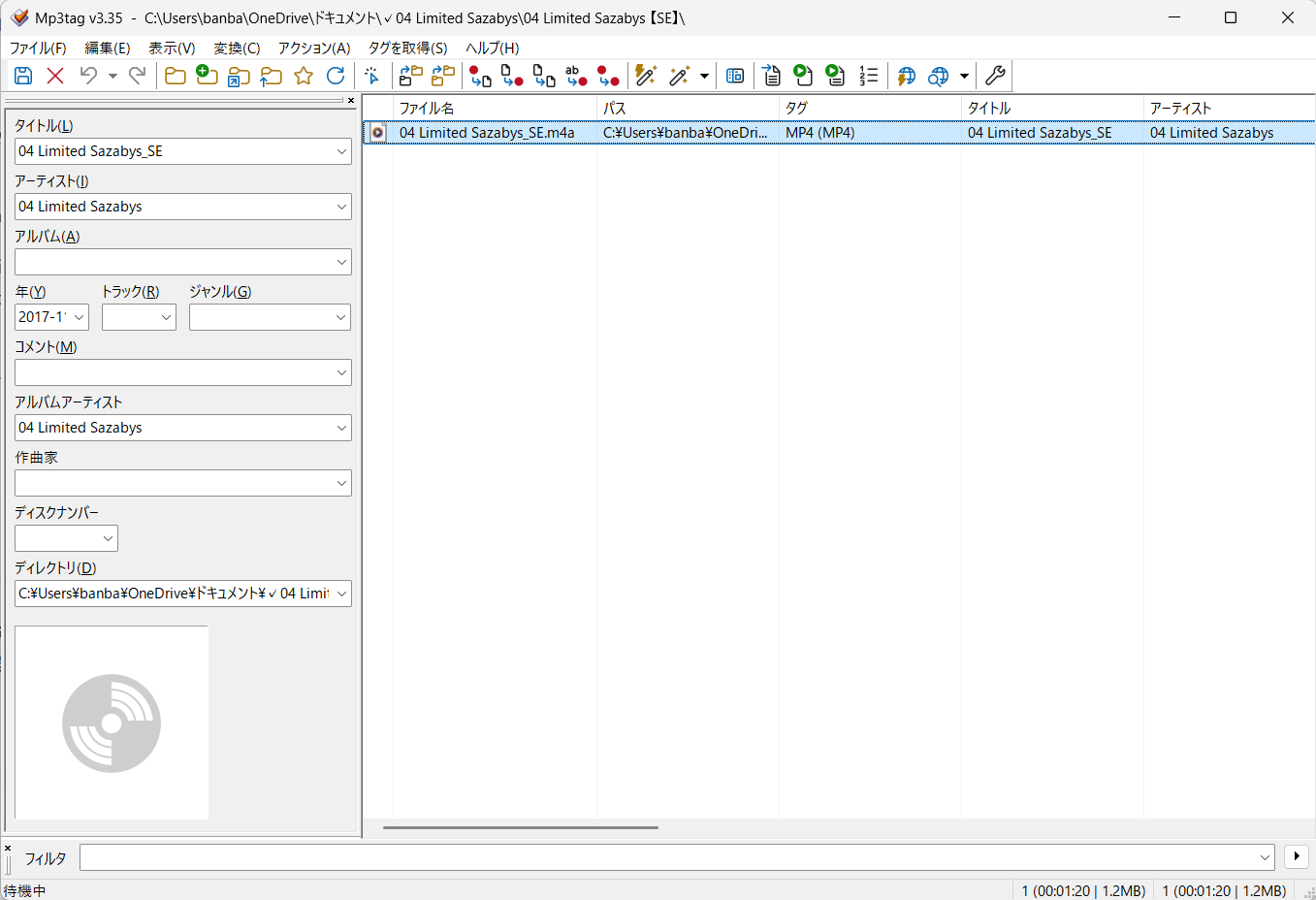
The field labeled **アルバム (A)** means **Album**. This field was originally empty.
I entered the following value into the Album field:
`04 Limited Sazabys_SE`
Then I saved the file.
Immediately after that first save, Windows Media Player could no longer play the file.
After the issue occurred, I tried clearing the Album field again and saved the file once more, but the problem still remains.
This is why the attached Mp3tag screenshot currently shows the Album field as empty.
### Error message
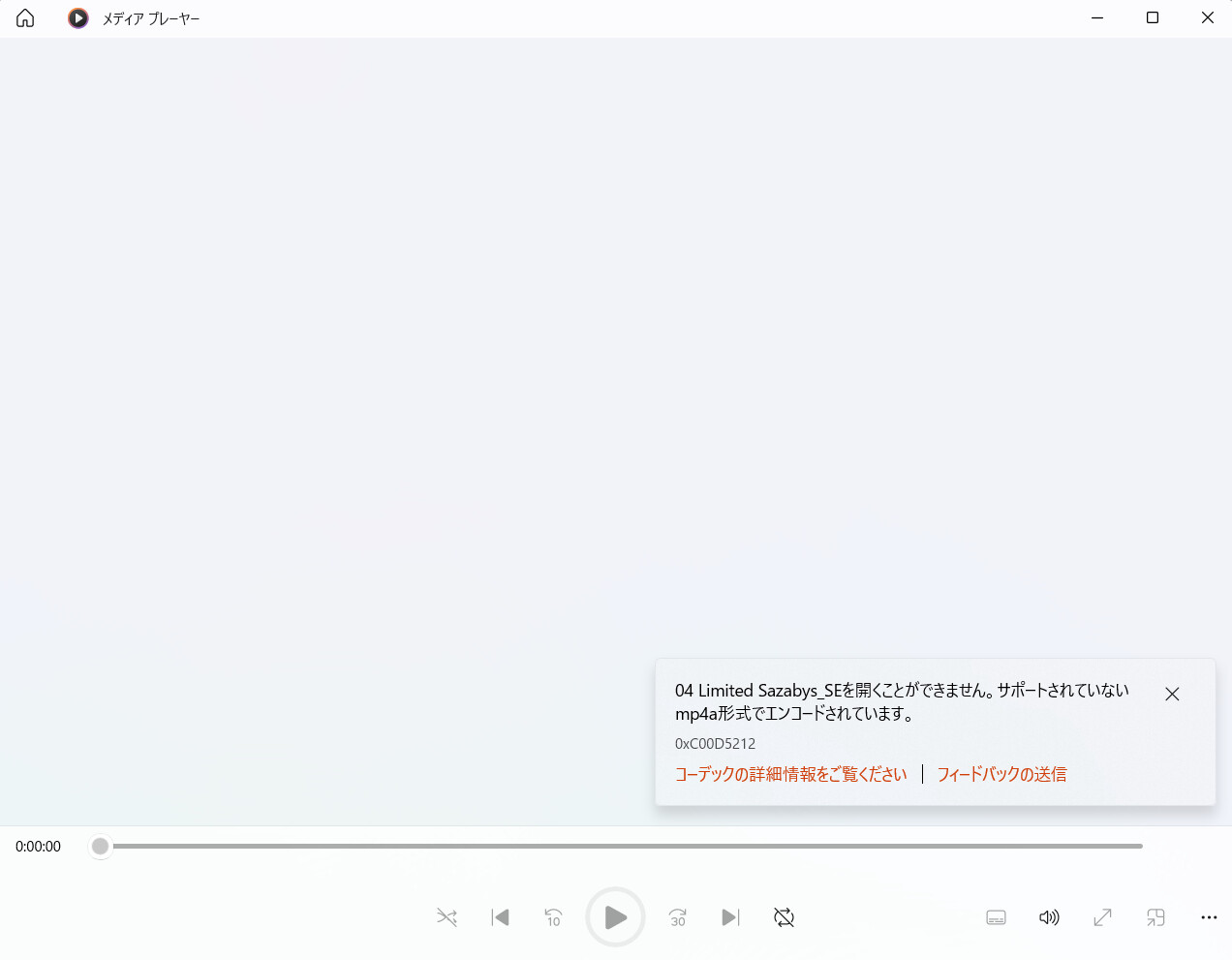
The Windows Media Player error message is shown in Japanese in the attached screenshot.
The relevant part means:
> This file cannot be opened.
> It is encoded using an unsupported mp4a format.
> Error code: 0xC00D5212
### Additional information
- The same file still plays correctly in VLC Media Player.
- I did not convert the file.
- I did not rename the file.
- I did not change the file extension.
- The issue first occurred immediately after adding a value to the previously empty Album field and saving the file.
- The original pre-edited file was overwritten when I saved it, so I no longer have that version.
- I cannot upload the affected audio file publicly because it may contain copyrighted audio.
I have attached screenshots of:
- the Windows Media Player error message
- the Mp3tag editing window
The screenshots are in Japanese, so I translated the relevant parts above.
I can provide additional technical information, such as ffprobe or ExifTool output, if needed.
Has anyone experienced this behavior before?
Could this be related to how Mp3tag writes MP4/M4A metadata, or is there anything else I should investigate?
Thank you very much.
---
### Author:  [@ohrenkino](https://community.mp3tag.de/u/ohrenkino)
#### Post date: [June 26, 2026, 6:32am UTC](https://community.mp3tag.de/t/windows-media-player-cannot-play-an-m4a-file-after-editing-the-album-field-in-mp3tag-v3-35/71500/2 "2026-06-26T06:32:48Z")
Without a sample file it is hard to say.
Locally, I would check if the alleged mp4 file is really an mp4 file.
See if e.g. Foobar2000 to check the consistency and optimize the file layout.
---
### Author:  [@LyricsLover](https://community.mp3tag.de/u/LyricsLover)
#### Post date: [June 26, 2026, 6:40am UTC](https://community.mp3tag.de/t/windows-media-player-cannot-play-an-m4a-file-after-editing-the-album-field-in-mp3tag-v3-35/71500/3 "2026-06-26T06:40:39Z")
> [@BBB](#):
>
> or is there anything else I should investigate?
This hint might help, too.
> [@How to check files for errors?](https://community.mp3tag.de/t/how-to-check-files-for-errors/44633):
>
> It’s required and often helps to reduce support cycles to check files for errors before filing a bug report. Symptoms of erroneous files are often missing or wrong bitrate or length audible blips or skips tags seem to be sticky and cannot be removed There are some really good tools to check the files for errors, namely MP3 Diags — identifies many different issues in MP3 files Website: [http://mp3diags.sourceforge.net](http://mp3diags.sourceforge.net) Download: [MP3 Diags - Getting MP3 Diags](http://mp3diags.sourceforge.net/010_getting_the_program.html#binWindows) If the font size in MP3 Diags is …
---
### Author:  [@BBB](https://community.mp3tag.de/u/BBB)
#### Post date: [June 26, 2026, 7:28am UTC](https://community.mp3tag.de/t/windows-media-player-cannot-play-an-m4a-file-after-editing-the-album-field-in-mp3tag-v3-35/71500/4 "2026-06-26T07:28:00Z")
Thank you for your advice!
I’ll try checking the file with foobar2000.
---
### Author:  [@BBB](https://community.mp3tag.de/u/BBB)
#### Post date: [June 26, 2026, 7:28am UTC](https://community.mp3tag.de/t/windows-media-player-cannot-play-an-m4a-file-after-editing-the-album-field-in-mp3tag-v3-35/71500/5 "2026-06-26T07:28:41Z")
Thank you for the helpful information!
I’ll take a look and use it as a reference.
---
### Author:  [@system](https://community.mp3tag.de/u/system)
#### Post date: [July 6, 2026, 12:30pm UTC](https://community.mp3tag.de/t/windows-media-player-cannot-play-an-m4a-file-after-editing-the-album-field-in-mp3tag-v3-35/71500/6 "2026-07-06T12:30:56Z")
This topic was automatically closed 7 days after the last reply. New replies are no longer allowed.