Would you like to see all the "Recording Artist(s)" as highlighted in yellow in this screenshot?

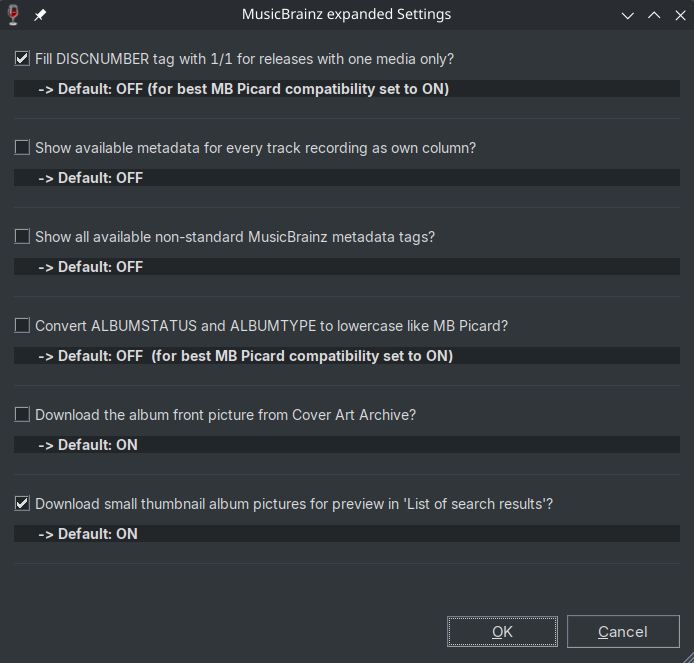
If not, please tell me exactly what you mean by "Performers" and provide a specific example release MBID.
Would you like to see all the "Recording Artist(s)" as highlighted in yellow in this screenshot?
Yes, that’s what I wanted to see.
The composer should go to the “composer” field instead of “artist” field.
Thanks for your idea.
Unfortunately, this would no longer align with the primary objective outlined in point #1:
Best possible compatibility to MusicBrainz official tagger "Picard"
As you can see in the official MusicBrainz Picard "George Bizet" is also identified as the ARTIST for this release.
Since version v2.00 of this script, I haven't processed the metadata at track-level anymore.
Detailed information about recording artists can only be found there.
Just as a technical hint:
To get "Patrick Criswell", "John McCarthy" and the 5 other recording artists for track #2, you would have to
a) Loop through all 56 medias (aka "CDs") for this release
b) On media #1/56: Loop through all 26 tracks
c) On track #2/26: Loop through all recordings
d) On recording #1: Loop through all 7 artist-credit
e) On artist-credit #1: Read the artist name "Patrick Criswell" and maybe his disambiguation "Chorus master" and his country "GB"
For major releases such as the current 56 CD-Collection 111 Years of Deutsche Grammophon: The Collector's Edition 2, the processing time increases up to one minute (without any cover art!) and the 32-bit version of Mp3tag results in this error:
Technically speaking, a script could return a "combined artist credit" for smaller releases like
Danilo Rigosa (Person, operatic bass)/Slovak Philharmonic Chorus (Choir, SK)/Slovak Radio Symphony Orchestra (Orchestra, SK)/Alexander Rahbari (Person, Ali Rahbari, often credited as “Alexander” Rahbari, IR)
In short:
Currently, I cannot change the script to meet your needs.
New user with a few questions, so apologies if I’ve missed something obvious.
Is it possible to write multivalued tags instead of using / as a delmiter? I know I can split them using Actions but that feels a little clumsy?
Would it be posssible to pull %_albumartists%, %_albumartists_sort% and %_artists_sort%?
Can you please provide an existing real example from MusicBrainz and show me, what field(s) exactly do you like to save as multivalue field?
And where do you see %_albumartists%, %_albumartists_sort% and %_artists_sort% in the given MusicBrainz online example?
What exactly would the difference be compared to the existing ALBUMARTIST, ALBUMARTISTSORT, ARTISTSORT?
Any tag that is multivalued really e.g. artists, musicbrainz_albumartistid, musicbrainz_artistid, musicbrainz_albumtype.
The fields are available in Picard so I guess may not be available through the API; they’re the multivalued equivalents e.g.
ALBUMARTIST: Elton John & Brandi Carlile
_ALBUMARTISTS: Elton John; Brandi Carlile
ALBUMARTISTSORT: John, Elton & Carlile, Brandi
_ALBUMARTISTS_SORT: John, Elton; Carlile, Brandi
NOTE: Using semicolon to denote a multivalued tag
Thank you for providing this additional information.
Unfortunately, neither the _fields nor the saving of multivalue fields are planned for the near future.
The effort required to add and maintain these rather specialized and user-defined fields is currently too high.
Of course you can copy my websource script code and adapt it to your needs.
Or you can use "MusicBrainz Picard" for these specific sort fields.
AFAIK, MB Picard also supports multivalue fields, so you could implement both suggestions.
9 posts were split to a new topic: Ways to fill sort fields for uPNP server
Do web source scripts work differently via Wine on Linux? Ever since switching over I noticed that the ARTIST delimiters get repeated and even appended after the final artist. Also, for releases with more than one disc, the total part of the DISCNUMBER tag gains an appended 0 per disc. 1/3, 2/30, 3/300 and so on.
CachyOS
wine-11.20
Mp3tag v3.37-beta3
MusicBrainz expanded v2.31
Testrelease
AFAIK, they should work in the same way. But, to be honest, I only test my script on Windows.
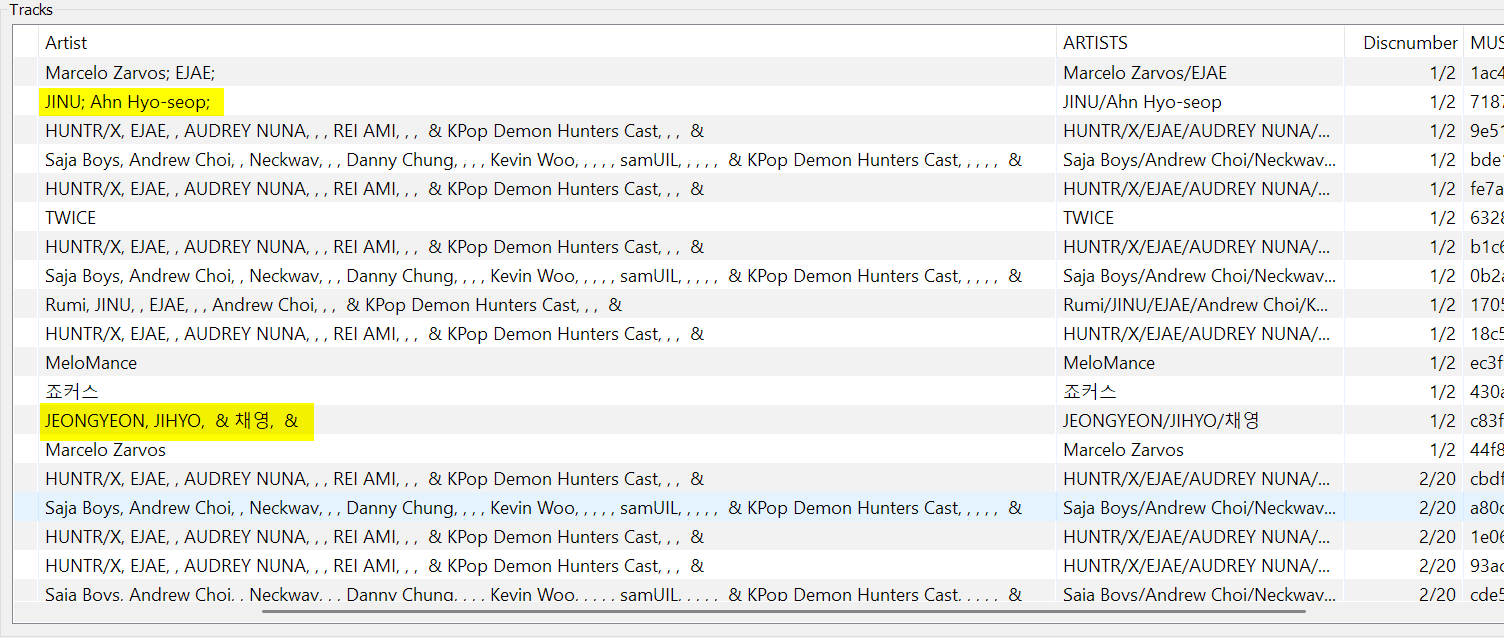
As you can see, the problem also occurs on Windows:
The multiple ARTISTS (plural) seems to be filled correctly (separated with a slash /).
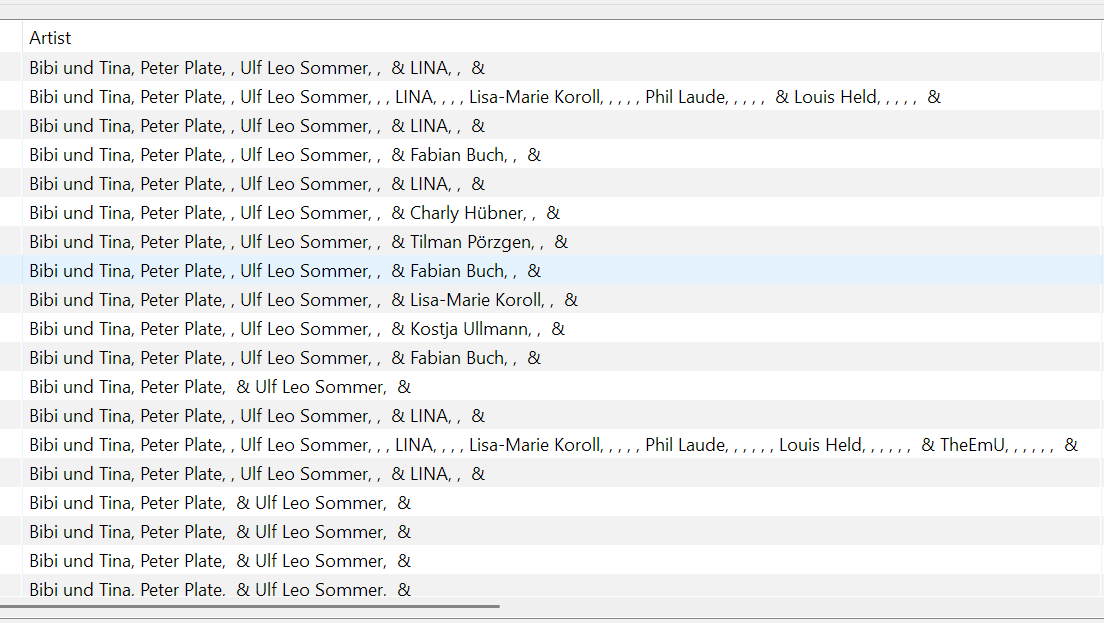
A quick check reveals that other multi-artist albums seem to be affected too:
I'm not sure whether this is a long-standing undetected bug in the script, or if MusicBrainz has recently made a slight change to the format of the JSON result.
I'll check it and let you know. Just give me some time. 
2026-10-21 - Update v2.32 (Bugfix release)
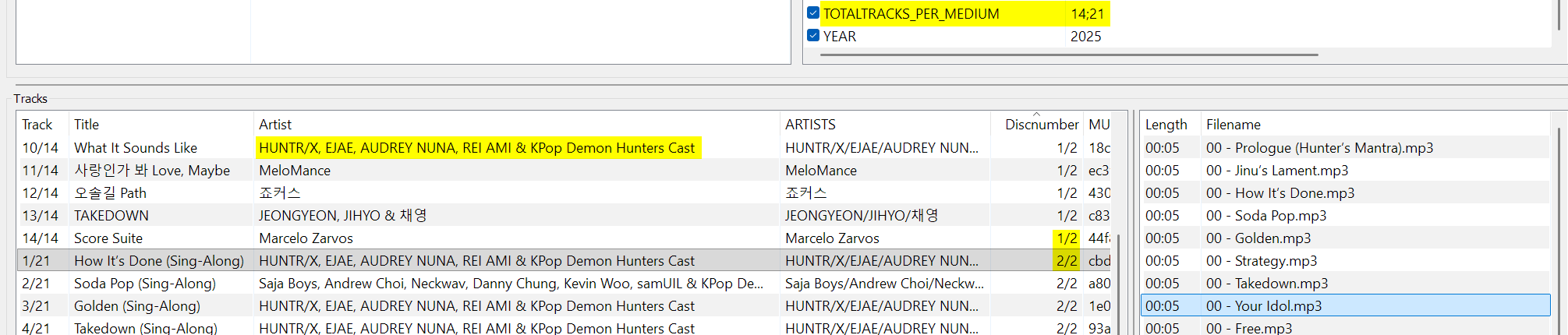
ARTIST entries now appear with the correct joinphrase (such as , or &) in the correct position (thanks to @Casual_Tea)TOTALTRACKS_PER_MEDIUM in the top right section. This variable contains the total number of tracks per medium, for example 14;21 (for a two-media release with 14 and 21 tracks). This feature can be enabled in the MusicBrainz expanded settings (as requested by @shyfx)