BSI Info Editor (Simian)–Mp3tag Project (MP3) | Win XP, 7, 8, 10, 11 (English-French)
Note: We are not affiliated with Mp3tag and Broadcast Software International
BSI Simian, Hot Virtual Keyboard, Comfort Software Group
and the trademarks and logos are the property of their respective owners.
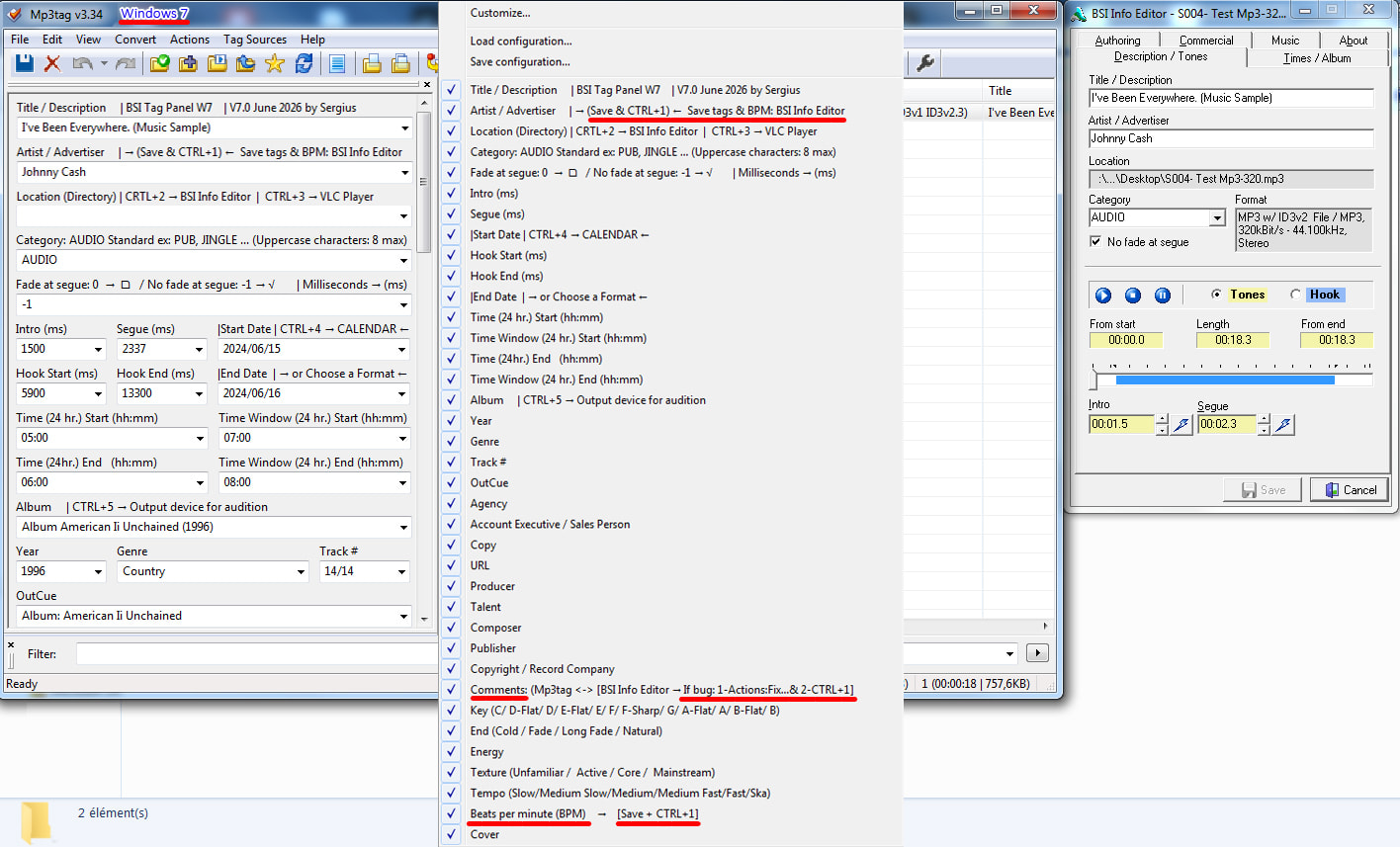
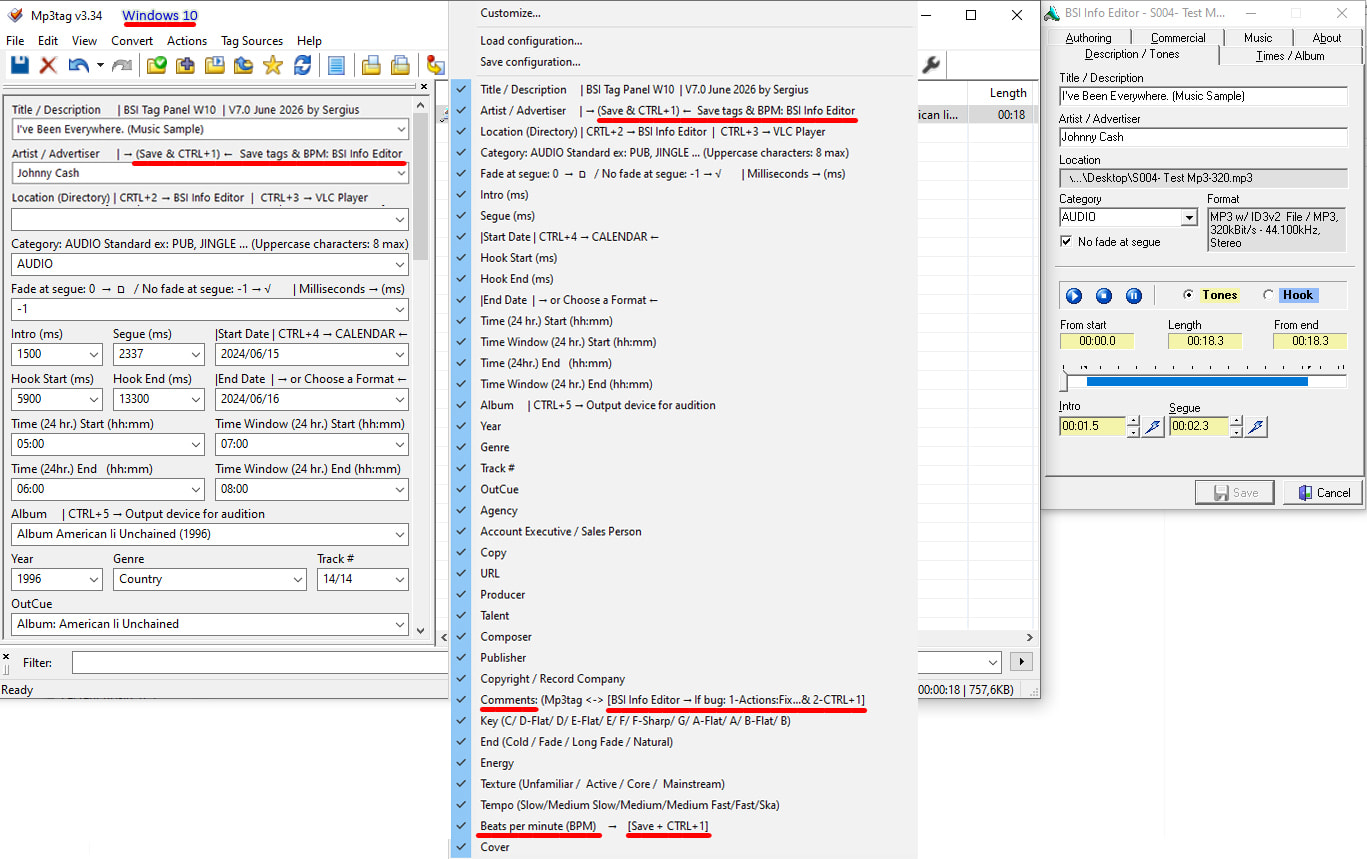
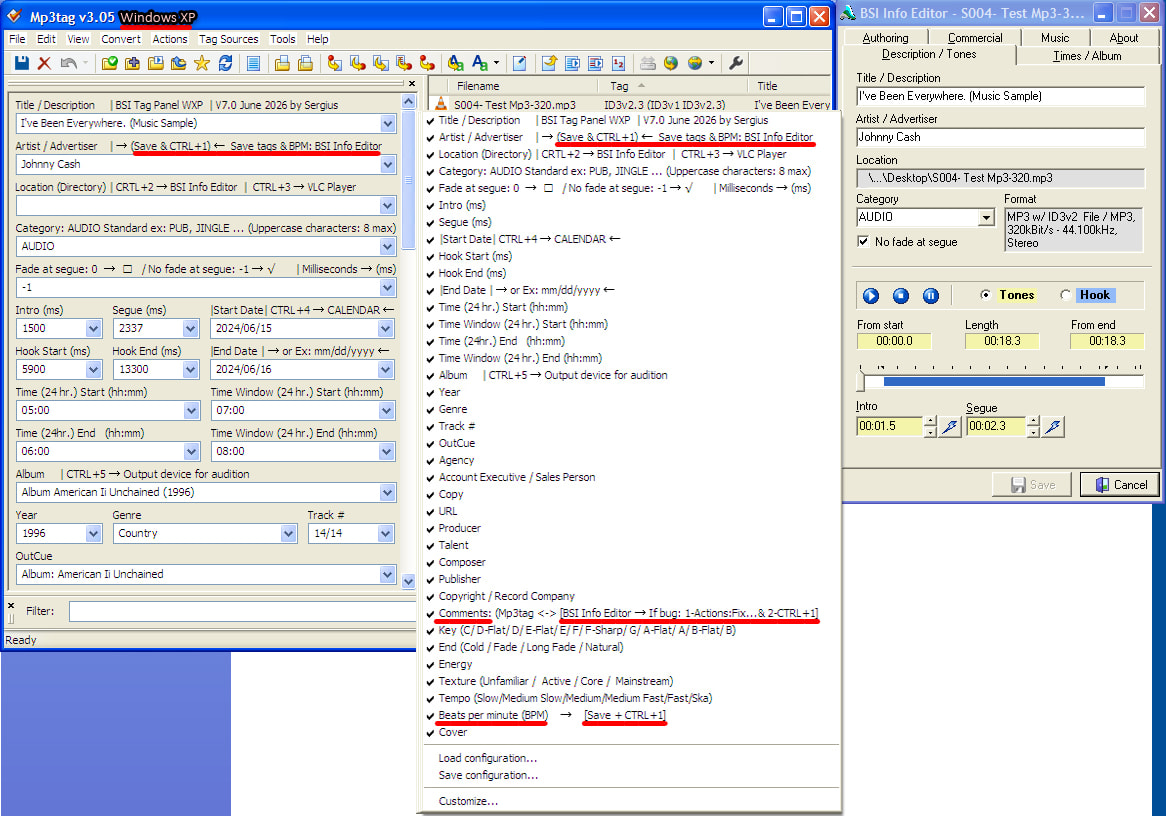
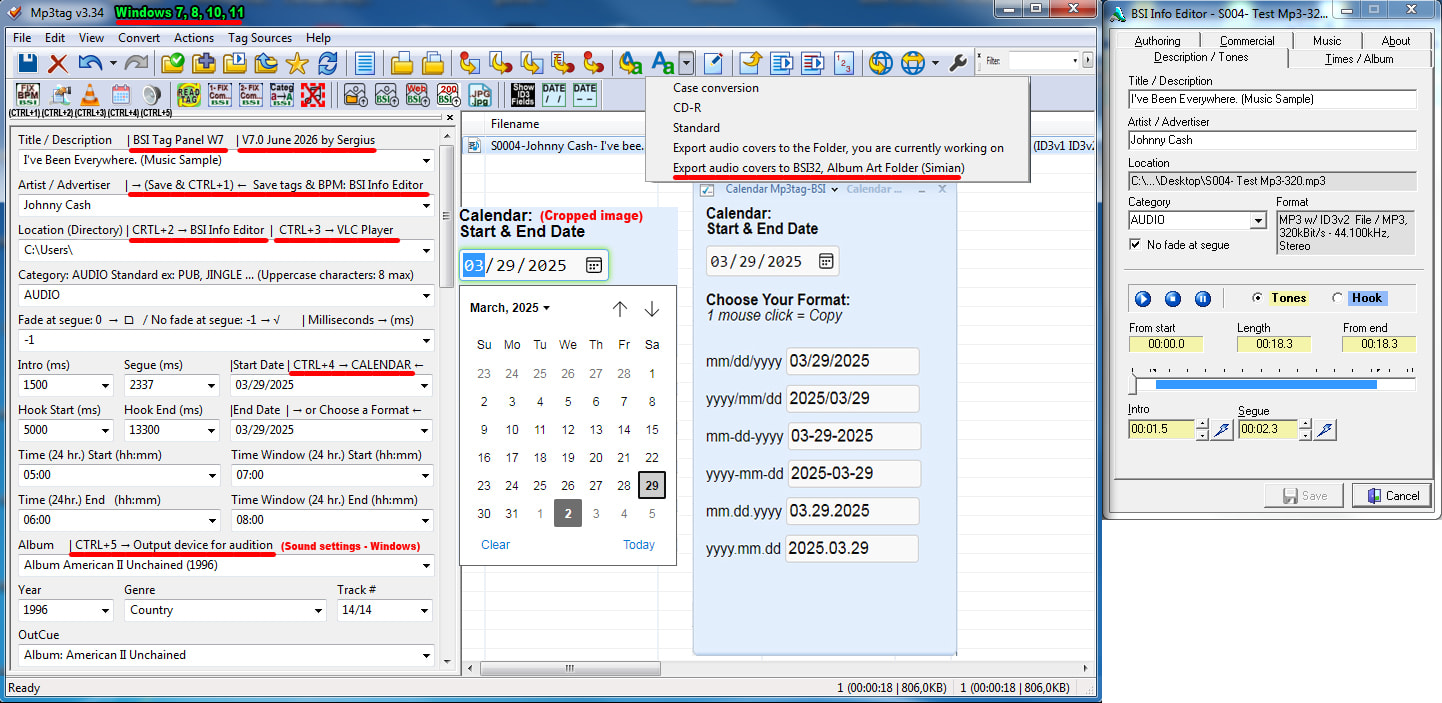
Images related to this project have been added at the beginning of the text:
------------------------------------------------------------------------------------------
DOWNLOADING BSI-MP3TAG PROJECT FILES (English)
BSI Info Editor-Mp3tag Project – Video guide and tutorials (Watch online and download) (English)
------------------------------------------------------------------------------------------
TÉLÉCHARGEMENT DES FICHIERS DU PROJET BSI-MP3TAG (French-Français)
Projet BSI Info Editor-Mp3tag – Guide et tutoriels vidéo (En ligne et en téléchargement) (French-Français)
------------------------------------------------------------------------------------------
Giving our BSI Simian workflows a second wind! This project offers a modern, lightning-fast solution for Mp3 tag and artwork management, helping us maximize Simian's full potential for today's radio stations.
Hello everyone,
my name is Serge Thibeault (Sergius). I've been volunteering in the radio and media industry in Quebec since 2009…
I've had the privilege of working at three different radio stations, with Live Radio Broadcast Automation Software.
All the radio stations where I've volunteered used BSI Simian software, which is one of the best live radio broadcast automation software programs.
The only knowledge I was taught was how to insert audio files into the Simian program at my assigned time, so that I could do my live broadcasts.
In 2014, when I became a volunteer for a 2nd Radio station, during my stay at this radio station, I had excellent basic training for the BSI Simian and Natural Music programs, by the big boss, Jocelyn of this Radio station, I had several programming tips from the excellent Denis K7 and over the years, I had the great privilege of learning new programming techniques from the teacher of teachers in Canada, Daniel Robert.
We have a 35-tag programming software for BSI Simian, called:
BSI Info Editor: This software was once an excellent tag configuration program for Simian, originally designed for older versions of Windows 95 and 98. Since 2003-2004, it has not been updated.
Despite repeated requests to the Broadcast Software International technical team to update the BSI Info Editor program, no updates have been made.
However, if you encounter a technical issue with BSI Simian, the Broadcast Software International technical support team will help you resolve it.
Many tags in the BSI Info Editor have not been updated since 2003-2004 and do not comply with current ID3v2 standards.
BSI Info Editor limits the number of characters that can be written in each of its tags. This limitation may be due to the much smaller hard drive size and less powerful RAM memory that supported older Windows operating systems at the time.
Here's a common example:
The Title Tag
BPM tag:
"BSI Info Editor" uses a user-defined field TXXX:BPM instead of the official ID3-standard field TBPM.
COMMENT tag:
"BSI Info Editor" uses a non-standard field TXXX:Comments instead of the official standard COMM, which should also include the language code like "eng".
BSI Info Editor does not handle images of MP3 audio files
Why I am introducing this new project to you: BSI-Mp3tag:
Mp3tag is a tagging program that has existed since 1999. This software is updated several times a year...
→ Is Mp3tag compatible with BSI Info Editor? yes, with a tag panel specially programmed for BSI tags ←
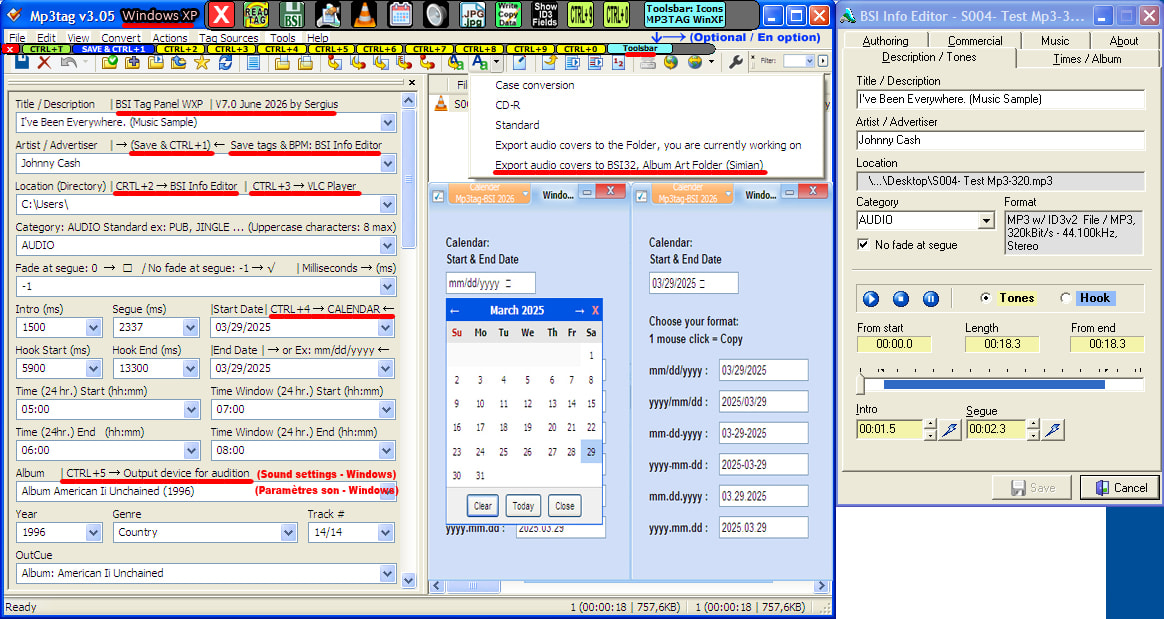
Tags Panel, Mp3tag-BSI can handle 34 of the 35 tags with normal saving, and the non-standard BSI BPM (Beats per minute) tag can be recorded with a tool programmed into Mp3tag, allowing all 35 tags to be perfectly written for BSI Info Editor and BSI Simian
Tags are no longer limited in terms of write capacity; you can write a very large number of characters in each tag, which BSI Simian will be able to edit and read perfectly.
Example :
To write “The Title tag” in the BSI Simian program:
- Maximum 64 characters, readable by the BSI Simian program with BSI Info Editor.
- More than 101 characters, readable by the BSI Simian program with Mp3tag.
These characters will be readable in the BSI Info Editor, but cannot be modified because this program is limited to 64 characters.
The 2 problematic BSI beacons and audio file images for Simian BSI:
The BSI Comments tag:
TIP: You should always write BSI Info Editor (Simian) tag data using Mp3tag to avoid tag conflicts, especially with the Comments tag…
This means that if you write the Comments tag data from BSI using Mp3tag, the data will be sent to the audio file and will be read by BSI Info Editor (Simian) without tag conflicts…
However, if you have written the Comments tag data in Simian's BSI Info Editor, there will be between 3 and 4 tag conflicts…
In Mp3tag, I have programmed two commands to remove conflicts from the BSI Comments tag, so that you can, if necessary, edit the Comments tag with Mp3tag without tag conflicts in audio files that will be displayed without error by BSI Info Editor (Simian)
If there's a conflict in the Comments tag, use the following two solutions in Mp3tag to resolve it:
-
Actions command: Fix the BSI Comments tag (COMMENT) and remove conflicting tags
-
Tools: Tools Removing conflicting ID3 1.0 {Comment} tag, to read Comments (BSI)(CTRL+1)
The BPM (Beats per minute) tag will be perfectly rewritten in BSI format, in the audio file(s) after each save, if the "Tool" (CTRL+1) is activated
Mp3tag seamlessly manages audio file images, ensuring compatibility with BSI Simian. With the "artist-album.jpg" programming data (Programming: Mp3tag Options: Tag Source: %artist%-%album%), audio file images can be sent directly to the BSI Simian folder via Mp3tag's "Actions" command, with a single click:
C:\BSI32\Album Art
Mp3tag now features two programmable Toolbar where you can place commands, tools, and other selectable functions from a list, and add your own icons. With a single click, Mp3tag provides access to BSI Info Editor, VLC, and the ability to export audio file images directly to the BSI Simian directory, among other features. Windows 7, 8, 10, 11
For those who will use their BSI-Mp3tag tags under Windows XP & VISTA, I have created a Toolsbar for the Mp3tag Tools. This Toolsbar, which I created with the Hot Virtual Keyboard program (30-day free trial), works under Windows XP & VISTA.
On the other hand, there is a Toolsbar style that is not visible on the screen in Mp3tag, we must choose one or more audio files in the right column, we right-click, we must choose Tools and we can choose the appropriate tool
I'm sharing my project with you to help you work with the Mp3tag program, for your tags and images of your BSI audio files, in a simpler and faster way.