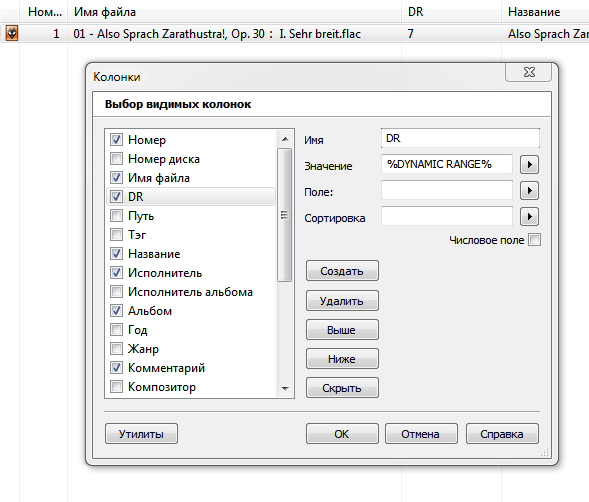
Add a graph to display the Dynamic Range Meter in Mp3tag.


If there is a tagfield with the name DR, which carries a numeric integer value, then you can set up a column in Mp3tag list view, having the value ... $repeat('*',%DR%) ... and you will see a string of star characters in the list view field.
DD.20171026.2005.CEST

Perhaps a misunderstanding?
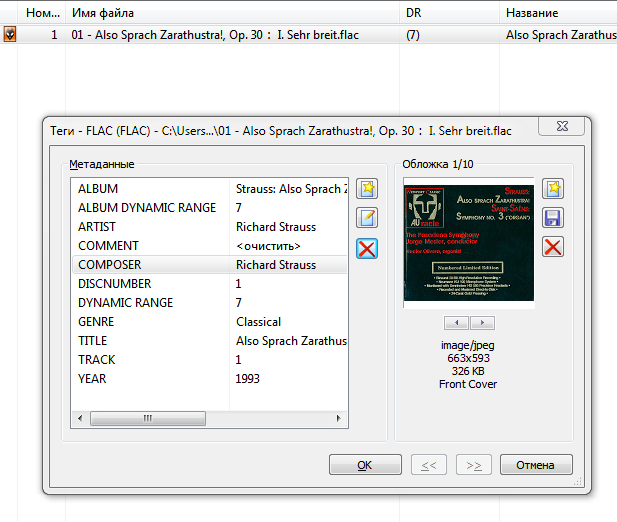
You have to find out, which tagfield carries the value of the "Dynamic Range" attribute, which you want to display.
As an example I named the tagfield DR (%DR%) , maybe there is involved a different tagfield name "DYNAMIC RANGE" (%DYNAMIC RANGE%), which carries the value? I do not know for sure, this is new to me.
If there is stored a value like 'DR8', then you have to remove all non numeric characters in front of the number:
$repeat('*',$regexp(%DYNAMIC RANGE%,'^\D+',))
DD.20171027.1338.CEST
@maximus_it
For this have a look at the extended tag-view of MP3Tag.
Mark a file min which this tag ist present and press ALT+t.