Hey everyone. I'm new here. I've been using this program for a day now and it's already one of the best things that ever happened to me!!!
Anyhow, I downloaded an export configuration, stuck it in my "export" folder like I assumed should be done. But...I can't access the file through the export menu within the program (all it displays are the default configurations). Is there some way I can import that to the program's export config list? That sounds confusing..I hope I made my point.
I searched everywhere and could find anything about how to do this.
That's what I did the first time. I did it a second time after your post just in case I messed something up the first time. I even closed the program and re-opened it a couple times.
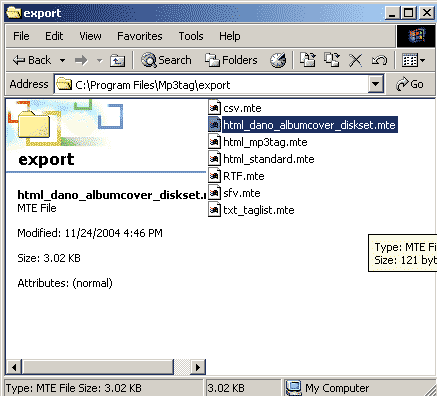
In this picture, you'll see that I extracted the file "html_dano_albumcover_diskset.mte" to the proper folder.
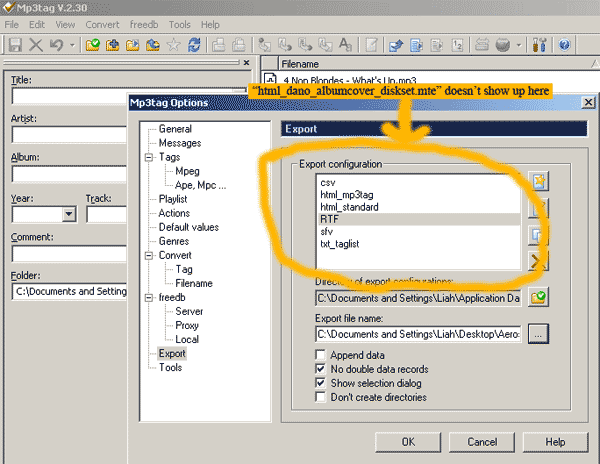
And in this one, you'll see that it doesn't show up on the list (and I don't know how to get it to do that).
No, you extracted it in the program files folder, not the application data directory. "%appdata%" (you can simply type that as-is in Windows Explorer) is usually mapped to "Documents and Settings<i>User".