mjcm
September 12, 2009, 2:41am
1
Hi I have a small problem with extract cover.
Steps to reproduce:
Open a folder with Audio files
Same thing but Audio files located on a different drive
Everything is the same except that the export Directory is the
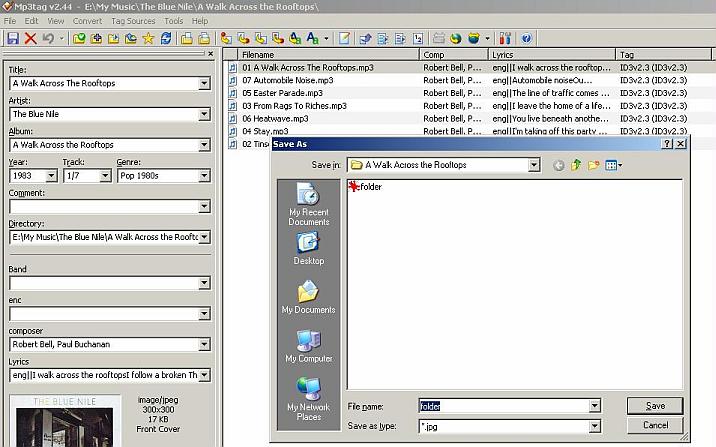
A screenshot of the Orignal Directory
and a Screenshot of the temporary directory
DetlevD
September 12, 2009, 6:54am
2
What is the Formatstring used by Mp3tag Action "Export cover image to file" in both cases?
DD.20090912.1054.CEST
mjcm
September 12, 2009, 7:03am
3
Sorry for the confusion.
No Action, just Right Click on the Image and select [Extract Cover]. And the Save Dialog comes from Mp3tag itself
DetlevD
September 12, 2009, 9:10am
4
Ah, yes I understand, right clicking on the cover image in the Panel Dialog ... but I cannot confirm the error condition, you've described. The right click SaveAs Dialog presents the home folder of the current selected track as expected.
DD.20090912.1310.CEST
mjcm
September 12, 2009, 9:21am
5
When extracting on the same drive, the working dir follows me around
But starting to work on a different drive, the working dir then points to the last SaveDir