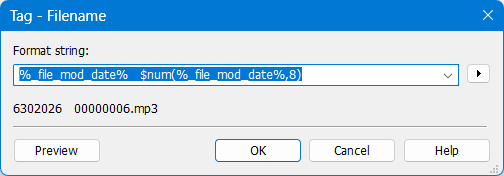
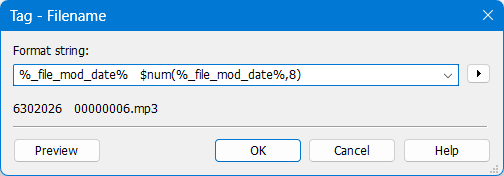
I would like to format %_file_mod_date% as YYMMDD but other proposed solutions do not work. Please note that for the date 20260630%_file_mod_date% is rendered without the leading zero making it virtually impossible to reliably extract the appropriate fields. Furthermore, why does $num only extract the first character of the date field and then pad it with zeroes to the specified length?
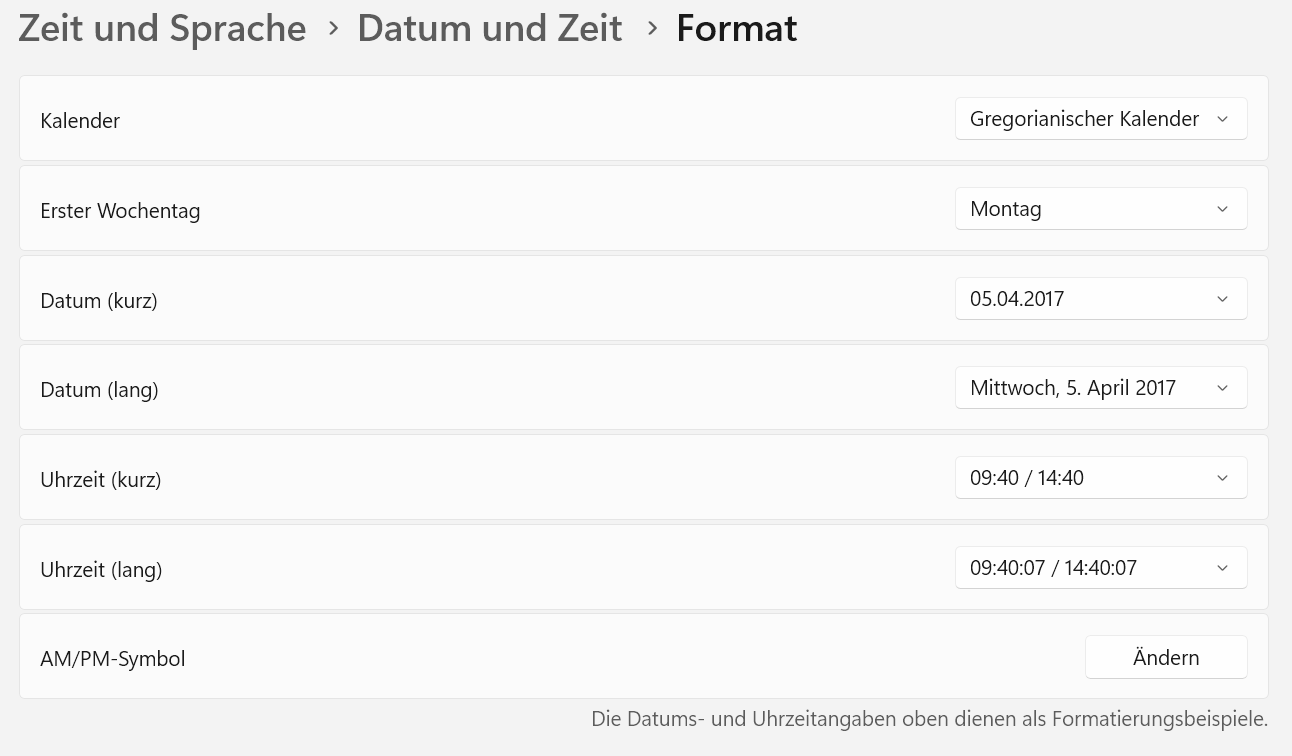
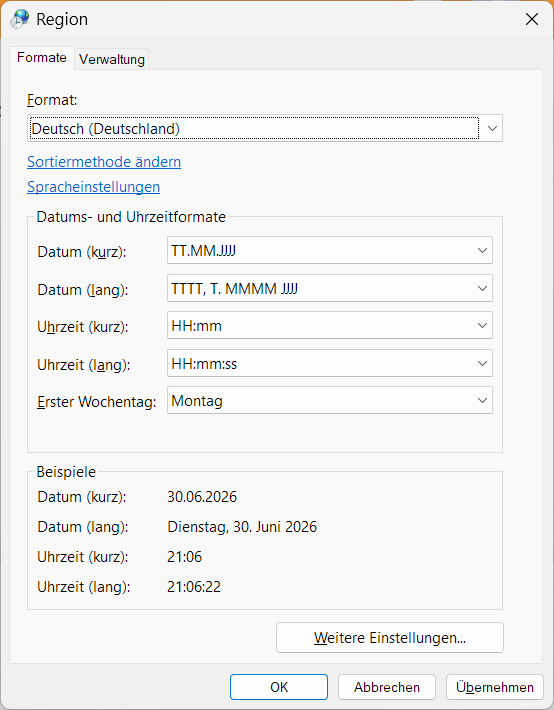
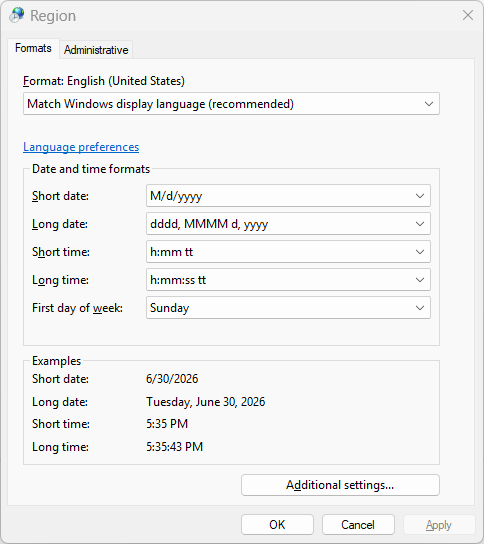
The data is formatted according to the local OS settings.
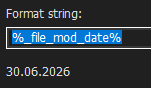
So please show us how the date looks in your OS.
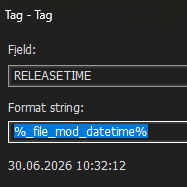
In my OS it looks like this:
$num() transforms a string into a number and takes all numeric characters up to the first non-numeric character and then pads the resulting number until the length corresponds to the set number of digits.
In your case it looks to me like the 6 is followed by a non-numeric character.
So, if the date/time values are dependent on local settings then they need to add a canonical form that is independent, e.g., a Julian date time format, e.g., 2026-06-30T13:00:00, or a function that will convert the local format. I guess you are implying that I have to change my global settings for just one app to work correctly? Not practical IMO.
Furthermore, what is going on with the behavior of $num? Either I am totally misreading how it works or it is not working correctly. In any case without the ability to get an invariant date format I cannot reliably append a date to my file names such that they will be ordered appropriately.
Thanks for the response. How would I know that there is a non-numeric character under the covers when it is rendered as 6302026? As a long-time software developer myself I do not think it is a good idea to depend on local settings. Imagine how much software would break when running on different machines if this were a standard practice.
As a long-time developer it should be straightforward to get the idea from the linked topic:
Take the formatted date string and transform it into a format of your liking.
So it would have been either an easy task for you as a programmer to adapt the suggestion in the linked thread or show us the date format from your local installation (like I did with a screenshot) so that we could make individual suggestions.
And just to soothe your troubled mind: yes, the date is a available as a unified number and that is also accessible with MP3tag: %_file_mod_datetime_raw% which is the number of seconds since the 1.1.1970
As you chose to create a filename you have to follow the naming standards - and in those the / is an invalid character which therefore gets deleted by MP3tag to guarantee valid filenames.
You also chose a scripting function ($num()) but did not consult the documentation it. Quote: $num(x,y) returns string x interpreted as integer number, padded with leading zeros from the left up to y digits. It ignores anything from the first non-numeric character, or results in 0 if the string is not numeric.
So, how would you like to proceed: find a way yourself or show us the formatted date string?
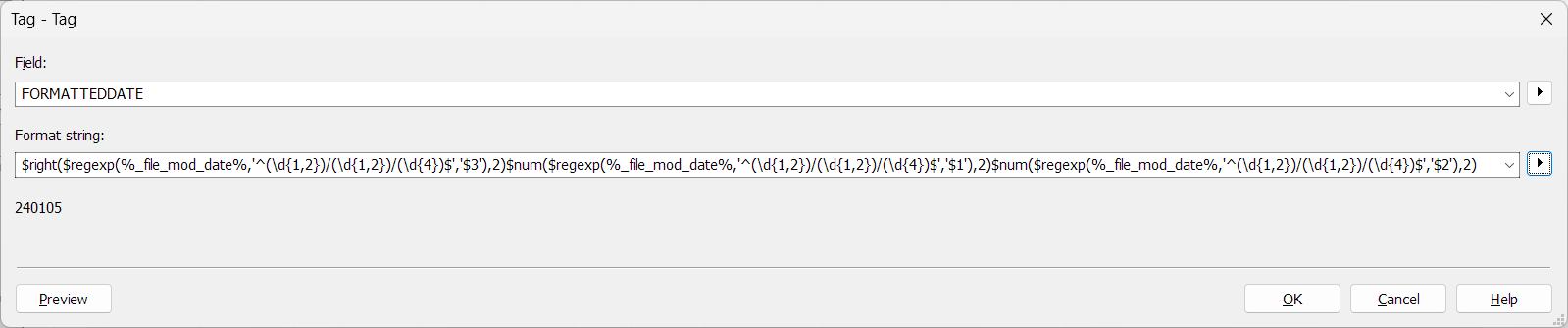
The expression converts a US‑style date like 6/30/2026 into YYMMDD. It works by extracting the year, month, and day with $regexp(), then formatting each part:
$regexp(...,'$3') returns the 4‑digit year → $right(...,2) keeps only the last two digits (2026 → 26).
$regexp(...,'$1') returns the month → $num(...,2) pads it to two digits (6 → 06).
$regexp(...,'$2') returns the day → $num(...,2) pads it to two digits (5 → 05).
Putting the three results directly next to each other produces YYMMDD.
Thanks for the reply. I just wanted a quick and dirty way to rename my mp3 files for my mp3 player (yes I still use one of those to save my phone battery). I considered using the raw form and that would order my files correctly but not provide me any information about when they were downloaded. Without the advantage of a full programming language to do conversions obviously one is limited to what functions the software has provided. In my case, they are insufficient unfortunately. I will just crank up an ad hoc program with Claude to do what I want.
Regarding the $num issue first of all, all I see is the numeric value minus the leading zero (presumably due to my system settings). %_file_mod_date% is displayed as "6302026" so when I used it as an argument to $num that is what I expected the function to be seeing.
Thank you LyricsLover, that solved the problem. You have saved me from having to gin up my own solution with Claude. Of course, I had no idea that the internal representation of %_file_mod_date% included characters which were not displayed. That is not exactly intuitive. Thanks again for taking the time to solve the problem.
BTW, if you like using regular expressions check out my RCFV software at http://takamomto.com which utilizes them extensively for filtering text files.
It is reasonable as long as you are in the environment of normal strings - but you tested the format string to become a filename.
And the filename must not contain / and a couple of other characters.
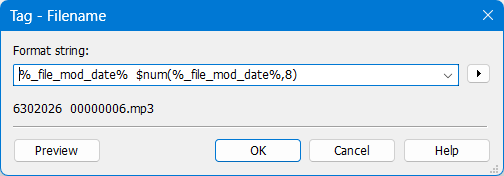
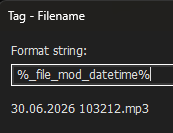
So if you use %_file_mod_date% in Convert>Tag-Tag the output will most likely include all characters whereas in Convert>Tag-Filename only the valid characters are included for the raw %_file_mod_date% but for the $num() function the orginal %_file_mod_date% with all the non-numeric characters is evaluated. And that apparently leads to just the 6 which is then padded to a string of 8 digits.
As an example for different output formats in different functions:
Convert>Tag-Tag
Thanks for the clarification. However, IMO and based on many years of experience with multiple languages I opine that the displayed value of the date field should be the one passed to $num. If tag->file displays the date without special characters then that's what should be passed to $num. To display it one way and not use that value for the argument is a recipe for errors. Anyway, how does one debug that when the internal value of the date field in that context is not visible? I love mp3Tag but, in this case, from a computer science perspective, this is a bad design.
All the functions have been documented extensively. There are no suprises anywhere as long as the existing information is taken into consideration.
You are, of course, entitled to have this opinion. But it simply does not work that way.
It is a recipe for errors to compare apples and oranges: you compare the result of the filename evaluation function with the result of the numeric transformation.
Both results are logic and correct in themselves - they only do not match your (flawed) expectation.
And to put this into the right perspective as well:
There is no
In all cases the correct date string is processed by the called functions with absolutely predictable results.
It is faszinating for me that you never took up any of the suggestions from the linked thread, tried them or showed us what the original date was and what you tried to transform it - IMHO the expression from the linked thread is much shorter and compact than the one offered in this thread.
I would have assumed that as a programmer it would have been a piece of cake to adapt the suggested and linked regular expression.