This new export script is called All_Tags_Json.mte and extracts all tags of an album or a single audio or video file. It does this by means of Mp3tags function $list(...), and then it sorts and prepares the tags for output and writes them to a JSON formatted file.
My application idea for this script was to use it for viewing and checking out the tags data values in firefox, my favorite browser, because its json view is, compared to mp3tags tag viewer Alt+T, more crearly laid out and offers useful search and filter functions.
To support this workflow further, I use a user defined tool to open the json file, that belongs to the current album, directly from mp3tag with Ctrl+4 (it's tool number 4 in my mp3tag configuration).
My keyboard oriented workflow with All_Tags_Json.mte is now as follows:
- Sort the file list by album, then select current Ctrl+G or next Ctrl+Shift+G album,
- Crtl+E exports the tags with
All_Tags_Json.mteto a json formatted file with a name consisting of artist name and album title
and offers to view it in my text editor, - Ctrl+4 open it in firefox and lets me inspect all tags data comfortably and efficiently.
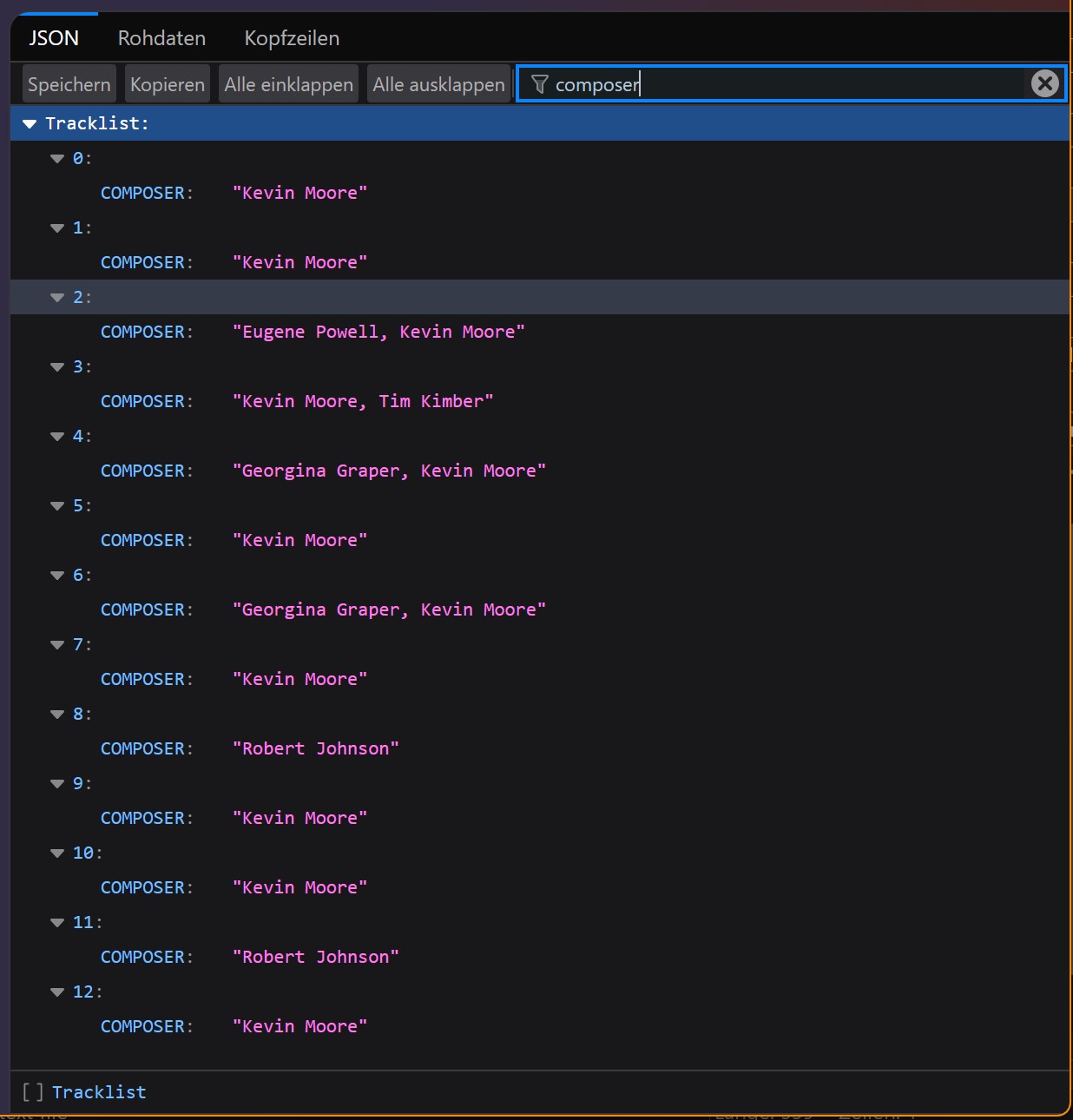
The below screenshot illustrates the tag view with filter set to composer (example from here ):
Download All_Tags_Json.mte
All_Tags_Json.zip (495 Bytes)
and install it in mp3tags export directory.
Please inform me, if you have suggestions or problems with the script and have fun.