Currently it is not possible to navigate only with the TAB key in tag sources option settings window in the same way as in the main window or other subwindows of mp3tag. Normally you can select and set the focus on OK, Cancel and all input field simply by repeatedly pressing the TAB key.
In the option settings window this does not work, here you jump between OK and Cancel buttons permanently, until you click with the mouse on an inner subwindows input field. And then you can only select input fields with tab and never go back to the OK button with any combination of keyboard keys. You have to use the mouse to click the OK button.
Furthermore the settings window does not scroll vertically with the focus of input fields. It is possible that an invisible input field has the focus. In other windows the window scrolls down if the focused object lies outside its lower border. In this srceenshot no visible object has the input focus.
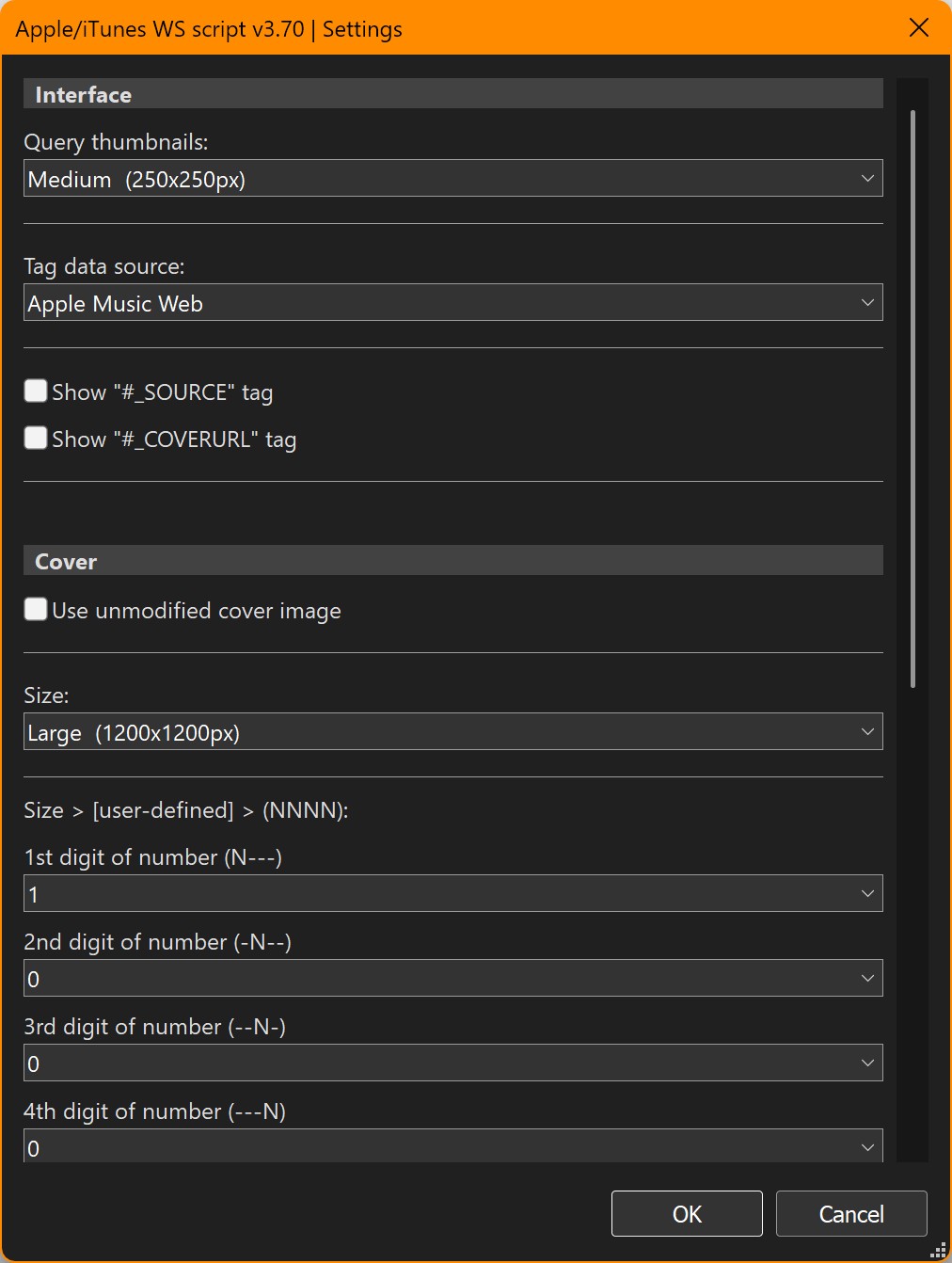
I think this is a bug, because it's not possible to use the option setting feature in the same way as all the other parts of mp3tag.