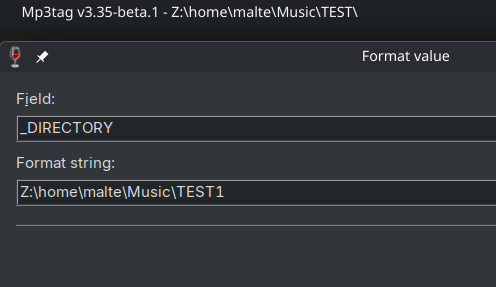
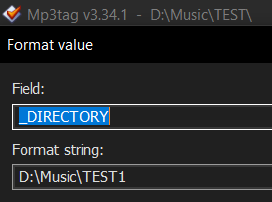
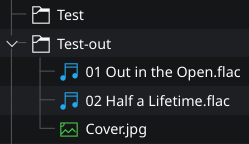
Nothing happens when I run this action on Linux (the files remain in TEST).
However when I use _FILENAME instead of _DIRECTORY, Mp3tag has no problem moving the audio files to new folders (leaving behind lyrics, covers, log files etc.).
Is _DIRECTORY unsupported on Linux or is this a bug?
I’m testing MP3tag on Linux via Wine and have also found that changing %_DIRECTORY% is the part that doesn't work. Tag changes work, and filename-based changes can work, but actions intended to rename the containing folder via %_DIRECTORY% don't.
The formatting/preview side can look correct, but when I apply the action using %_DIRECTORY%, the existing album folder remains unchanged. On Windows, the same general approach is part of my normal workflow.
The important distinction for me is that I’m not trying to move only the audio files into a newly named folder. I want MP3tag to rename the existing album folder so that artwork, logs, etc. are all kept together. Using %_FILENAME% can move the audio files, but that is not really a replacement for renaming the parent directory.
So from my side this looks like either %_DIRECTORY% is not fully supported in the Linux/Wine setup, there is a bug/limitation specifically around renaming/moving folders rather than files, or Wine’s handling of Linux-mounted paths/drive mappings is getting in the way somehow.
Wine translates the file paths so Windows programs can access the host's file system. Per default, the root partition on Linux: / is mounted as Z:\.
This allows Mp3tag to access /home/malte/Music on the host as Z:\home\malte\Music in Wine without issues.
This change seems to have had a side effect.
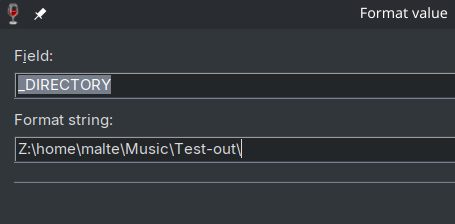
If 2 source folders get merged into one target folder and a file with the same name was present in both source folders, the first source file is overwritten by the second source file with no prompt, potentially leading to data loss when their content was not identical.
Reproduction steps:
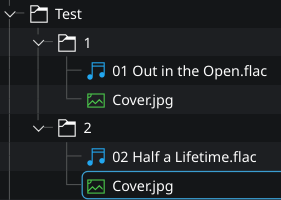
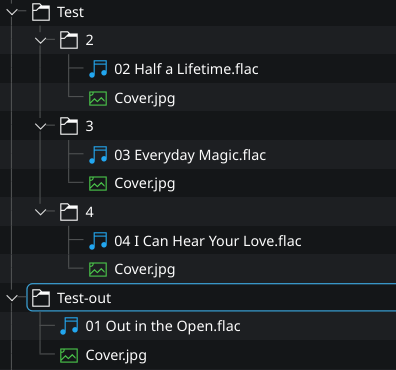
2 songs in a subfolder each beside different cover files both named Cover.jpg
From the results I'm seeing, the user's choice affects all files in the specific source folder and not only the file(s) with colliding names like on Windows where only the Cover.jpg files would be left behind.
Saying "no" to overwriting repeatedly (I've added 2 more subfolders to my test):
This might lead to odd behavior for existing action groups that assume that all audio files have been moved by a previous action but it's better than silently overwriting files.
Yes, because the action is about renaming the directory, I think it's reasonable to skip renaming it if the user chooses not to overwrite any of the colliding files.
The alternative would be to create a completely separate implementation from the one I'm currently maintaining for the Windows version. My goal is to keep Wine-specific code to a minimum, and I only added this pre-check to prevent potential data loss.