Is there a way I can load several directories at once, then save that search?
For example, if I want to load
M:\MP3Master
and
C:\Documents and Settings\me\My Documents\MP3
and
E:\Videos
at the same time, without having to add the 2nd and subsequent directories every time, how can I save that search? I thought about saving as a playlist, but I add/change/delete files constantly.
Best thing I can think and I've tested it for you is if you create a folder on your desktop (or anywhere for that mater, this is optional but to keep a tidy desktop it's probably best).
Create shortcut folders of those 3 folders (On the desktop or in that new folder).
Simply drag the 3 shortcut folders to your mp3 window like the attached screen-shot.
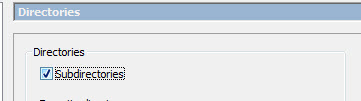
Make sure you have subdirectories ticked.
A workaround but until multiple default folder addition is supported (perhaps a wish list item :slight_smile: ) then this is the only solution I can think of.
You can create a simple text file with the filename extension of ".m3u" resp. ".m3u8".
This textfile should contain the three lines ...
M:\MP3Master
C:\Documents and Settings\me\My Documents\MP3
E:\Videos
Store this m3u text file at a place where you want.
Invoke this m3u textfile from within Mp3tag as "Open Playlist/Cuesheet".
You may create a shortcut on the desktop or anywhere else, which invokes Mp3tag together with this playlist at once.
Write into the shortcut's target command line ...
"" /fn:""
Mp3tag also provides to save the current list of files from within Mp3tag to a playlist file.