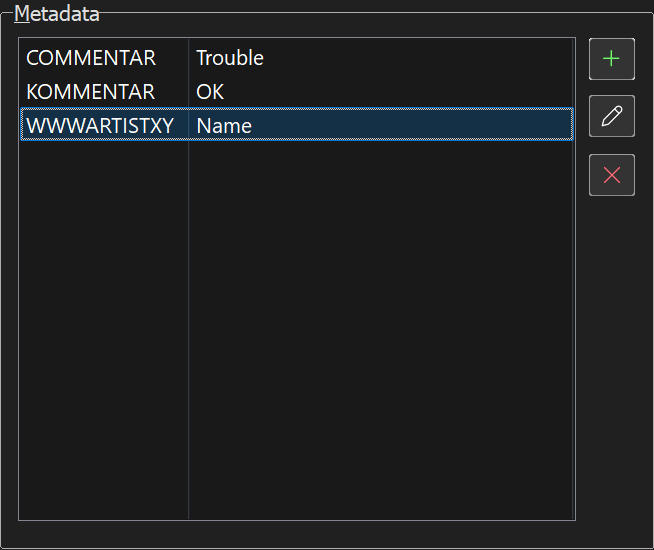
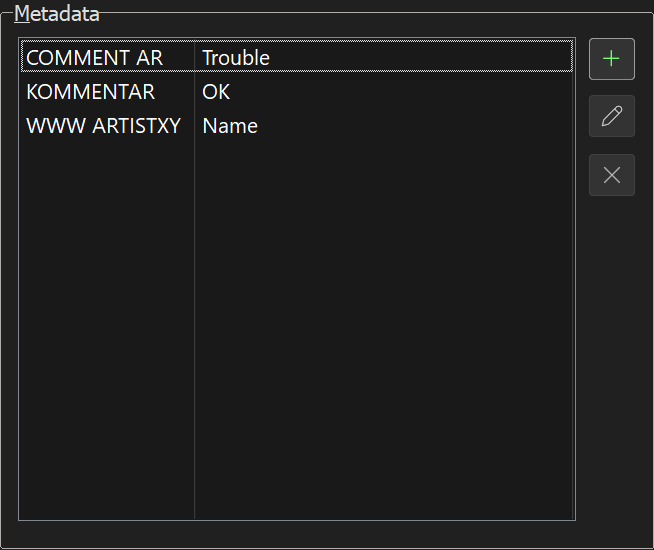
To reproduce this issue add a new custom tag in the Extended Tag View (Alt+T) dialog, with a tag name that has COMMENT at the beginning and one or more arbitrary characters following, e.g. COMMENTAR, and then write something into the Value field and save it in the file. Now open the Extended Tag View (Alt+T) again and the new tag field got the name COMMENT AR, i.e. a space character has been inserted behind the COMMENT-part.
A similar effect can be observed with standad tags that start with WWW. In this case the space always appears behind WWW, e.g. WWWARTISTXY becomes WWW ARTISTXY. All other standard tags act normal, that means that there does't turn up no extra space character, if their name is used together with some more characters at the end.
Before storing the tags in the file:
After storing and rereading the tags:
Same effect also appears in web source scripts.