Hi everyone,
I'm experiencing a strange issue with some .m4a (MP4) files.
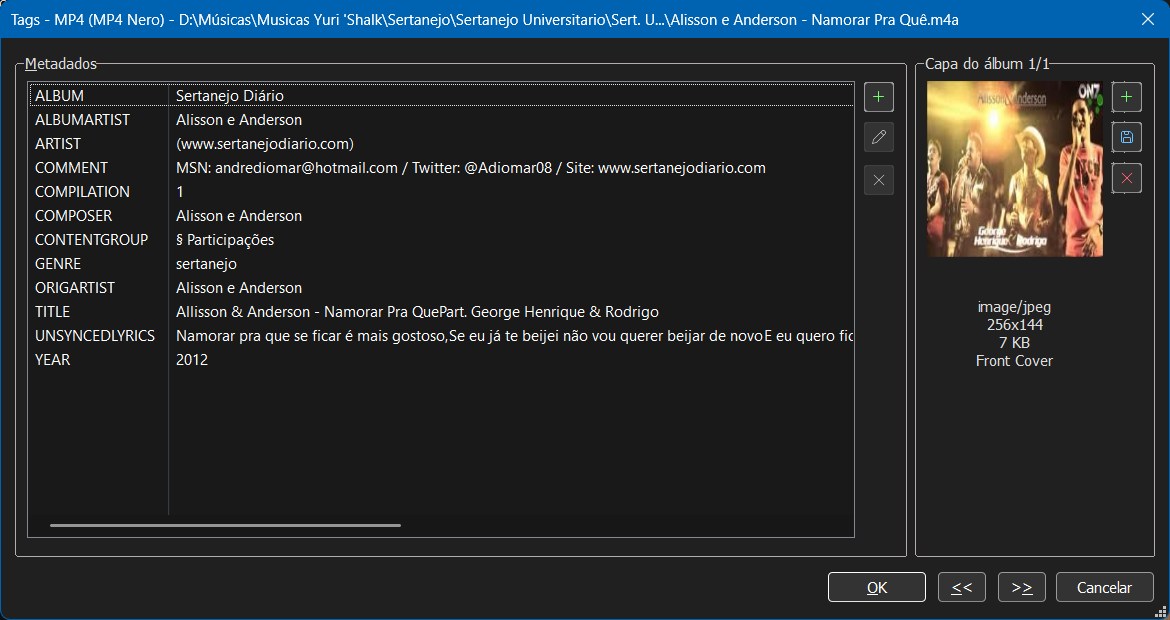
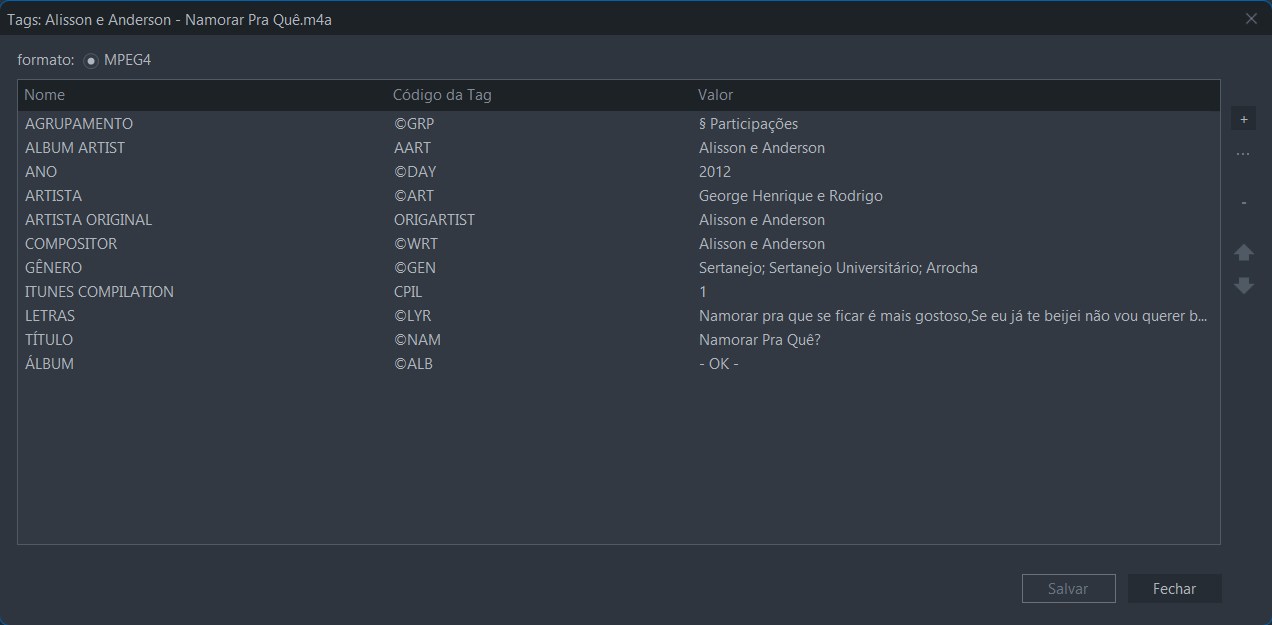
Windows Explorer and MusicBee display the same metadata, but Mp3tag shows completely different values for fields like Album, Artist, and Title.
For example:
-
Windows Explorer / MusicBee
-
Album:
- OK - -
Artist:
George Henrique e Rodrigo -
Title:
Namorar Pra Quê?
-
-
Mp3tag
-
Album:
Sertanejo Diário -
Artist:
(www.sertanejodiario.com) -
Title:
Alisson & Anderson - Namorar Pra Que Part. George Henrique & Rodrigo
-
The files are .m4a (MP4 Nero).
I checked the extended tags in Mp3tag and there are no obvious duplicate fields. Windows Explorer and MusicBee are consistent with each other, but Mp3tag seems to be reading a different set of metadata.
Is this expected behavior for M4A files?
Has anyone experienced this before or knows how to make Mp3tag read the same metadata as Windows Explorer and MusicBee?