I had no issue with tagging music contained in sub-folders on the prior version. I'm using Windows 11 pro. I believe you need to correct this bug or post the process for reading sub directories. Prior version listed the sub directories, but not 3.37. Please help ASAP ... I'm falling way behind.
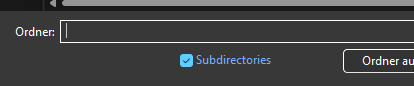
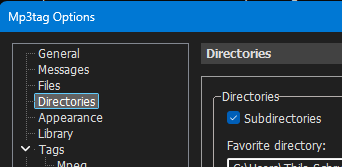
I have already done that and in both locations sub-directories is checked and not working. Tech glitch. I read related comments and tried in dark and light modes with no results.
Is there any way I can go back and reinstall a prior version until this glitch gets sorted out?
I doubt that there is actually a glitch in MP3tag as it works perfectly over here with V3.37.
Could it be that you have (still) applied a filter?
Please check the statusbar how many files you loaded and how many get displayed.
It does not work here where I need it. Where can I download the prior version. About 1/3 of the files are being displayed. I really can't spend much more time dicking around with this. Can you send me a link to download the prior version that actually worked.
Perhaps it is faster if you press F3 to disable the filter.
BTW, I don't have a link for that.
Pity, that you did not tell me what the status bar says
I uninstalled and then reinstalled and its now reading all the files contained in all subdirectories. Don't know what happened, but don't care ... its reading every file in all subdirectories  That's all I really care about. Thanks!