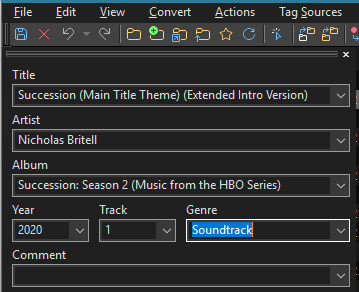
Previously when I was typing in a genre (for a song in mp3 file) I was getting an autocompletion suggestions. Now this is not happening any more. Is this a bug or the feature was intentionally removed?
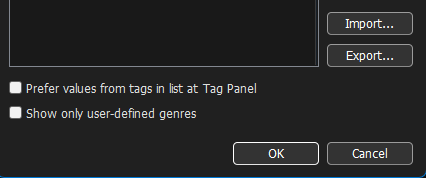
Where exactly are these settings? Under File - Options?
See the FAQs:
From the documentation:
Field Values
Here you can configure Custom Field Values per tag field. They are available as entries in the Tag Panel’s drop-down lists or as auto-complete options when editing in place in the File List or via Extended Tags. This helps maintain consistency, for example, by defining a list of genres, composer names, countries, or languages.
It’s still possible to only see the values of the selected files if you prefer that, but an empty field on the Tag Panel offers the custom values (if set) from the drop-down list.
The Genre field has a dedicated option to Show only user-defined genres. If enabled, the drop-down list of the Genre field on the Tag Panel only shows user-defined genres after a restart of Mp3tag. Note that these genres are not saved to an ID3v1 tag due to the limitations of the tag format.
So did I.
Did you have a look at the linked thread? The linked thread shows the path to open the settings
When I edit genre in the right panel with set of columns, I am getting the suggestions, but not in the left panel which I posted here as screenshot.
Thanks, it worked! I unchecked the "Prefer values" option and now I am getting suggestions in the tag panel. Maybe some default settings were changed in recent updates, because I never fiddled with these settings. Anyway, thank you for prompt help)