Currently there is a function available to turn on/off the automatic scaling of the width of columns in certain lists, e.g. in the results of find command and in the list of web source results. But this function is not evident, because there is no hint to it as it appears only after a click of the columns title bar with the right mouse button. And in addition it is not reachable with keyboard navigation.
Therefore I want to suggest that a checkbox labeled Auto-size columns is introduced and placed above at the right hand side of the concerned columns. The following screenshots should show the suggested concept:
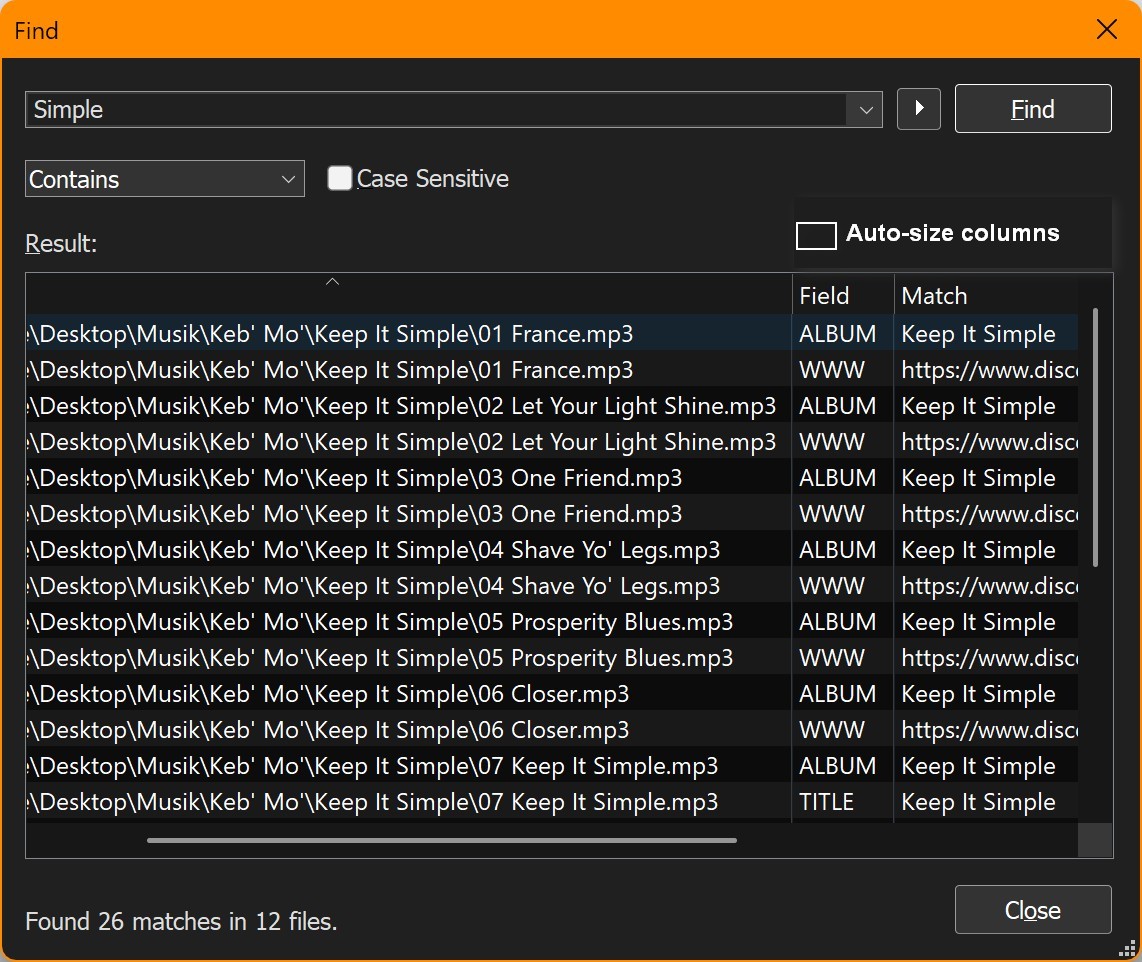
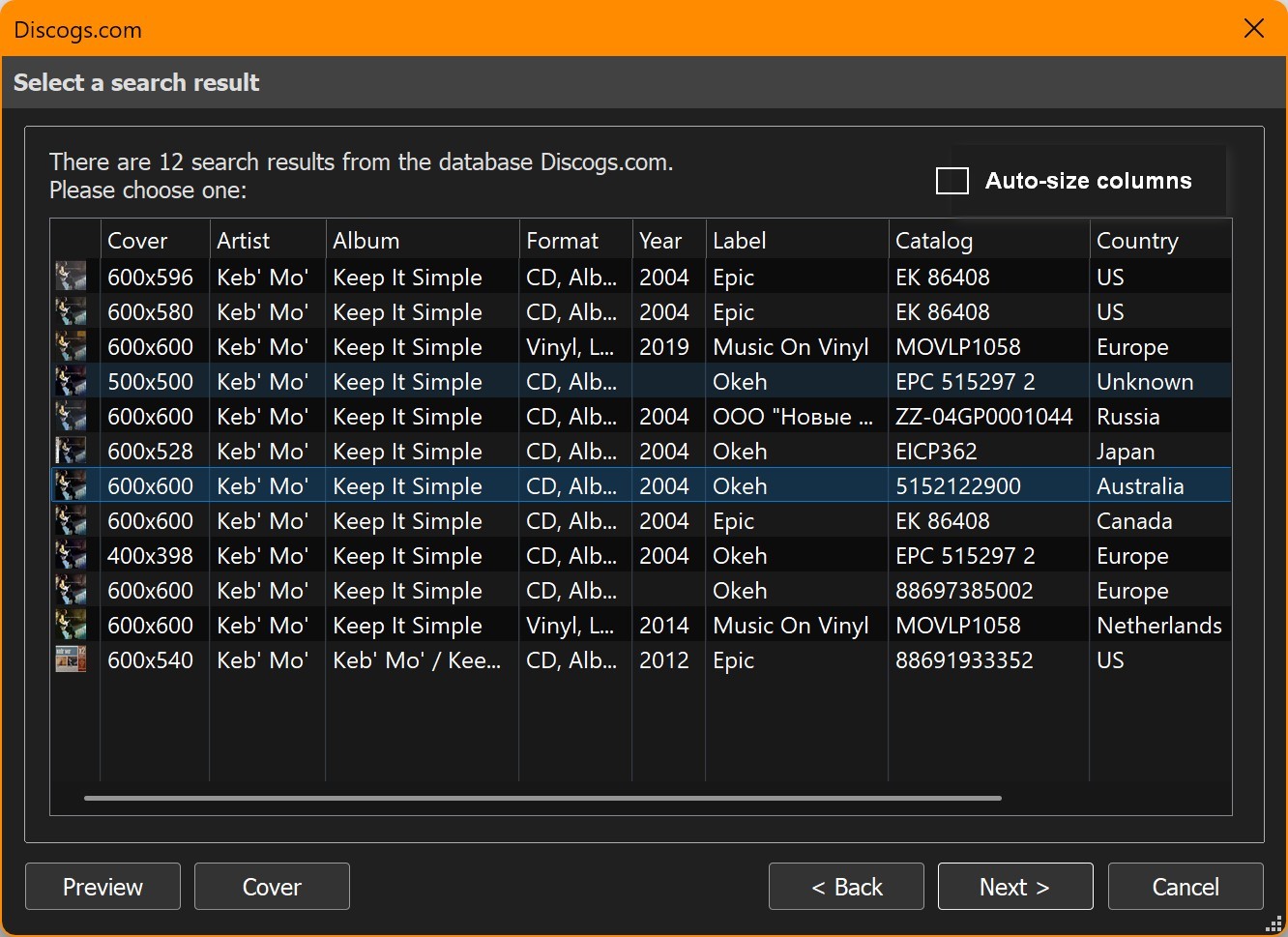
The new checkboxes should also support a keyboard shortcut Alt A and be reacheable by Tab and toggle by Space. The right mouse button click onto the column header will then be obsolete and should be removed.
All this would be a great improvement of the user friendliness of the interface and it had saved me a lot of time shifting columns back and forth.