I would like to know if it is possible to implement two modifications I am suggesting in future updates: 1) updating just a single file in the panel; and 2) assigning keyboard shortcuts to items on the custom toolbar.
Thank you.
I would like to know if it is possible to implement two modifications I am suggesting in future updates: 1) updating just a single file in the panel; and 2) assigning keyboard shortcuts to items on the custom toolbar.
Thank you.
I don't quite understand: if you select only 1 file in the file list and enter data in the tag panel, then only that selected file will be updated.
IMHO the tag panel has its virtues to update several files in 1 go without the need to input the same data for each file separately.
I am not sure which functions you add to the custom toolbar - if these are actions then you can assign keyboard shortcuts as described in the documentation:
Hi, sorry if I didn't explain this clearly enough. Let's see...
Situation 1: I open a folder containing 100 or more files and need to use an external tool to edit one or two of them; when I return, I have to reload/refresh the entire folder just to see the changes made to those two files. A  command in the context menu for the specific file would solve this—provided, of course, that it would be useful to other users as well.
Situation 2: I have a large number of action sets. With the new flexible toolbar, it's possible to create buttons for each set, but the native shortcut (Alt+Shift+6) applies to the entire Actions panel, requiring me to manually check or uncheck specific actions. Having the option to create a toolbar button with a user-defined shortcut would be a huge help.
Thanks for your time.
As long as you don't change the filename outside of Mp3tag:
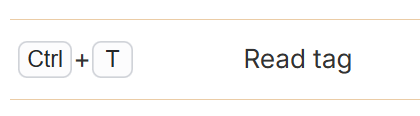
Select this file and use CTRL-t to refresh it.
If you only use that combination, then you have not read the section in the documentation about the use of & to define hotkeys.
I was referring to re-reading the file, not rewriting it.
Thanks.