Is there an option in the Convert menu to make the tags display not in one line, but in three, separately for - %artist%; %title%; %album%?
Could you please show us an example from your collection?
What exactly do you want to achieve?
Are you talking about exporting your existing tags?
Or do you want to import parts from your filenames into your tags?
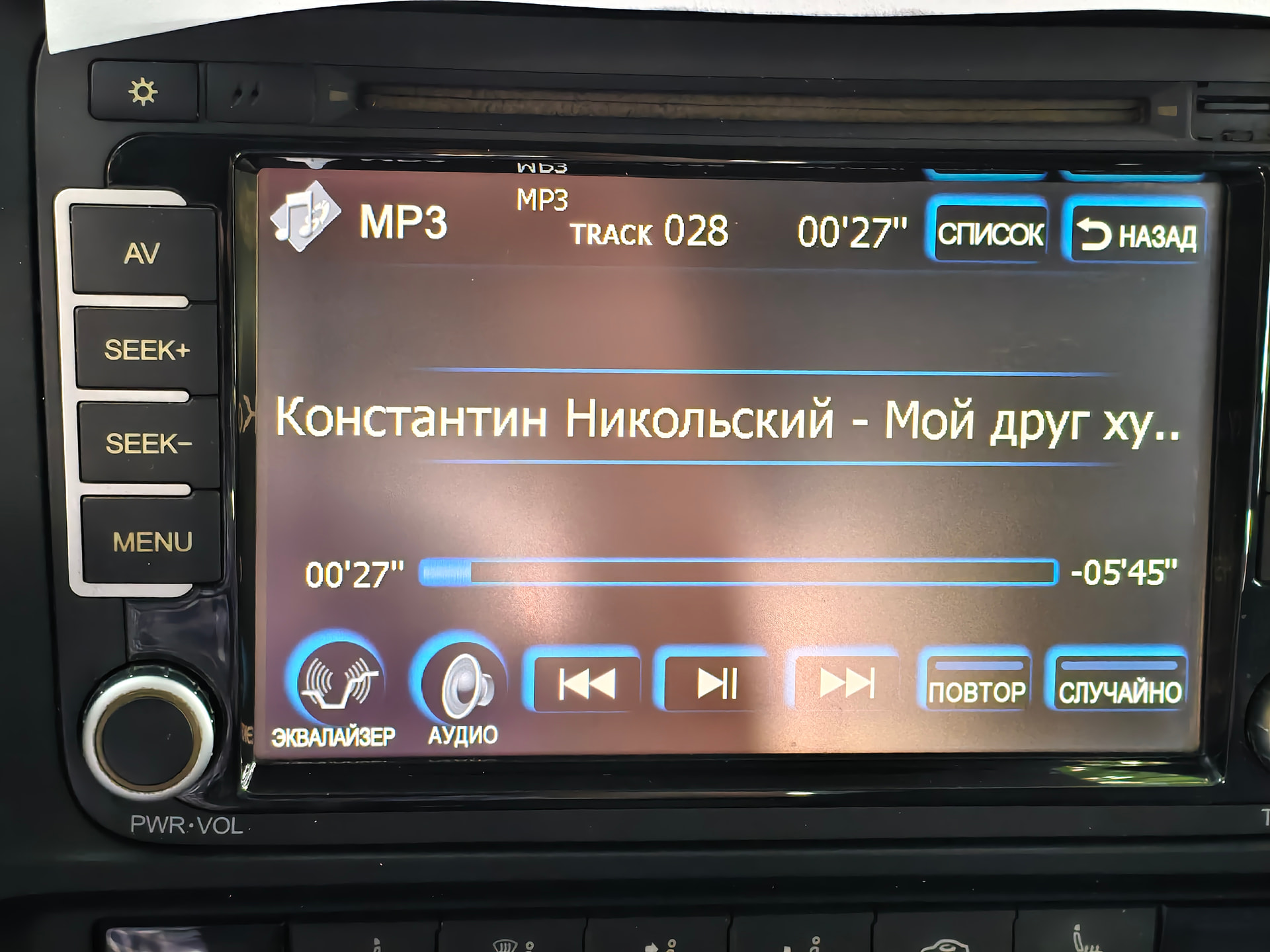
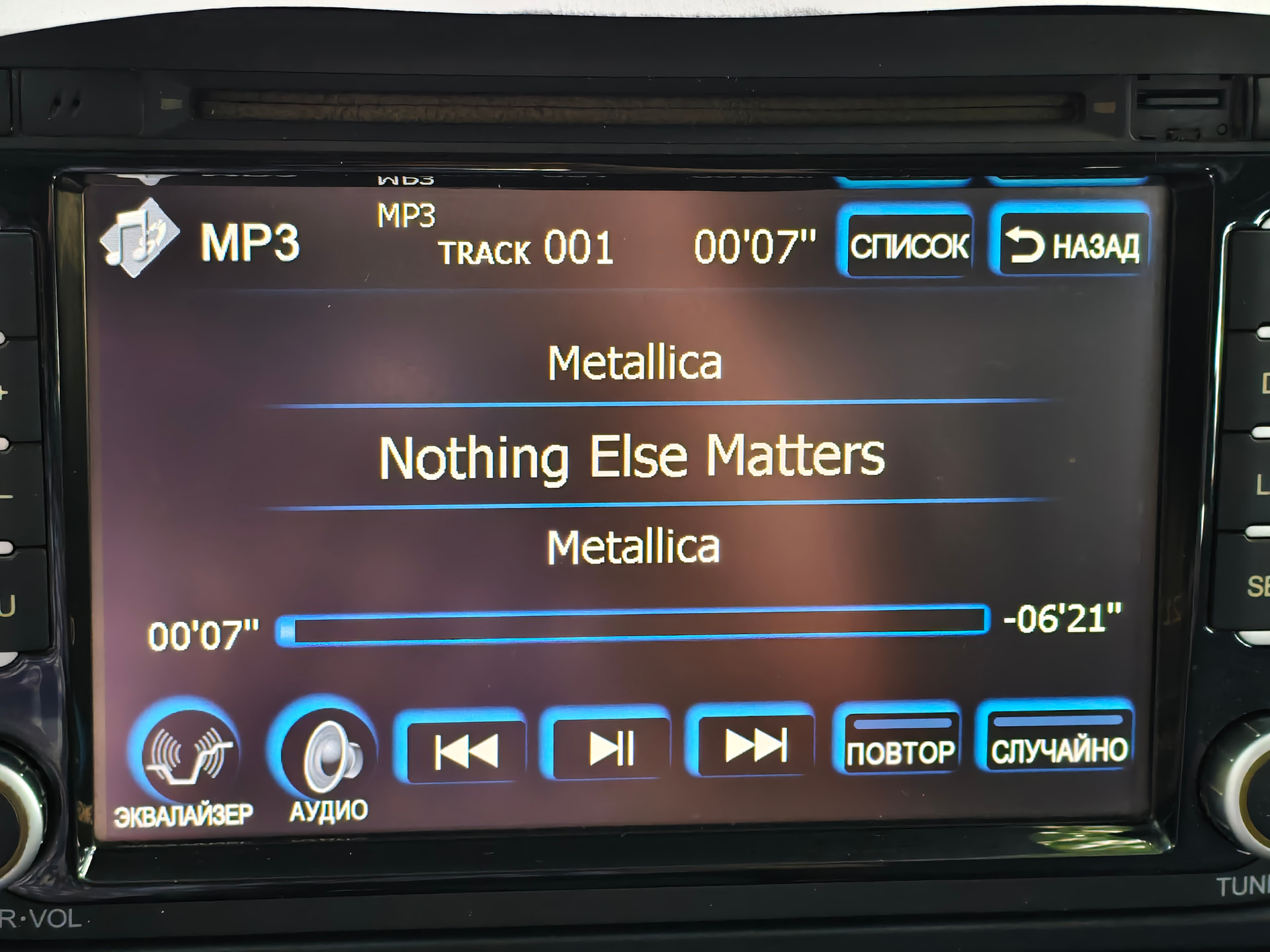
Please open the mp3 from Metallica (Nothing else Matters).mp3 in Mp3tag.
Press Alt+T (View -> Extended Tags).
Show us a screenshot from it.
Then do the same with your mp3 from the first screenshot (KOH... Track 28).

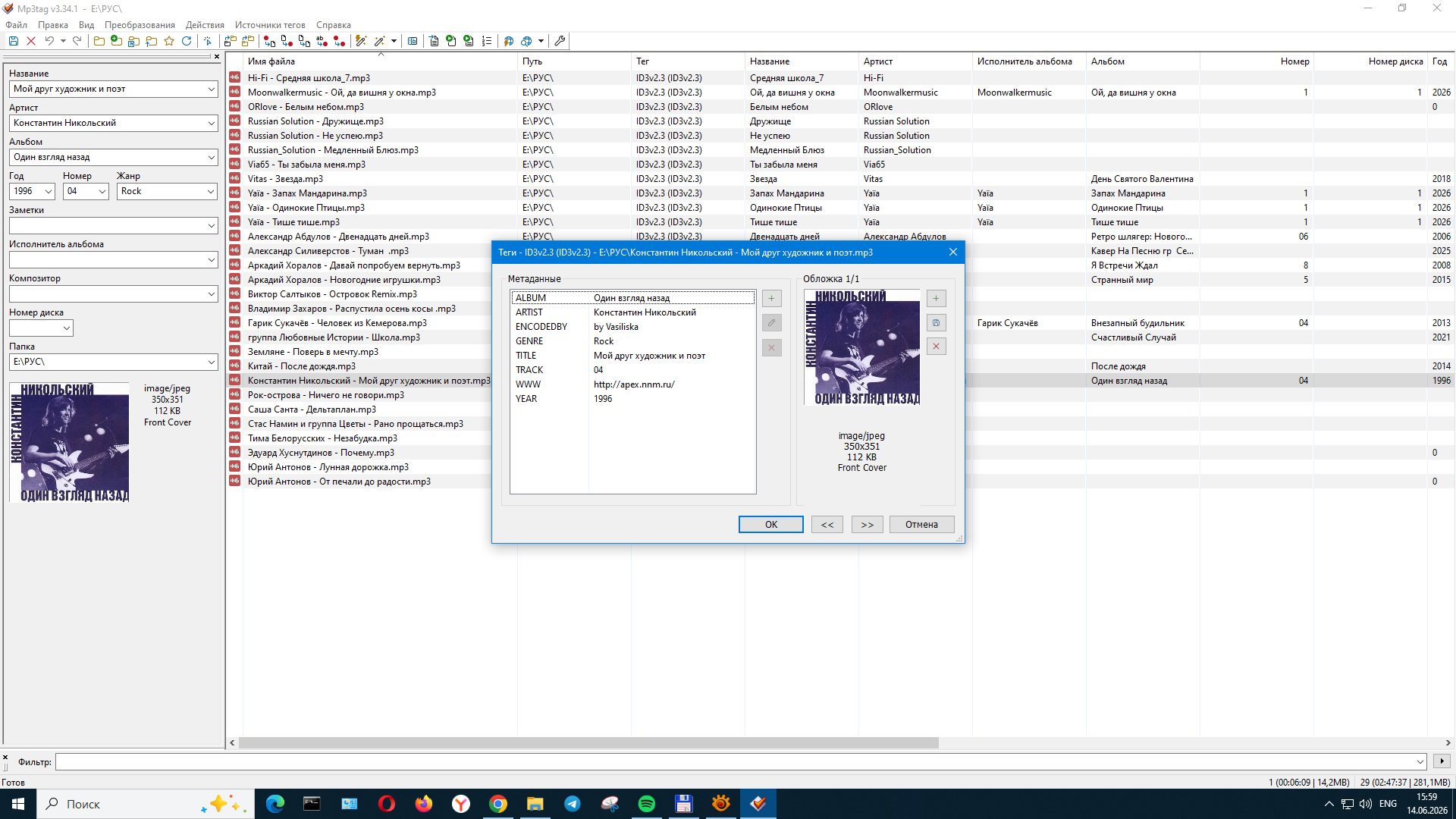
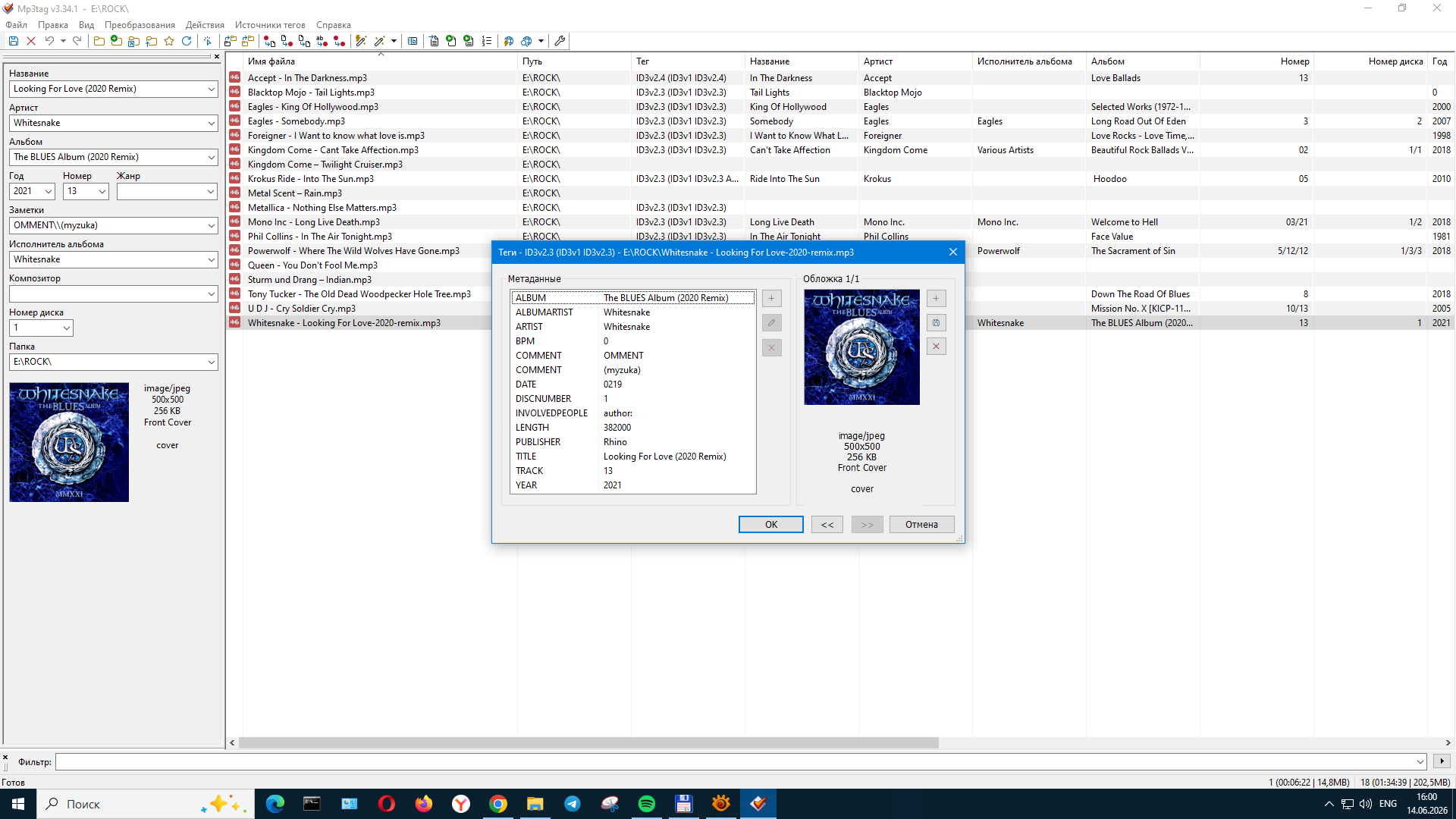
Thanks for these screenshots.
They are a little confusing because the Metallica MP3 does not contain any ID3v2.3 tags except for the PUBLISHER.
Are you sure that your car mp3 player support ID3 tags at all?
Which model and manufacturer is this player?
What does the manual say about it?
This is a Chinese FlyAudio E7507BNAVI tape recorder. There is no detailed information about the specifications in the user's manual. I've had it since 2009 and it's still working well. That's why I didn't want to change it. I am grateful that you answered my question. I wish you all the best!
Just for the record:
The screenshots from the different files show that the data in the tags varies widely:
The Whithesnake file has Id3V1 and V2.3 tags plus an ALBUMARTIST
The Konstantin file has only V2.3 tags and no ALBUMARTIST
The Metallica file has ID3V1 and V2.3 tags but only PUBLISHER is visible - perhaps there is data hidden in the V1 tags.
Anyway: to get a uniform display, make sure that you have all files with the same tag version and the basic fields filled, which are: ALBUMARTIST, ARTIST, ALBUM, TITLE, TRACK and possibly the picture.
So far it is not possible to determine from the distance what may cause the difference in display.
Thanks for the answer! I continue to study the problem.