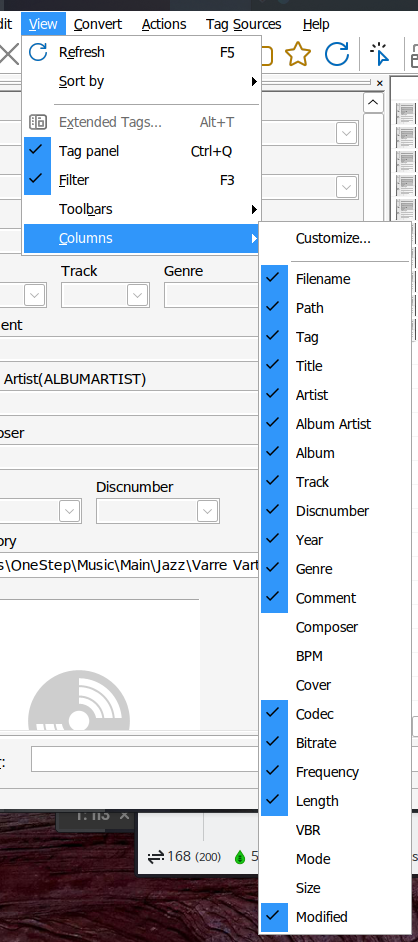
There are duplicated filename fields when using WINE

Hi. I using Archlinux with WINE, wine-11.9.r0.g4f9a1be5 ( TkG Staging NTsync ).

Mp3Tag is 3.36.1, 64bit.

I don't remember when, but there have been two filename fileds appeared.

Please take a look at the picture.

For the first filename field, I could not delete or hide, and it is not sortable.

On Windows, there is only Icon(?) field and Filename field. Icon field is clickable, but not resizable.

How can I fix this?

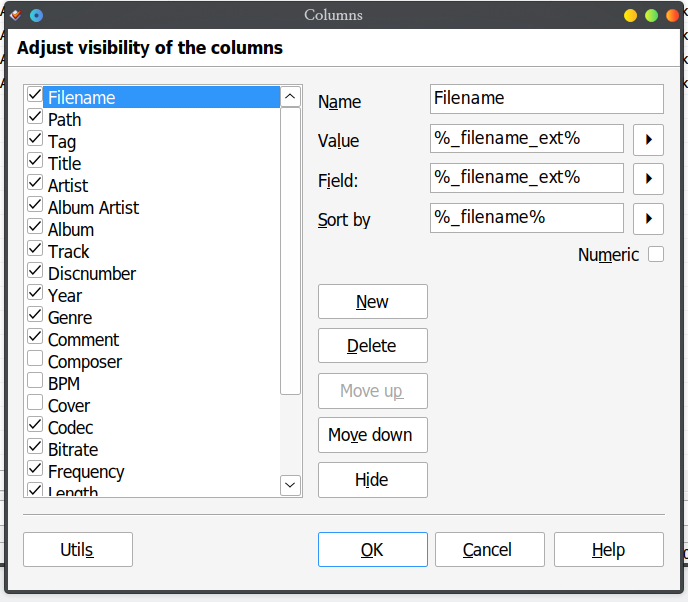
Could you show a screenshot of the the column customization dialogue with a special focus on the filename columns?

I hope these are what you wanted.

Yes, thank you.
It looks like Wine does not simply return the icon but also the filename.
If you click on the icon column, the files get arranged in a random order.
Does this happen also in the Wine version if you click on the nameless column?
If so, it looks like you simply could reduce the size of that column until you see only the icon.

Yes, the files get arranged in a random order on the Wine version.

I'll have to shrink the icon column. Thanks!

The icon column also contains the filename when running Mp3tag natively on Windows. On Windows, I managed to prevent the column from being resized, but under Wine, this mechanism doesn't seem to work.

The reason the filename is present in this first column is that Windows uses the contents of the first column for quick navigation in a list control (but not everyone likes to have the filename displayed in the first column).
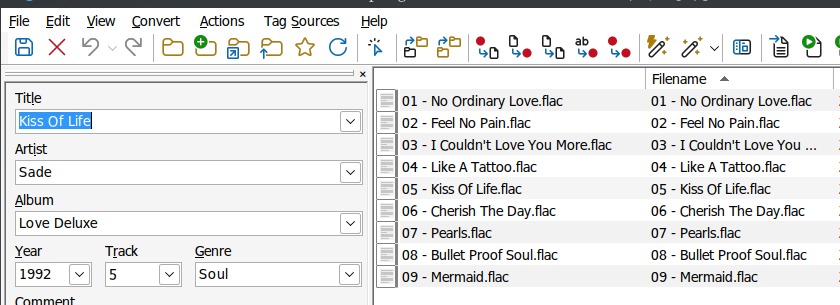
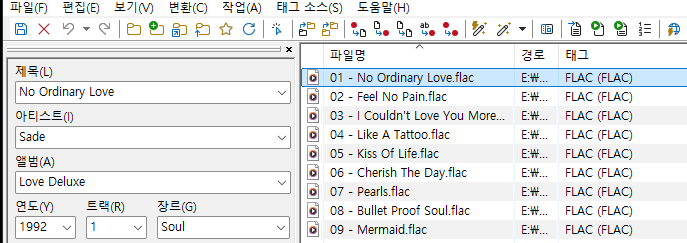
Alternatively, you could remove your own Filename column using WINE.
Or do you see any advantage in having your own column definition?

If you want to sort by filename, you need the user-defined column as the system generated one randomizes the order.

Well, I need to sort by filename sometimes.