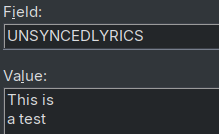
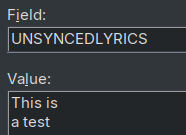
I'm not sure if we're talking about the same thing.
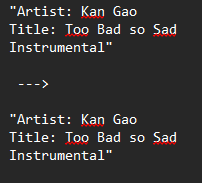
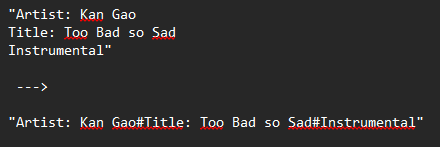
The OP would like to see the lyrics with line breaks.
Regardless of which line breaks are technically used, the text should always be displayed correctly.
For users who want to convert any kind of line breaks, Florians solution works fine.
You don't need to see whether they are LF, CRLF, or CR.
Just use an Action to convert them to the same target format you need (CRLF in Florians solution).
I don't know if it's worth the effort, but a solution that would probably fit all users might be either a global option to:
conform all linebreaks to \r\n or \n
leave all linebreaks untouched
or for example a button in the Edit tag info window to manually conform linebreaks to \r\n or \n as wanted/needed.
Personally I think either is overkill since both can be achieved easily with an action as Florian pointed out.
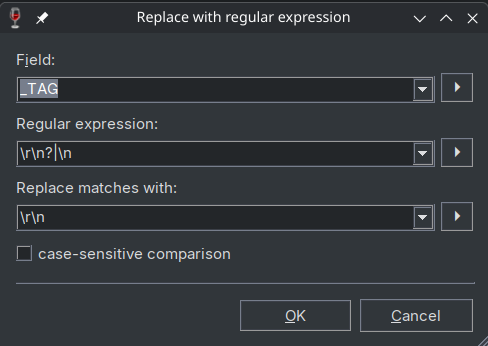
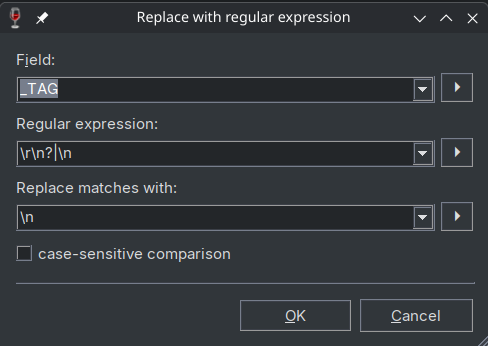
For example if you don't want to bother with individual fields like UNSYNCEDLYRICS, you might add global actions like these:
All linebreaks to Windows style: $regexp(%_TAG%,\r\n?|\n,\r\n)
or as an action:
The problem with this solution is that an MP3tag user might not even realize there could be a potential issue with line breaks in certain player software. As long as everything looks fine while editing in MP3tag, they see no need for action - only to be surprised later when the text appears in the player without line breaks.
Whenever I get imported text into the UNSYNCEDLYRICS field without line breaks - whether from a web source, a mp3-download or via copy-and-paste, which happens occasionally - I can immediately see, at least visually, that "something isn't right." So far, I’ve dealt with this by using a "replace" operation. Until a few years ago, simply saving the file was enough, as Mp3tag would automatically convert the line endings to the Windows standard whenever only an LF character was present.
If everything displays correctly with line breaks in Mp3tag, it never even occurs to me that the CR/LF combination might be missing.
A possible solution would be if LF and CR were indicated with symbols in the Tag Panel, similar to text editors. It could be an on/off setting at Options > Tag Panel. I'd appreciate such feature very much, since it would make it easy to spot (un)wanted LF and CR in any field at any maneuver.