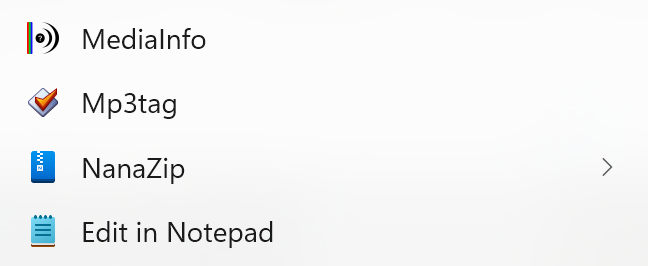
After installing v3.33.1 the right click context menu item in Windows 11 was removed or it disappeared. I tried a second time and made sure the proper checkbox was checked in the installer, but no luck.
Reverting back to 3.32 restored it.
After installing v3.33.1 the right click context menu item in Windows 11 was removed or it disappeared. I tried a second time and made sure the proper checkbox was checked in the installer, but no luck.
Reverting back to 3.32 restored it.
It's still available via the installer and restarting explorer.exe or even the computer usually makes it visible again. There are even cases where you need to click twice to get what you want.
See also here
Moving to Support
I wonder why 3.33.1 would remove it or cause it to fail, but then reinstalling 3.32 brings it back immediately. Without having to restart explorer.exe or Windows.
The associated DLL was most likely still loaded in one of the running processes. Since the DLL needed to be replaced with the update, see the changelog
[2026-02-05] CHG: improved handling of long paths in the File Explorer context menu shell extension (requires restart to be updated if already installed).
it seems that it didn't had the chance to do so.
This happens to me 100% of the time. First right-click of the day, no Mp3tag. Second one, a millisecond later, and there it is!
I’m guessing you have no idea why, Florian?
Unfortunately, no idea. It's most likely Windows 11 doing its thing.