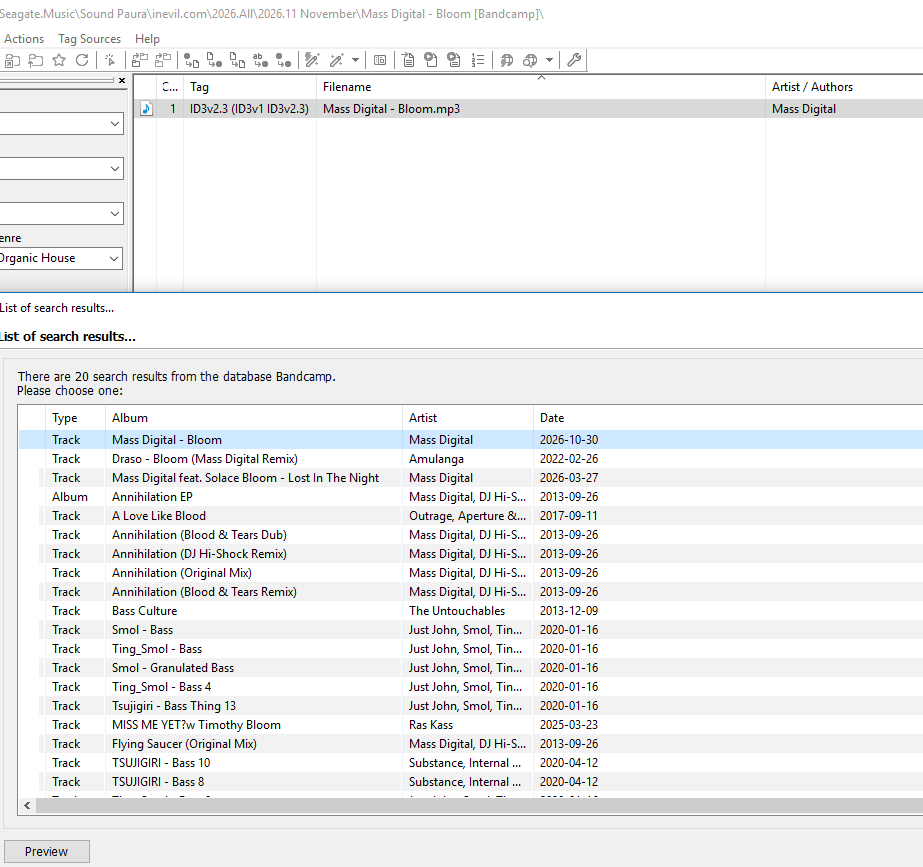
Bandcamp's search page now needs JavaScript, which Mp3tag can't run, so since 0.4.4 this source could only look things up by URL. 0.5.0 adds a Bandcamp Search script again: search by artist and album name, with release dates. It goes through Mp3tag Proxy (v2.8.0 or later), a small tray tool for Windows that asks Bandcamp's own search and hands Mp3tag a plain results page.
@Florian with search by name back, could the thread title become plain "[WS] Bandcamp"? The "(search by URL)" no longer fits, and I can't change the title myself.
The first post is a wiki and still has 0.4.8 for download, so I'm happy to update it with 0.5.0, unless @yorickausyps would rather do it himself.
I've just updated the wiki with the latest version 0.5.0. My first tests showed, that it really works great, but I have to do some more work to add the latest features for cover thumbnails and full preview. Expect a version 0.5.1 soon.
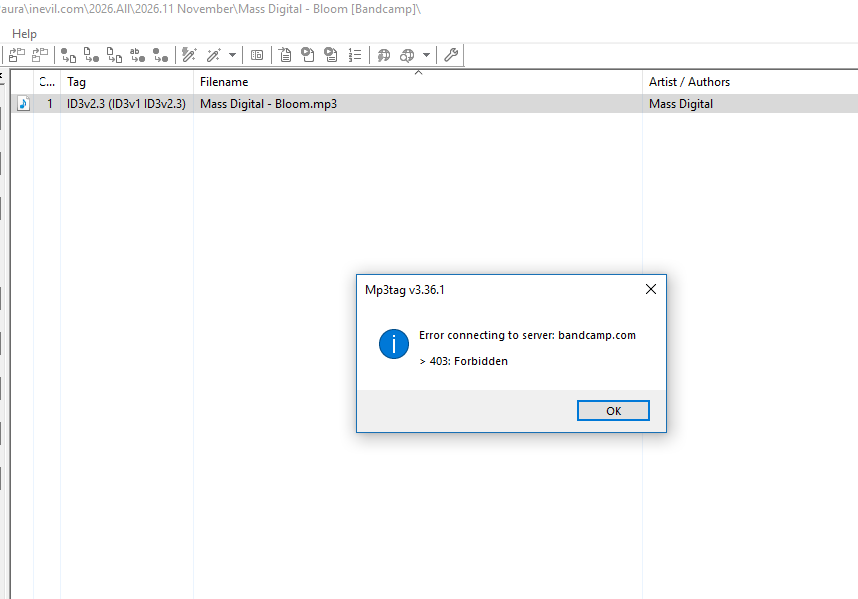
@Norbox no, nothing to edit. The search part works: your log shows 20 results with dates. The 403 comes after that, when Mp3tag opens the track you picked. That request goes straight to Bandcamp, not through the proxy, same as Bandcamp Track by URL, so it's Bandcamp itself refusing Mp3tag from your connection.
@The_Zhu Mass digital link open on Firefox and Chrome and Edge (no check page like Cloudflare, Edge ask me for a human like check control but it's not my default browser), no VPN used
@Norbox thanks. So the page opens in a browser but not in Mp3tag. Two more things would narrow it down:
Did Bandcamp Album or Track by URL work for you before, with 0.4.9?
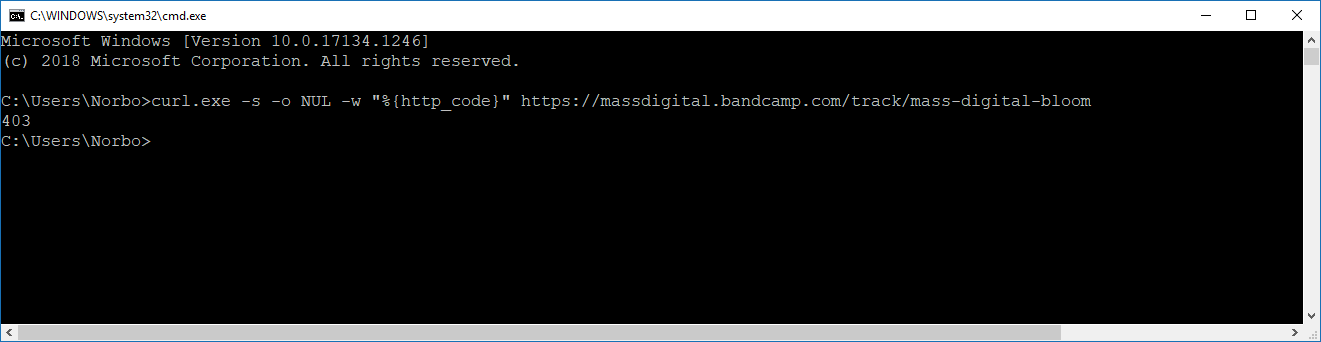
Could you run this in a Command Prompt and post what it prints? curl.exe -s -o NUL -w "%{http_code}" https://massdigital.bandcamp.com/track/mass-digital-bloom
200 means Bandcamp lets programs in from your connection and only Mp3tag is turned away. 403 means it turns away anything that isn't a browser.
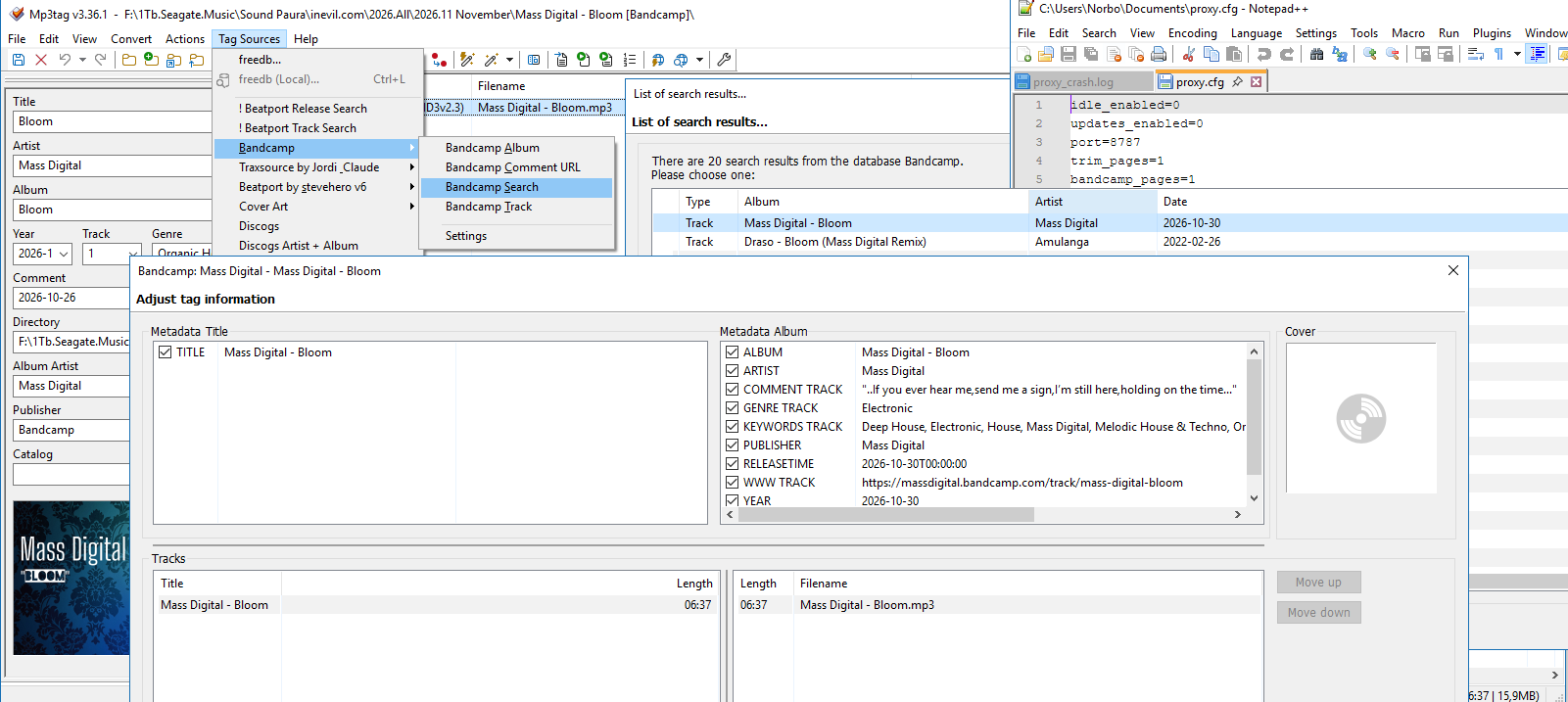
@Norbox that settles it: on your PC Bandcamp turns away curl as well as Mp3tag, and the "are you human" page Edge showed you is the same check. The proxy's own requests do get through, though, so v2.8.3 can open Bandcamp pages through the proxy. Add this line to proxy.cfg next to mp3tag_proxy.exe and restart the proxy:
bandcamp_pages=1
After that, the results of Bandcamp Search open through the proxy. Bandcamp Album and Track by URL still go straight to Bandcamp, so on your PC those will keep giving 403.
I've just released Bandcamp version 0.5.1 with the following updates:
Added full cover preview to search results.
Added configuration setting to enable the use of mp3tag proxy for tagging and preview in search scripts.
Added error checking for user entered URL.
Renamed scripts for better differentiation and rearranged source code.
You can download it below
Have fun and please report any problems!
Update: I forgot to fetch the cover images through the proxy, if the configuration setting enables the use of it. So here is the updated version Bandcamp-0.5.1a.zip (9,6 KB)(2016-11-13)
@The_Zhu Track Search works without Error 403 , but the cover art is not displayed. I also tried changing the settings by disabling “Highest quality for cover art”, but it still doesn't work.
I tested them first with version 0.5.0 and then with version 0.5.1. The errors are the same, and the cover art is still not displayed. proxy.log (7.1 KB)
@Norboxv2.8.4 is out and brings the covers through the proxy too: the thumbnails in the list, the full cover and the cover for your files. Keep the bandcamp_pages=1 line.
The Bandcamp URL scripts (Album URL, Track URL, Comment URL) still go straight to Bandcamp, so on your PC they'll keep giving 403. If you want those as well, open each of the three .src files and change [AlbumUrl]=%s to [AlbumUrl]=http://127.0.0.1:8787/%s.
One more thing, as a friend: your Windows 10 is version 1803, from 2018, and hasn't had updates for years. Bandcamp turning Mp3tag away is most likely down to that, and the slow Cloudflare step down to the PC itself. An up to date Windows, and sooner or later a newer PC, would very likely make these problems go away without any extra settings.
@The_Zhu You're right about the computer, but I'm struggling financially at the moment, and prices have skyrocketed lately. I tried installing Windows 11 (using the TPM / CPU / Secure Boot bypass), but it was slower and less stable, so I went back to the previous version.