Hello, i'm running MP3tag under macOS since years and very happy with it.
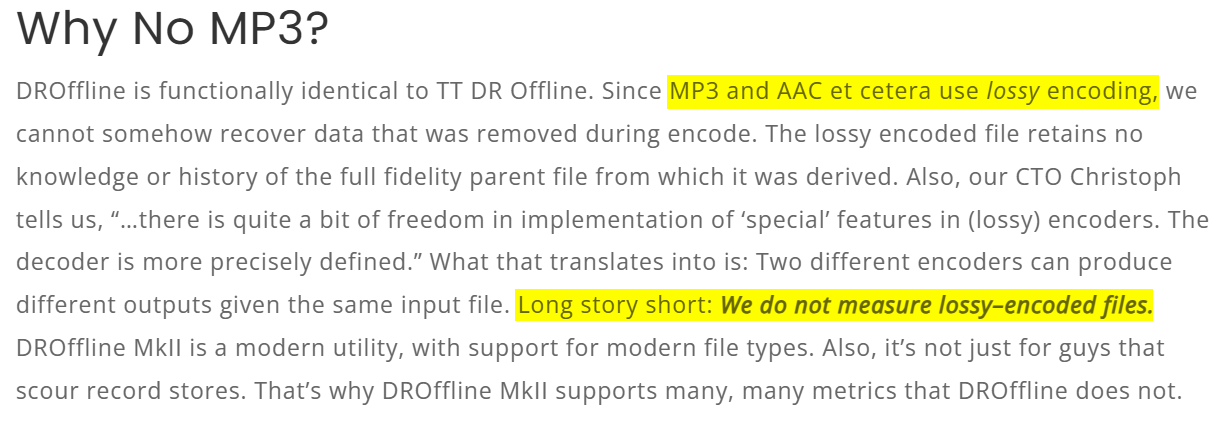
I'm also analyzing all my file with MAAT DROffline mkii under macOS. This software is not tagging any files, just producing a txt file with all the dynamic ranges for the individual titles and for the album.
Wouold like to see, if in a future release, MP3Tag could import the information of the txt from DROffline and tag the "Dynamic Range" for titles and "Album Dynamic Range" for albums in order to be managed through servers like minimserver and Tune ?
@ohrenkino thanks for your feedbacks. Seems i missed this option. I just tried on few titles and work fine. I would need to find a way to customize the export of DROffline or to have a customized import template into MP3 Tag
Or you import the data into a temporary tag field, distibute the individual pieces to dedicated fields and then delete that tag field again. This could probably all be achieved with an action group so that it would require only 2 clicks.
If you require further assistance or suggestions, a sample text file source would be nice.
Thanks a lot for your support ! A usual DROffiline output is like this : Microsoft OneDrive
Seems i cannot customize the export. So either i can do everything within MP3 Tag either i would need to go through a bit of IA and automatization to format the txt file in order to ease the import in MP3 Tag
Note:
As I don't have any *.aif tracks, I used a .mp3 track for my tests.
That's why my test tracks #1 and #2 have an .mp3 extension in the above screenshot of the modified TXT file, rather than an .aif extension.
This is my suggestion:
Create an action group with the following actions:
Import the whole text file with an action of the type "Import text file" into the field with the name e.g. IMPORT.
Create an action of the type "Import tag fields"
Source string: $regexp($regexp(%import%,.+$replace(%_filename_ext%,'(','\(',')','\)')(.+?)\n.*,$1),\s+\|\s+,==)
Target format string: ==%dummy%==%format%==%word_length%==%max_tpl%==%lufsi%==%dr_pmf%==
3. Create an action of the type "Remove fields": IMPORT
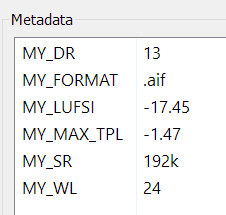
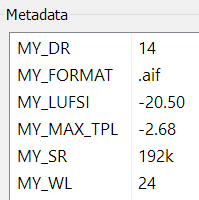
The source format string should create an output like ==.aif==192k==24==-2.68==-20.50==14==
The parts between the == then get assigned to the fields named in the target format string.
I have no clue which fields the players use to display or use the values - so that would have to be investigated by users of these players and adapted accordingly.
Thanks for chasing me. What i have done right now is to format the DROffline txt file with the support of copilot to produce a new txt file that i can easily input inside MP3 Tag with only the track numbers and the DR of the track (Dynamic Range) and the overall DR of the Album (ALBUM DYNAMIC RANGE). Now i need to automatize with the support of the AI.
I would like to add that my suggested workflow and @Florian 's suggested expression would take the original text file and extract the data for each file. No further re-formatting or AI queries required.