Hello Forum,
REGEX is completely new to me and I would greatly appreciate help.
I’m starting to organise my media library using Mp3tag on PC:
PC WORKFLOW
1. Export Mp3tag library data as a csv file.
2. Create MAAT measurements log as a tsv file.
3. Use the csv and tsv files to create a combined spreadsheet.
https://community.mp3tag.de/t/dynamic-range-import-from-maat-droffline-report/71726
Using this REGEX workflow would simplify things substantially, so I am testing:
MAC WORKFLOW
Action Group
DRO TEST
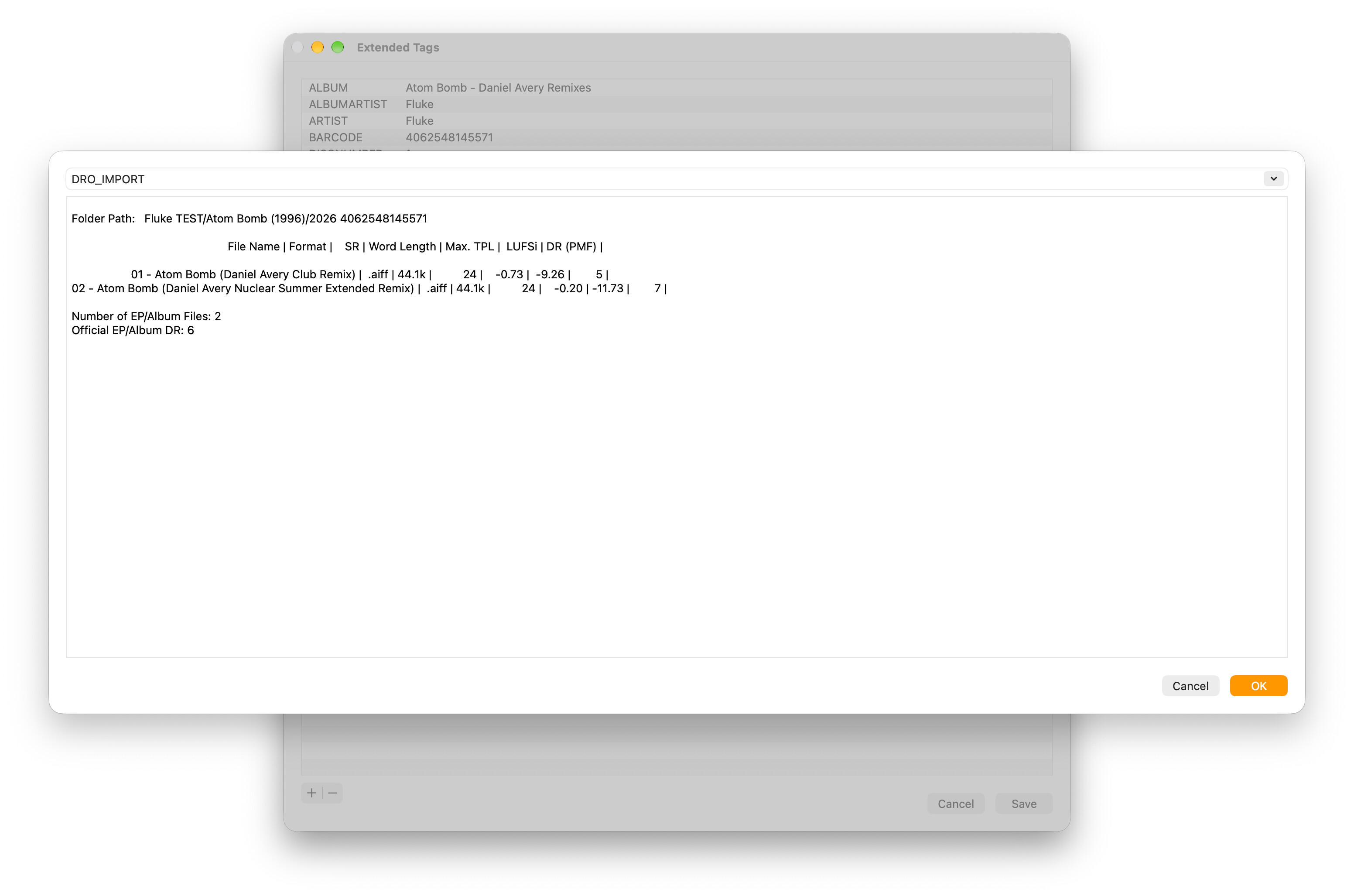
Import Text File
Formatstring: dro_log.txt
Field: dro_import
dro_log.txt (492 Bytes)
Import Tag Fields
Source Format:
$regexp($regex(%dro_import%,.+|\n$replace(%_filename%,'(','\(',')','\)')(.+?)\n.*|\n,$1),\s+\|\s+,==)
Formatstring:
==%dummy%==%dummy%==%dummy%==%dro_max_tpl%==%dro_lufsi%==%dro_dr_pmf%==
RESULT
Successfully imports dro_log.txt to dro_import but the tag fields are only created in the 2nd file.
NOTES
%_filename_ext%
CHANGED TO
%_filename%
(Did not work as log is filename only)
==%dummy%==%format%==%word_length%==%max_tpl%==%lufsi%==%dr_pmf%==
CHANGED TO
==%dummy%==%dummy%==%dummy%==%dro_max_tpl%==%dro_lufsi%==%dro_dr_pmf%==
(For clarity and post Mp3tag data analysis)