PK66
September 4, 2026, 11:57am
1
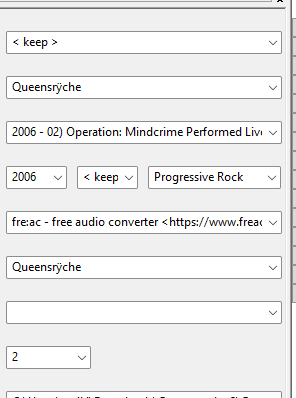
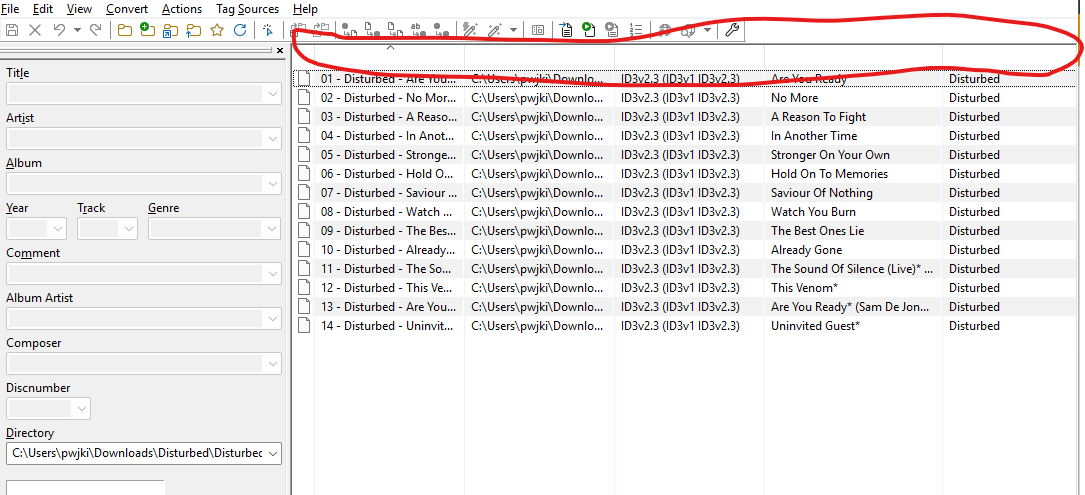
I've found the column headings have disappeared. It didn't happen when I last used it (a couple of months ago). Updated to the newest version, but it is still an issue. Found a thread in the Support Category that indicated a fix, but I don't really understand it. Would someone please be able to give me step by step instructions?
Can't you see the field names in either the Tag Panel or the File List ?
What version of Mp3tag are you using? -> Help -> About Mp3tag
Do you mean this one?
Reinstalling does not really help as it only replaces updated program files but not the files that were modified by the user.
You would have to remove MP3tag completely.
She the FAQs for possible places where to find mp3tag.cfg:
Where exactly do you need additional help around finding/renaming mp3tag.cfg or usrfields.ini?
open the configuration folder with File>Open configuration folderusrfields.ini to something like _usrfields.ini
PK66
September 4, 2026, 12:54pm
5
Hi. It's v3.36.1 and I'm on Windows (11).
I needed help understand which files I was renaming. Followed ohrnkino's advice below, which has partially fixed the problem, but not fully.
PK66
September 4, 2026, 12:55pm
6
Thanks for this. It has partially fixed the problem, but the header's across the top are still missing.
Those are stored in the same location, only this time the file columns.ini
PK66
September 4, 2026, 1:00pm
8
Ha. That I should have been able to work out for myself.
Cheers both for your help. All sorted.
Just out of interest: what was saved in the original files?
PK66
September 4, 2026, 1:23pm
10
Sure. I'd deleted the original columns file, but here's the data from the userfields one. (copied from Notepad)
[#0 ]
[#1 ]
[#2 ]
[#3 ]
[#4 ]
[#5 ]
[#6 ]
[#7 ]
[#8 ]
[#9 ]
[#10 ]
Thank you.