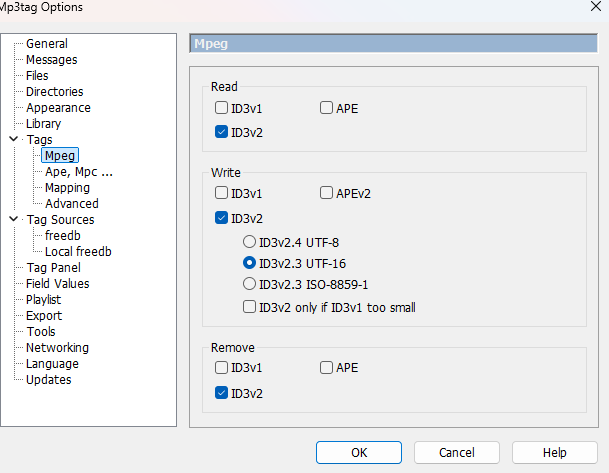
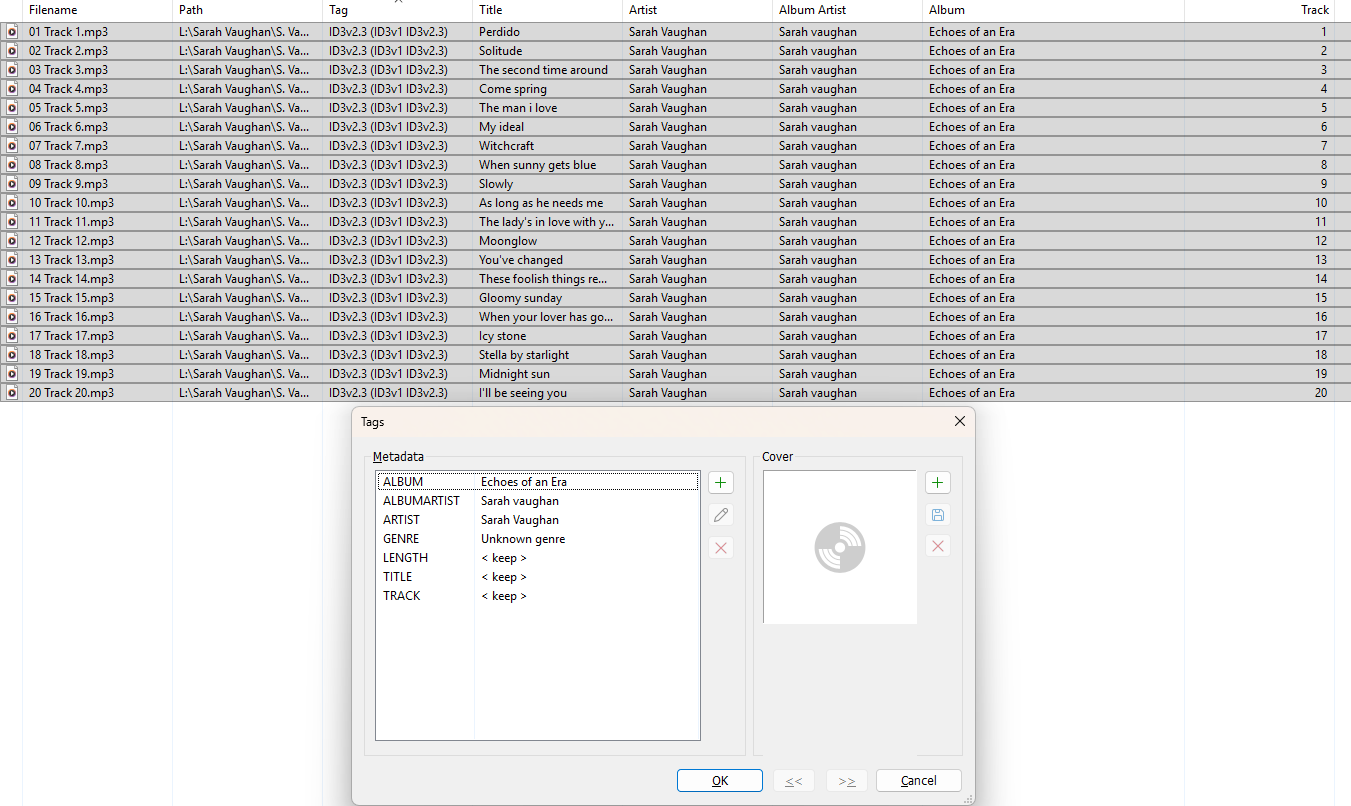
I'm making MP3 files from old vinyl records. I have a CD burner that I use to make cds from the records. Then I use mp3tag to edit and add artist name, LP title and song info for each track. All this info shows on my PC. I copy the files to a flash drive to listen in my 2025 BMW x5. But I don't see any of this info. I've tried lots of things to solve it but am not being successful. Here's how I've got the file set up:
Thank you for the additional information.
I can see nothing that shows immediately why the files should not work.
So it would be something to investigate on the player's side.
I just read an article about car manufacturers to sell some features for an extra fee like e.g. better maps, seat heating etc.
So it may be that the support for tagged audio files is such an extra.
Just to make sure I understand your situation:
You burn a CD with various mp3 tracks and play this CD on your car radio?
Or do you copy them onto a USB stick and play them on your car radio?
(What format do you use on a USB stick? FAT32 or exFAT?)
You can see the tracks and play/hear them, but you can't see any metadata, is that right?
That's my question. I need to know if your car is even reading the USB drive before we dig down deeper. I have a BMW, and spent some time making sure files & tags worked.
BMW doesn't have any subscription limitations related to this.
Use mp3tag to put artist name, record title and track (song) info on each track
Copy this modified file to a usb stick (FAT32)
Put the usb stick in my car to listen to the songs
I can listen to the songs but am not seeing the info that I put in using mp3tag. Now, cd's that I've purchased and ripped to MP3 files and put on the usb stick do play fine and I can see the artist name, track info.
Yes, the X5 is reading the USB drive. My problem now is getting MP3 tag (or maybe other software) to put song titles on each track and then being able to see this info when I play the file in my car.
It sounds like maybe you're burning a CD image in these two steps. In which case, the car won't display Tag info. Especially since you state ripped MP3 files do display properly.
If possible, tell us what the file(s) look like on the stick in step #4.
Please show us a screenshot of Alt+T (View > Extended Tags) for an MP3 file where you can see the ARTIST and track information.
Then we can compare it with the ones where you can't see these fields.
@squonk57 We would see the used writing options in a screenshot
(in the windows title in front of the filename:)
Another idea:
Perhaps your car player does not read the metadata at all, but relies solely on the file names.
@tom.hammel
You can easily test it:
Slightly alter the name of a track that is currently working from your USB-Stick and add something like Test or MyNewArtist to the file name. Then, see what your car player shows.
One thing to be aware of, when you insert a new USB drive, the car reads it, and CACHES it. I vaguely remember having some issues where changes wouldn't display properly because of the cache. This could have changed since my car (2019 X3).