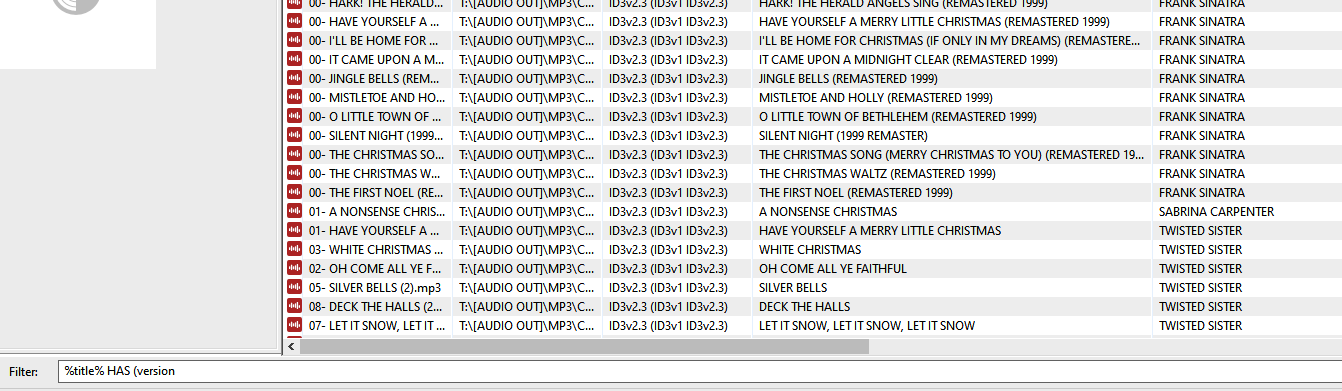
After reading through multiple posts, i am not finding what I need.. (sorry if i missed something).
in the TITLE field there is extra data that i need moved to a different field.
WINTER WONDERLAND (REMASTERED 2006)
I'LL BE HOME FOR CHRISTMAS (SINGLE VERSION)
note: the remastered years vary.
I have separate fields for each of these, and I need the version data (everything in the brackets) copied to the version field. and the remastered data (everything in the brackets) copied to the remastered field. then removed from the title field including trailing spaces
note: I am only wanting the version and the remastered data moved. there are other titles that have the brackets () that do not need to be altered.
Try fo filter for the files that need treatment e.g. with
Filter: %title% HAS (Remaster
Then select these files and apply an action of the type "Guess value"
Source format: %title%
Target pattern: %title% (%remastered%)
Proceed in a similar way with the Version
Filter: %title% HAS Version)
Then select these files and apply an action of the type "Guess value"
Source format: %title%
Target pattern: %title% (%version%)
Please note that VERSION and REMASTERED are user-defined fields that hardly any player picks up.
If such things happen then the only way to let others in the distance see what might have gone wrong is to show a screenshot.
So please supply a screenshot of the situation.
Here is a short paragraph how to make a screenshot:
Filter: %title% HAS "version)"worked perfectly, now that i have results. how do i move the contents of the version brackets (*** version) etc to the other field and delete the version bracket from the title?
Yes, you define a source and then you assign the parts of that string to target fields.
It sort of works like "Convert>Filename - Tag" only that you can set more or less any source string and are not restricted to the filename
thank you very much - perhaps updating the "filter and search" document to include the location of the bracket and "... i could do that if i had permission
The location of the bracket was specific to your data. YOu have the 2 strings
in which the separating and identifying word "REMASTERED" is preceeded by a bracket and "VERSION" is followed by a bracket. It was my mistake to mix them both. The brackets have nothing to do with the filter syntax (in this case) but serve to get a unique separator for the data.
Brackets have to be treated with "" as they can also be used to group together complex filter expressions and there serve as part of the filter syntax.