Greetings. I changed comments of the songs in the sidebar, but they are not updated in Windows Explorer.
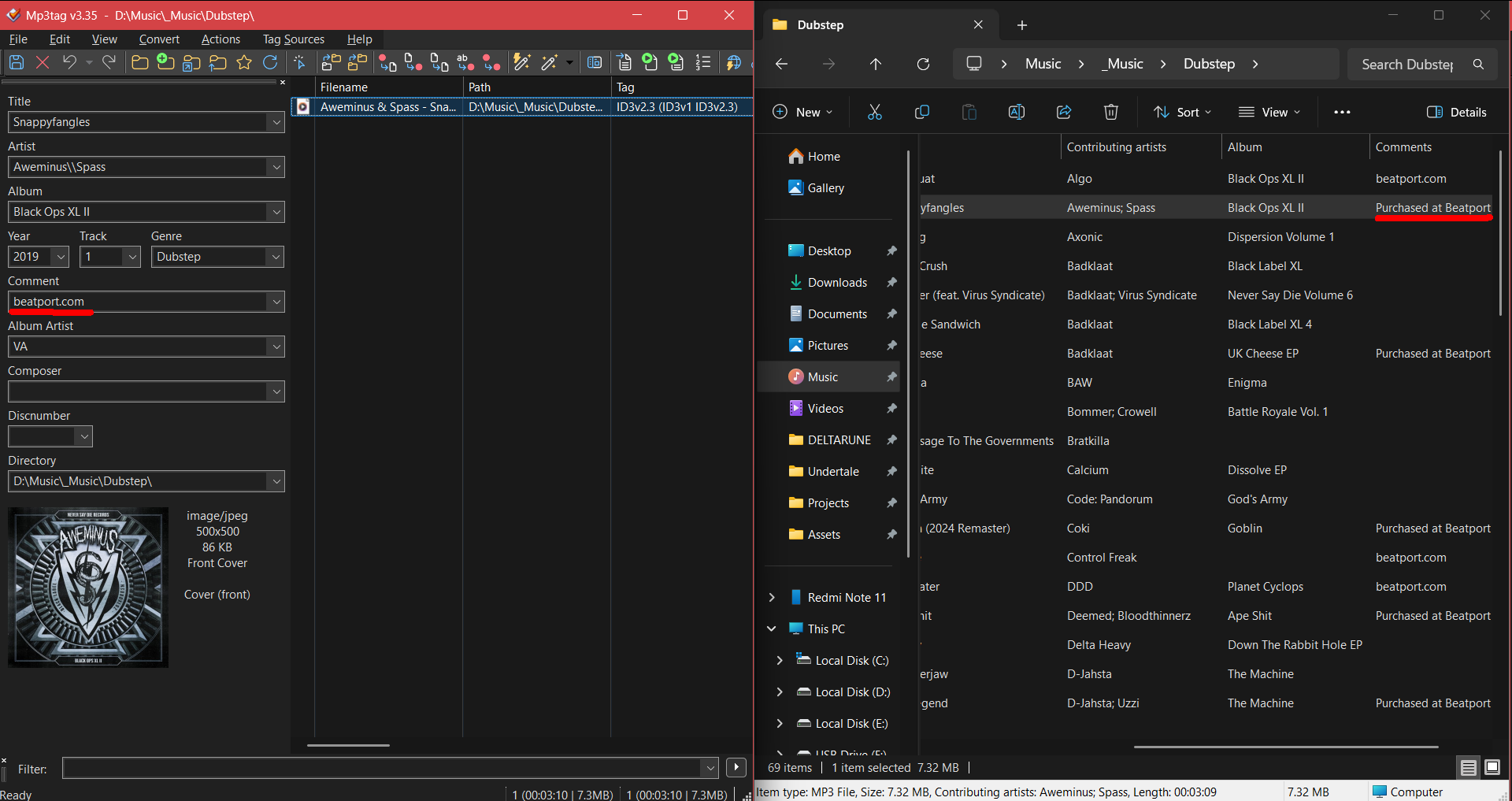
The explorer reads comment fields that have the same language token as the Windows environment.
See Options>Tags>Advanced and change it, if necessary.
eng is the language token that iTunes uses by default.
See e.g. here:
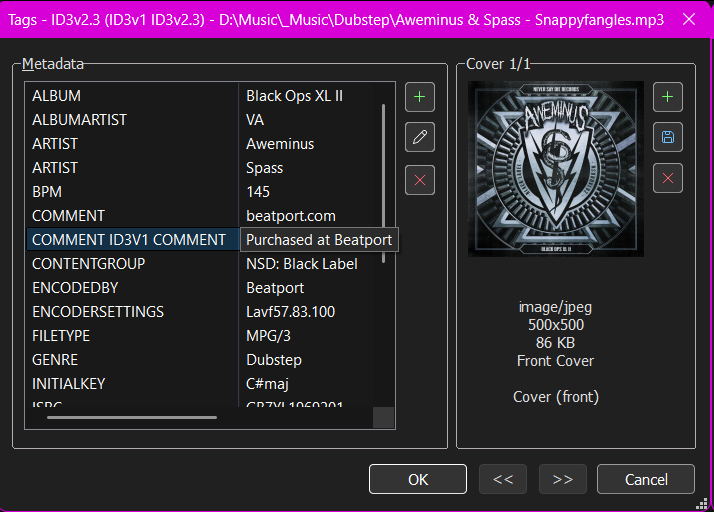
Explorer will show only 1 field of a type. So if there are several fields of the type COMMENT, then Explorer will show only one of them. This could be the old one.
It would be easiest to make sure that only 1 field of the type COMMENT is present.
Hello @ohrenkino, I agree with you—there should only be one COMMENT tag. I’m surprised because the COMMENT ID3v1 COMMENT tag (which has a 28-character limit) reads "Purchased at Beatport," while the COMMENT tag (the correct one) simply reads "beatport.com." It’s the first time I’ve seen this...
Looking at the screenshot, I realize these two tags contain different data. I suspect there might be a conflict, as both tags would end up being written into a single COMMENT tag in Mp3tag (which I believe is the standard). This could cause a conflict when saving the file in the original program—am I mistaken in my assessment?
The comment field is somewhat special as it has a language token plus another specifier that allows further differentiation, e.g. there are fields like
COMMENT ITUNNORM or COMMENT ITUNPGAP and so there could also be a field COMMENT ID3V1 COMMENT.
MP3tag keeps these differentiated fields, see here:
So any other application that can deal with multi-value fields should be satisfied to find several COMMENT fields. Explorer cannot.
Thanks @ohrenkino for the link above showing how Florian programmed these two tags separately—which I imagine prevents save errors. That was what was confusing me: in my BSI program, they are mapped to the COMMENT tag, causing a conflict. I also better understand your explanation regarding Explorer; it can't handle these two tags, whereas other programs handle them just fine...
Thanks again for the explanation; I have a better grasp of the concept behind these two tags now... 
However, if igor.arnautovic123 wants to save both tags using Windows Explorer, you could provide an Action formula that combines the data from both tags into a single COMMENT tag; that would solve his problem...
There is a section in the FAQs how to copy one field contents to another: