Wrong parsing the German letter "ß" and the French "é", "î"

Given the file Variant_1 — Ein kleiner weißer Schneemann.[lng_deu].mp3, when I convert file name to the ID3-tag 2.4, in the Mi Music and Player FM apps (under Android 16), the tag is displayed with the wrongly parsed the German letter "ß":

However, there is a workaround!
If I copy Ein kleiner weißer Schneemann from the file name via Windows 11 File Explorer and paste this value manually to the file Properties -> Details -> Title, e.g.
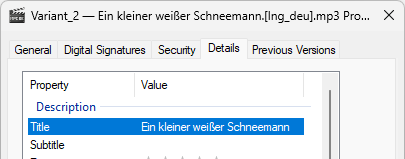
and press Apply, then everything looks fine:
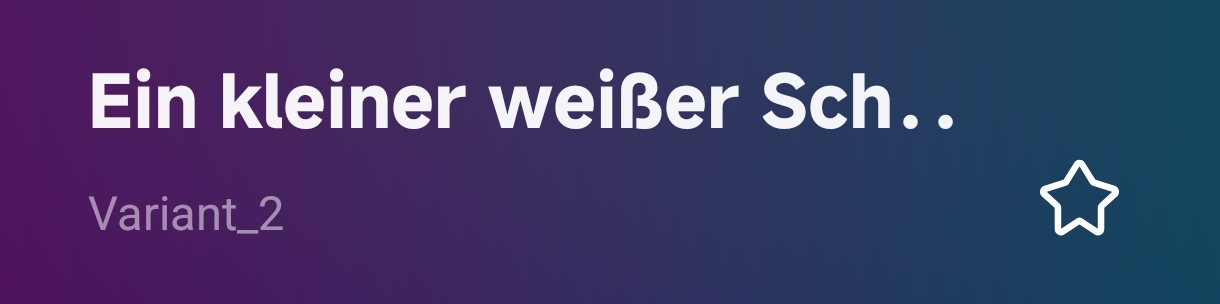
The similar issue I'm experiencing with some french songs, containing "é" or "î", e.g.:

  • Joe Dassin — La demoiselle de déshonneur.[lng_fra].mp3
  • Joe Dassin — On se connaît par coeur.[lng_fra].mp3

It's worth noting, among the entire collection of the tracks with the German and French names, only these three files face a problem with proper displaying its ID3-tags.

Mp3tag 3.37, 64-bit, Windows 11 26H2

P.S. If needed, I can provide a sample of the "wrong" file, with ID3-tag filled by Mp3tag 3.37 and the "fixed" one with the ID3-tag filled manually.

So this happens outside MP3tag? where do you see MP3tag's role in this workflow?

The players don't seem to support UTF-8 encoding. Please try ID3v2.3 with UTF-16 via Options → Tags → Mpeg

This worked once ID3-tag 2.3 was selected!
But my question: why doesn't this issue happen to other tracks with the same characters, like L'été indien?

My assumption was that the problem is the way Mp3tag proceeds these three tracks, since other mp3s' tags displayed correctly.

Were these files also treated by MP3tag?
If so: what would be the difference between these and other files?
(TBH: I do not see MP3tag in the described workflow. I only understood that files got renamed by Android players and that these Android players have problems)

All files have been preceded by Mp3tag and only these three files displayed in the wrong way. The players are just displaying these tags.

Which leaves the question:
What would be the difference between these 3 and other files in MP3tag?
A screenshot of the extended tags dialogue from one of the good files and one from a single bad file would help.

Hello @MikeB,

The issue you’re experiencing is one I’m very familiar with now...

When I first encountered it, it nearly drove me crazy...

It took a long time of searching before I finally understood and resolved the problem...

I frequently receive audio files, and I don’t know whether the French characters with accents were typed on a PC or an Apple system.

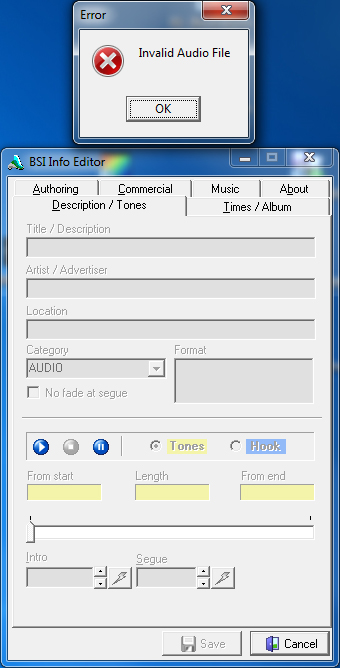
My primary software for editing tags is BSI Info Editor (Simian). If I receive an audio file from a producer who typed French characters with accents on an Apple system, my tagging software displays an "Invalid Audio File" error and fails to load any file information. At first, I couldn't figure out what was wrong—I even assumed the file itself was corrupted... (see my image...)

Meanwhile, other files from the same producer—those containing French text without accents—opened perfectly. It took me quite a while to realize that the issue stemmed specifically from those accented French characters.

Through my research online, I discovered that very few people are aware of this problem. Most assume that both PC and Apple systems encode accented characters in the same way—but that is not the case:

For the vast majority of users, an "é" is simply an "é," regardless of the screen they’re looking at. Few realize that, "under the hood," Apple and Windows use two completely different "languages" to encode this single letter.

• On Apple (Mac) systems: To type "é," the system technically uses two characters (the letter "e" combined with the accent mark "´" placed over it). While this is invisible to the user, PC software perceives it as two separate, distinct codes.
• On PC (Windows) systems: To type "é," the system uses a single, pre-composed character (the "é" unit).

The solution I found is simple: in your filename, re-type the characters that include accents—the ones originally entered using an Apple system—using your PC keyboard instead; this will resolve the issue, and everything will work... :wink: :+1:

That is correct, although the actual problem is not so much that there are two separate characters, but that one of them (combining acute accent, U+0301) is not part of the Windows system codepage. Some programs still cannot handle Unicode correctly.

This doesn't explain the "ß", however.

Hello @squonk57,

I’m not familiar with this character, "ß"; it doesn’t appear on our PC keyboards. @MikeB is referring to the German letter "ß"—I imagine it must be marked on a key on keyboards used in Germany. I work with English and French-Canadian keyboards...

The ß is a German special character, representing "s".
In English, it is called "double s", "eszett" or "sharp s":

German example words are
die Straße (street)
der Fuß (foot)
der Spaß (fun)
der Gruß (greeting)

In the German speaking part of Switzerland they write the same German words as
die Strasse
der Fuss
der Spass
der Gruss

These examples look like there is only a cosmetic difference - and it would make life much easier if we could do without the special character and simply use the double-s instead of ß.
But there are some words that have actually a different meaning if spelt with ss or ß.
Busse = busses
Buße = repentance
Masse = mass
Maße = Dimensions
in Massen = in great quantities
in Maßen = in moderation.

So it would be the opposite if you write
Trinke Alkohol in Maßen (drink alcohol in moderation)
Trinke Alkohol in Massen (drink alcohol in great quantities)

Thank you, @LyricsLover and @ohrenkino, for your excellent explanations regarding the character "ß". :+1:

By any chance, do you have an opinion on the issue related to this "ß" character that @MikeB mentioned in his text above?

Are your files on a NAS, by any chance?
(You seem to edit under Windows and reload on Android)

What do you mean under NAS?
I'm editing the files on Windows and then transport it to smartphone via cable.

NAS = Network Attached Storage
Synology and alike for storing files in central location, which can have different ways to write data. But your don't have that, so no problem.

No, I'm using the standard laptop's SSD.

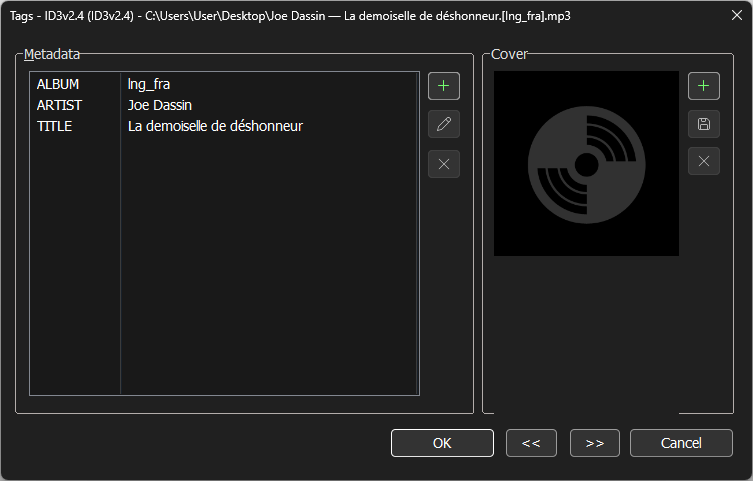
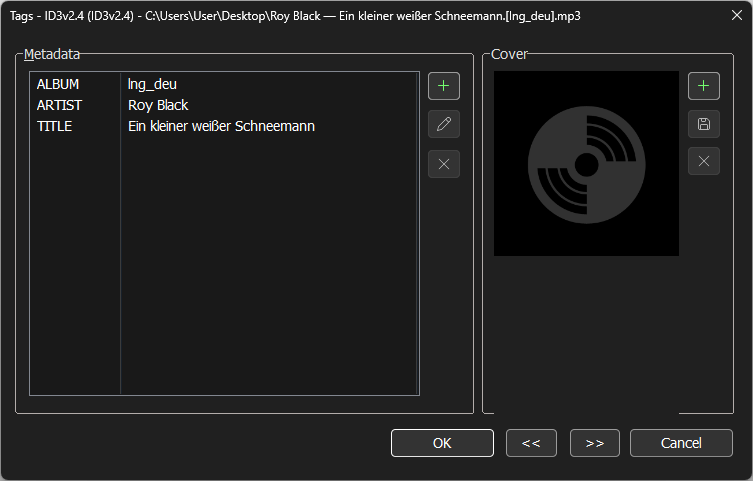
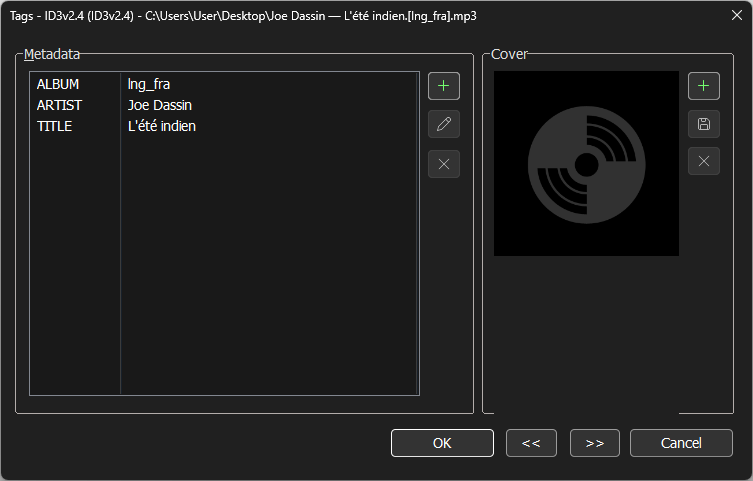
Below, you can see screenshots of the extended tags dialogue for three files:

  • Joe Dassin — L'été indien.[lng_fra].mp3 (correct)
  • Joe Dassin — La demoiselle de déshonneur.[lng_fra].mp3 (wrong)
  • Roy Black — Ein kleiner weißer Schneemann.[lng_deu].mp3 (wrong)

To exclude the possible differences in files (e.g. codes), I took a file, made two copies of it, named these files as shown on screenshots, converted file names to ID3-tag 2.4 and moved to the smartphone.

I've tried multiple combinations and I've paid attention that perhaps the filling of %album% field or the next after %title% field might leads to the problem. But I still need to verify my assumption.