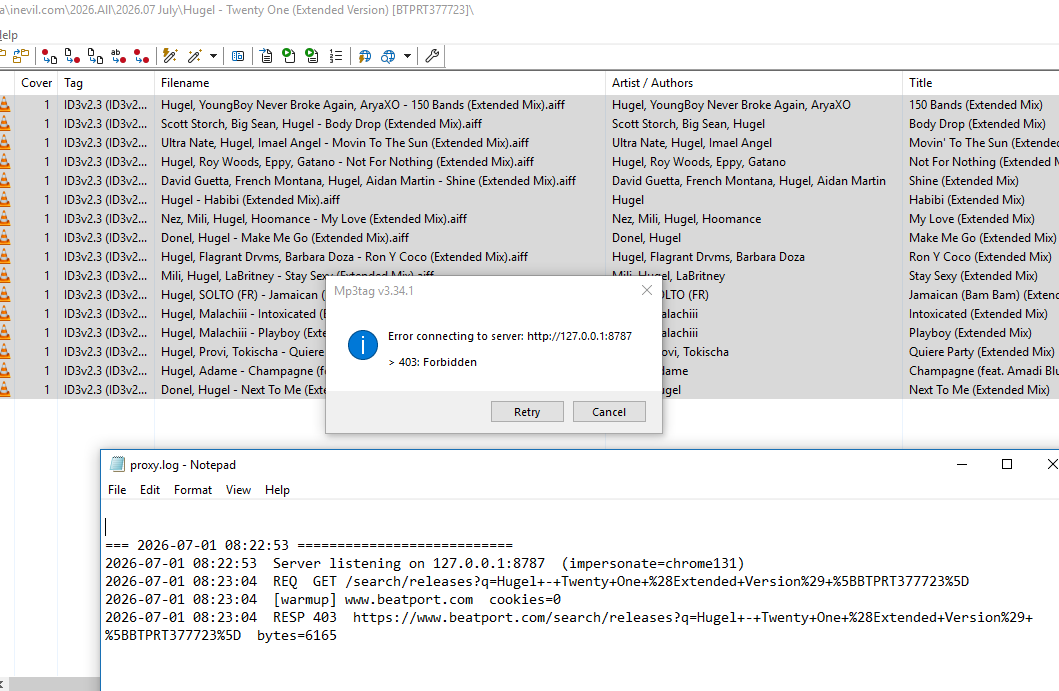
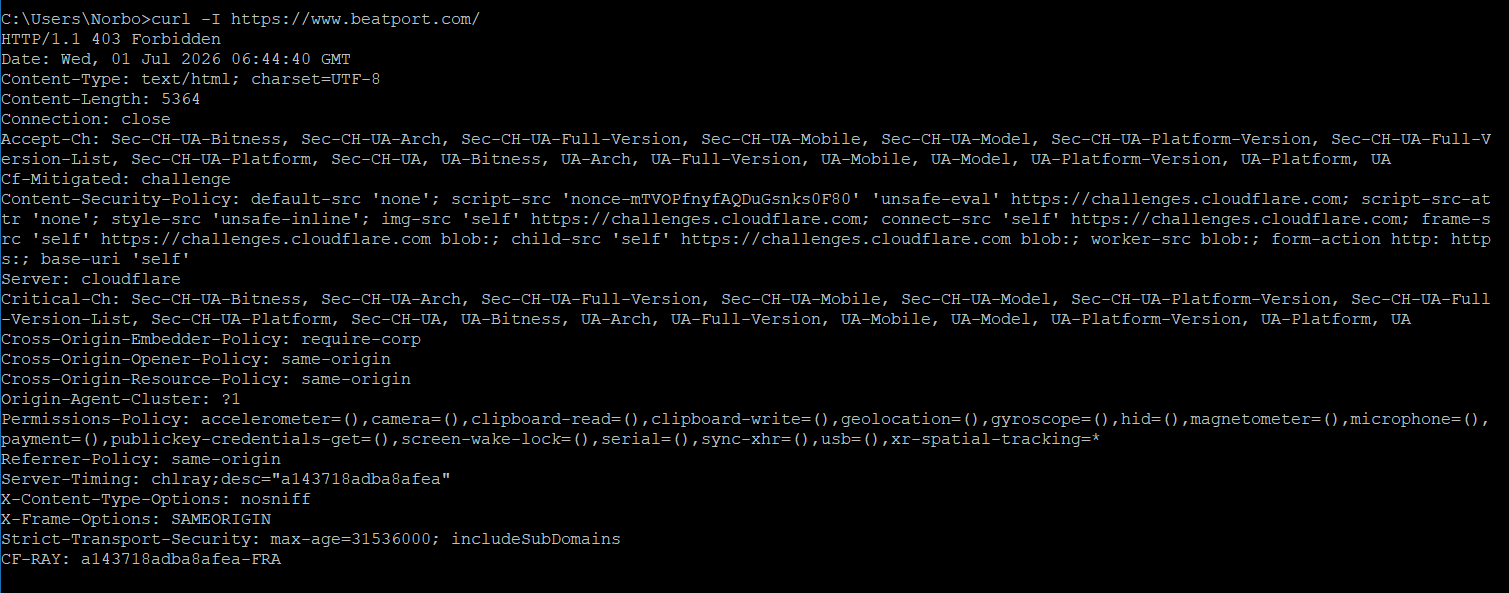
Cloudflare, to access (https://www.beatport.com/) even in the Chrome browser, asked me today to verify that I was human by completing a challenge (Firefox too ask me the same)
Chrome Version 150.0.7871.47 (Official Build) (64-bit)
Firefox 151.0.4 (64-bit)
I changed several IP addresses, but I got the same result
@Florian It would be great if Mp3tag could detect when a website is protected by Cloudflare and automatically open an embedded browser (such as WebView2). The user could complete the normal "Verify you are human" challenge, after which Mp3tag would reuse the authenticated session to continue accessing the site. This would allow legitimate access to Cloudflare-protected websites without requiring manual workarounds.
For anyone hitting 403 Forbidden on Beatport or Traxsource — I've moved the fix into its own topic so it's easier to find and follow: Mp3tag Proxy, a small free Windows tool that works around the Cloudflare block so your tag-source scripts work again.
I haven't changed anything in any file. Just like two days ago, everything is still working perfectly with the original proxy_beatport. It also starts up in just a few seconds, whereas the new one takes much longer to initialize.
That said, I really appreciate the work and effort you've put into the new version. It looks like a great improvement, but for my current setup I don't need it at the moment since the original proxy is still working flawlessly for me.
From what I've read on a few developer forums, Cloudflare seems to have rolled back some of the recent changes because the latest Bot Detector update ended up breaking quite a few things. So, as far as I understand, they reverted to an earlier implementation.
You're right -- maybe a second slower on startup. That's the only difference.
The new version is universal. When Beatport uses the simple check (like right now), it takes the same fast path as the original, no browser involved. It only switches to the heavier path if Beatport brings the JavaScript challenge back -- which already happened once this week.
So you never have to think about which version to run: fast path by default, and if Cloudflare tightens again, v2.1.1 deals with it automatically.
Keep the old one if you're happy with it, but v2.1.1 has you covered either way.
I’m the kind of person who doesn’t change anything as long as things are working. When they stop working, I start asking questions and look for solutions.
Yes, exactly. Beatport rolled back to the simple Cloudflare check, so the original proxy works fine again.
It passes by impersonating Chrome's TLS fingerprint – no JavaScript involved. That's enough for the simple check. It only broke during that short window this week when Beatport switched to a JavaScript challenge, which requires an actual browser. That's the one thing the original can't do on its own.
def reply(to="Norbox"):
    return f"""
    Thanks, {to} — that means a lot. 🙏
    Credit goes to the community; I just knocked politely on Cloudflare's door.
    We adapt — together.
    """


print(reply())
Today the old proxy, beatport_proxy, stopped working because, as you probably know, Beatport has re-enabled the Challenge.
Following your advice, I switched to Mp3tag Proxy v2.1.1. However, I discovered that since I was using Windows 10 with an outdated version of Microsoft Edge from 2018, the proxy returned the error "Edge not found". I had to update Edge to version 150.
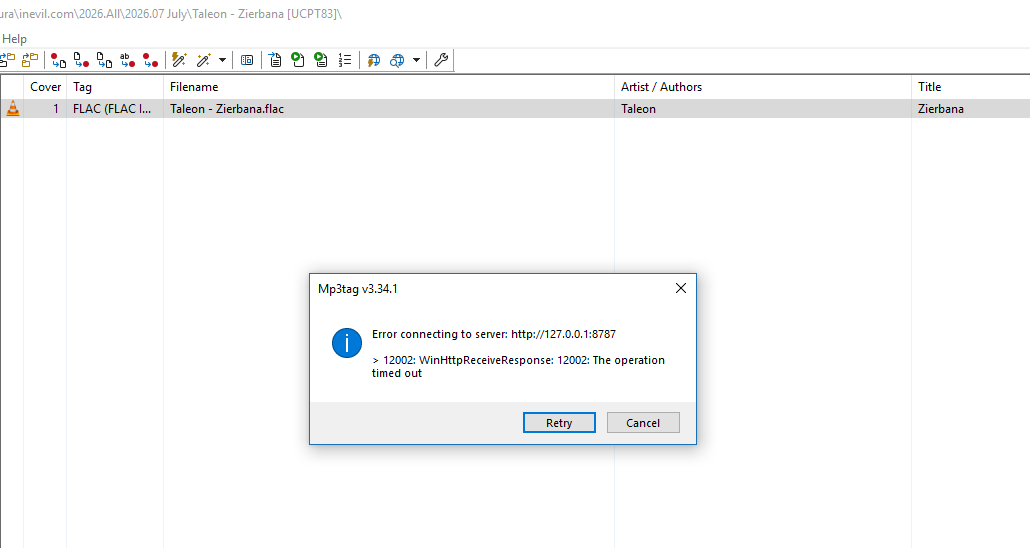
Even after updating, I still had to restart Windows and disable Sync under Settings > Profiles > Sync. Otherwise, your proxy would always time out and return error 12002.
Anyway, I managed to solve everything, but I wanted to let you know about this in case it helps.
After reading this reply from @Norbox ,
I checked my version of "Mp3TagProxy" and "MS-Edge" browser.
So, I updated the following:
• Mp3TagProxy 2.0.2 → 2.2.0
• MS-Edge 64-Bit 114.0.1823.67 → 150.0.4078.65
The Beatport WS scripts are working again
PS:
I never use MS-Edge, so I didn't know that I had to update it,
and also now, that Mp3TagProxy has a built-in update checker,
hopefully, I'll know whenever a new version of this proxy is released.
Totally normal, @Norbox. It's one program, not two proxies. The .exe is packaged as a single file, so a small launcher process unpacks it and starts the actual app as a second process; only that one runs the server. Quit from the tray closes both. Nothing to worry about.