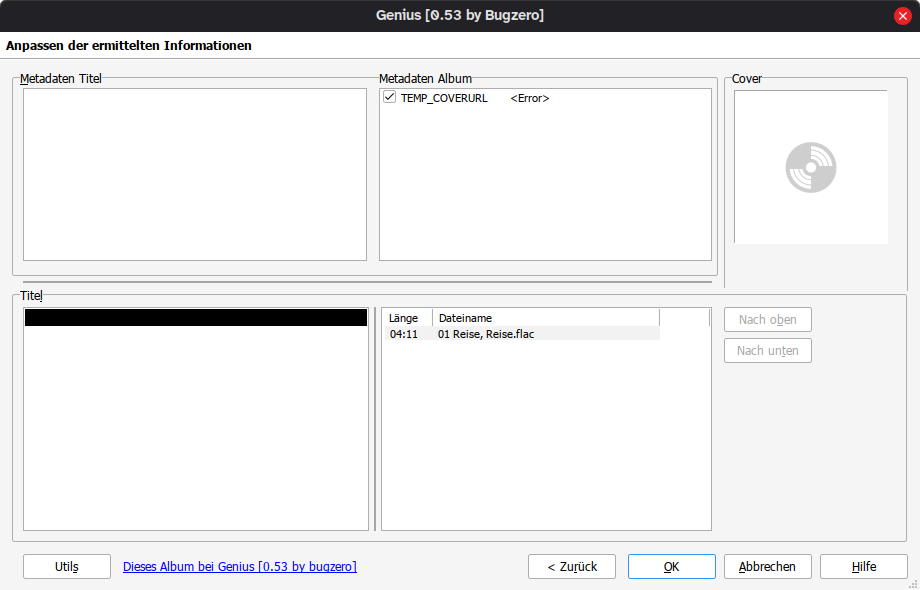
If you get this error the search string probably is not correct for Genius.
Have a look at the url which you see for this track on the genius-website and compare it to the search string that Mp3tag uses for search. You can correct that in Mp3tag manually.
You used the JSON-version. There are different remarks in this thread, but the JSON-version does not work for me. I get no results for lyrics. The HTML-Version works here.
That was it, thank you. In my example I had the artist as “David Bowie, Nine Inch Nails” but Genius.com doesn’t have NIN included, so removing that from the search URL allowed the lyrics to be found.
First, thank you for this script! It works great generally, but I also ran into issues when running it on Mac.
The Problem: When the script attempts to generate the Genius URL, the regex engine on the Mac version fails to parse the complex "featuring/stripping" pattern in the .src file. Instead of a clean URL, it generates a URL containing the error message itself:
The Cause: The issue lies in Genius#Lyrics.src. The regular expression used to remove "feat.", "prod.", and "remix" information from the title is too complex for the Mac implementation (specifically the nested character classes [[({]).
The Solution: I have rewritten the .src file to use a simplified regex that is compatible with Mac while still correctly stripping the necessary data to generate the correct slug.
Technical Detail of the Fix: I replaced the failing regex: ^(.+?)\s+[[({]?(?:ft\.?|feat\.?|featuring\.?|prod.?|remix.?|radio\.?)\s+(?:[^][(){}]+)[])}]?(\s+.+)?$
With this Mac-safe version: \s+[\(\[](?:ft|feat|featuring|prod|remix|radio).*
I have tested this updated script with just a few songs for now, but wanted to share this in case it helps other Mac users!
In my music library, featured artists are in the artist tag in the form of “Danny Brown feat. Jane Remover” or even “Danny Brown, Jane Remover”, not the song tag. This updated script now searches both the artist and song tags to remove the unnecessary information from the URL. And it works on Mac like the version above.
Hi @bugzero,
thank you very much for this script. It is very useful.
Though it didn't work reliably with Turkish names, so I have added some characters (ı, İ, ş and ğ) in `replace()` of the `Genius#Lyrics.src` file.
Tested, works. Would be nice if you could include it in the post.
Hi, I've tried using this script but when I do, the lyrics come out without any line breaks, which is rather unreadable. Do you have any idea how to fix it ?
You can go to Tag Sources -> Genius -> Settings and modify the 'Line Endig Type' By default LF (Linux) is selected because it is compatible with a big number of players, but if yours is not compatible you can modify it to CR+LF (Windows) or CR (Mac).
Edit: Nevermind, I was able to fix it with an LLM. The issue was that Genius swapped the attribute order in their <meta> tags. The script's regex expects content="..." to come beforeproperty="og:...". Genius reversed the order (property first, content second) at some point. And since that first regex never matches, <cover:start> never gets inserted, findinline fails, and I get <Error>.
Just added these lines under the Search optional tags comment inside Genius#Lyrics.inc:
I'd like to upload the file directly, but this platform doesn't let me upload it, telling me:
Sorry, the file you are trying to upload is not authorized (authorized extensions: jpg, jpeg, png, gif, src, mte, mta, log, dmp, zip, rar, pdf, txt, rtf, mov, mp4).
Like many other sites, genius.com is now protected by a Cloudflare Tunnel, and the Web Source API is unable to access it. Perhaps @Florian can do something about it, but from the script, the only way to access it would be through a proxy.