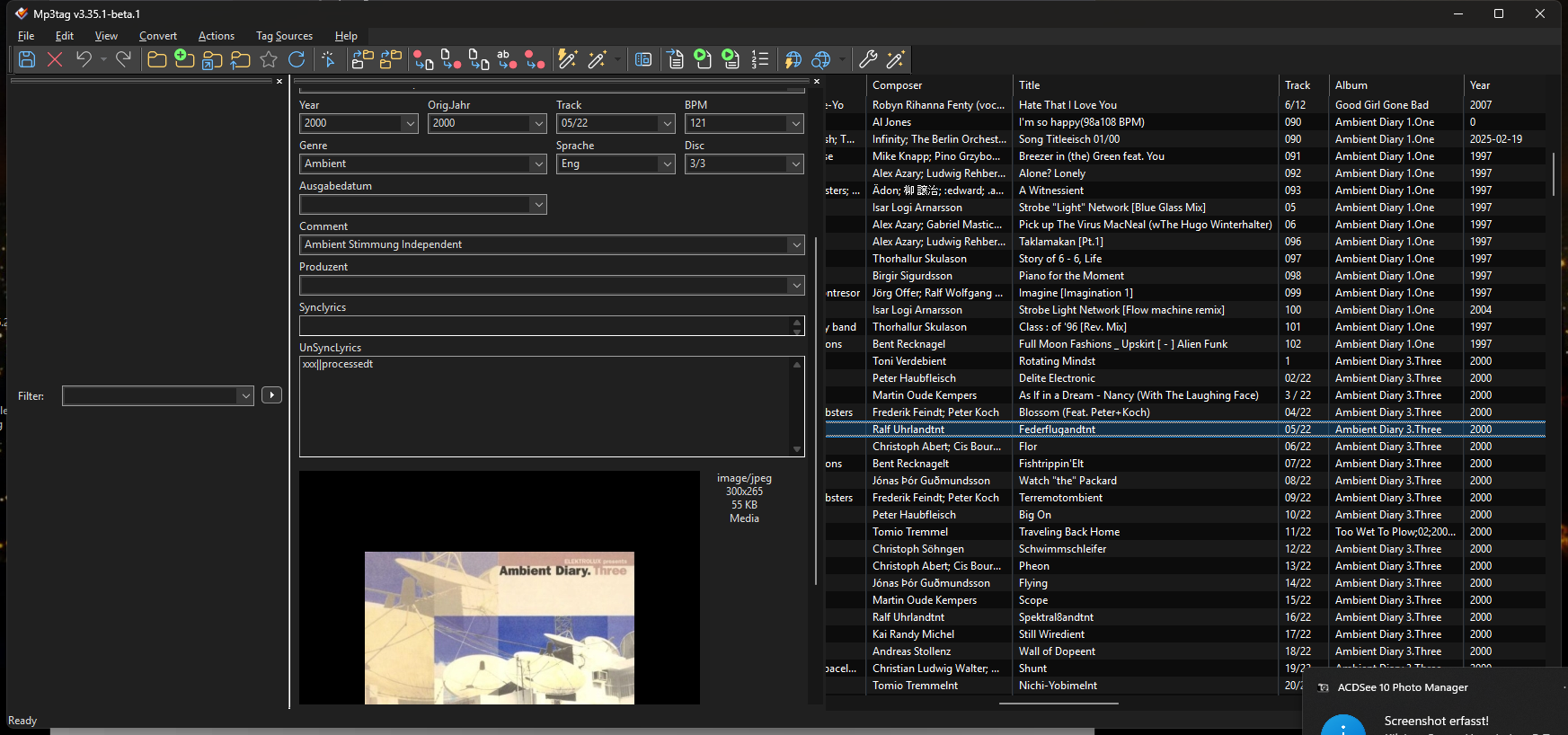
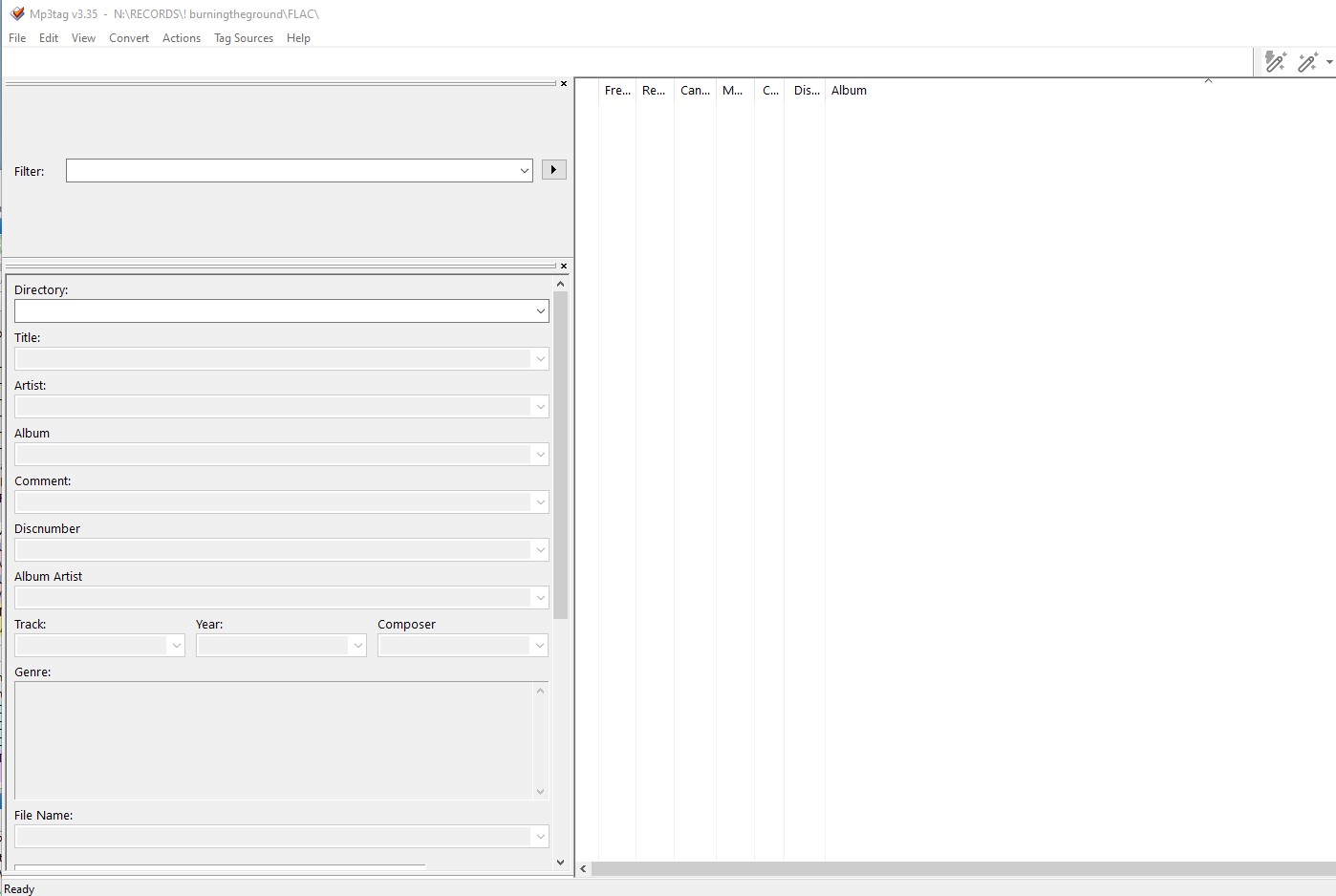
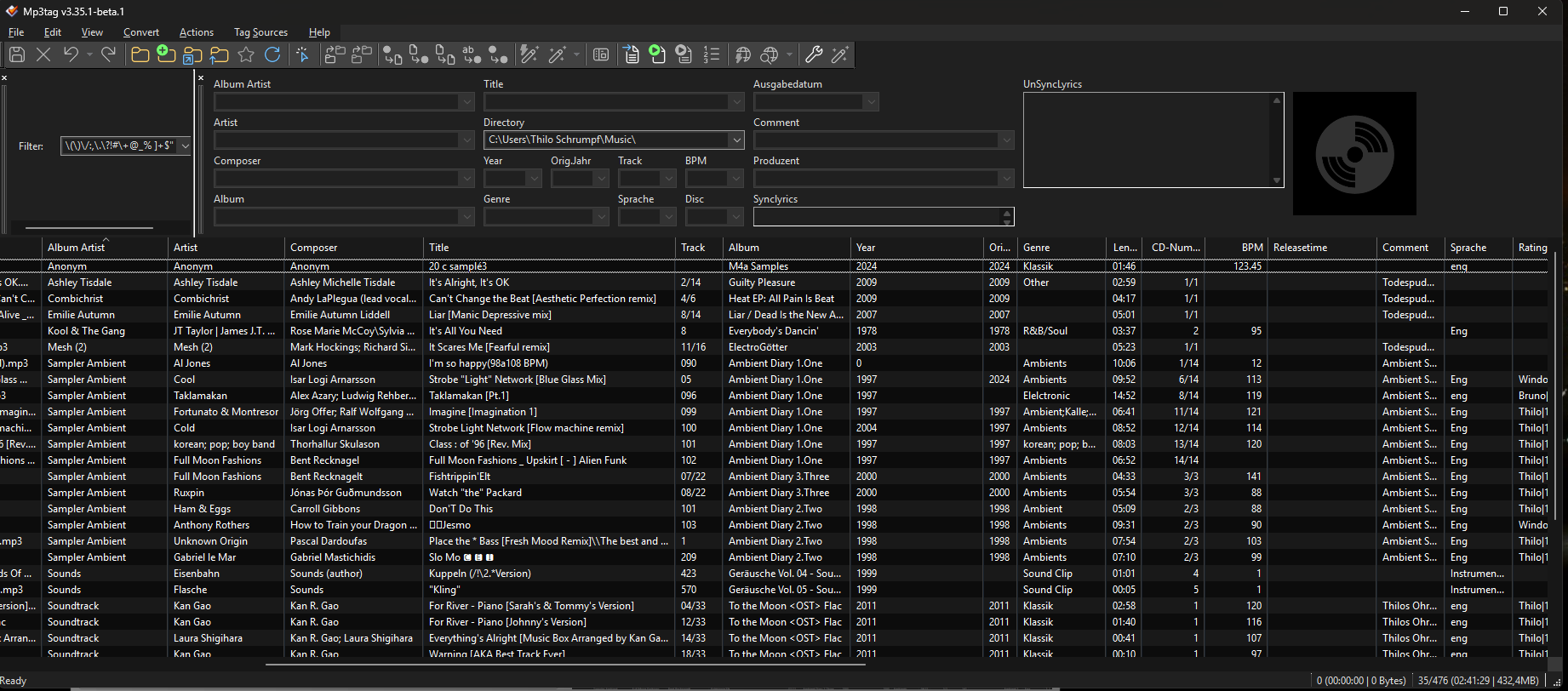
I've noticed that with the latest versions, every time I start the app, it reverts to the interface settings, which are completely random (photos 1 and 2).
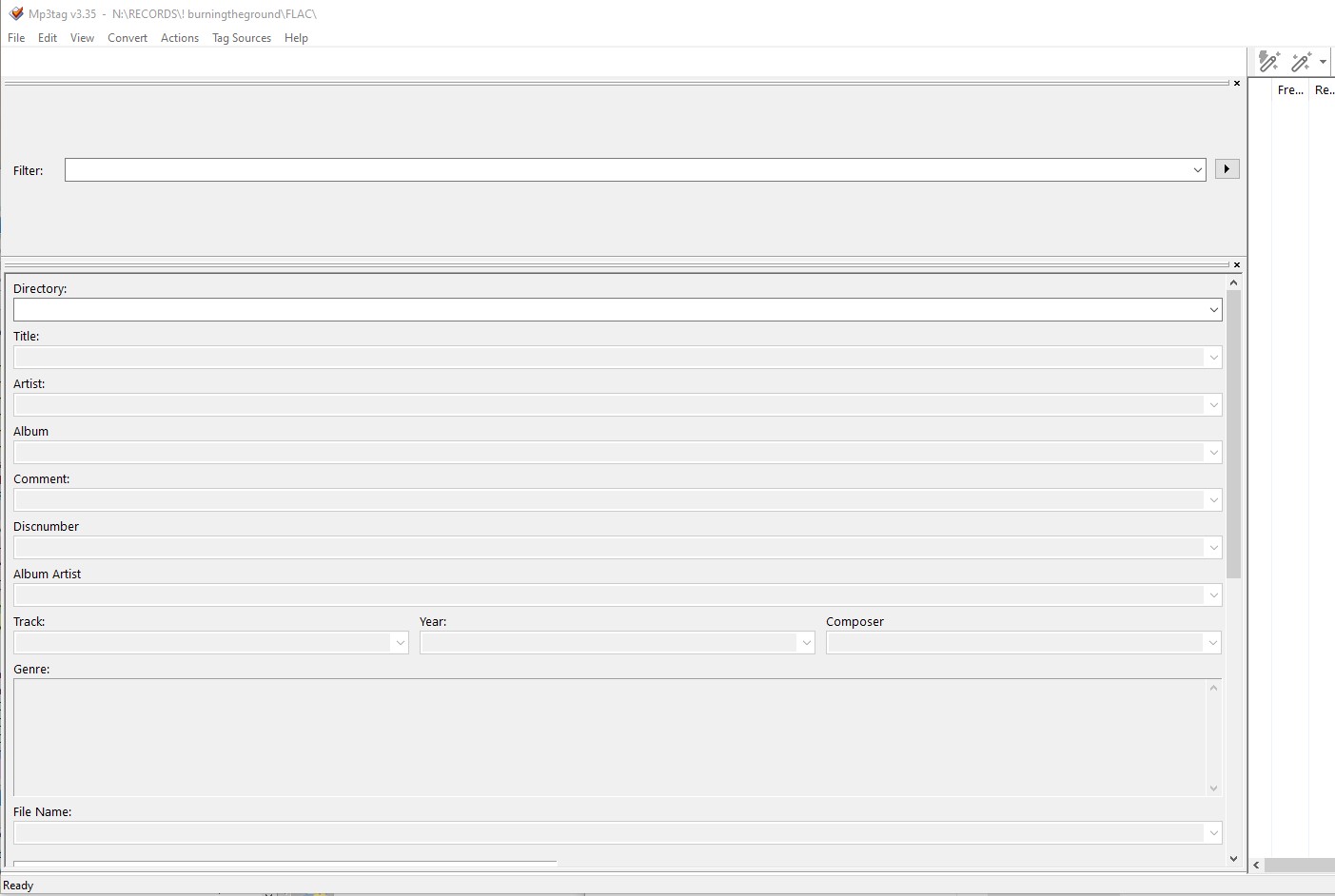
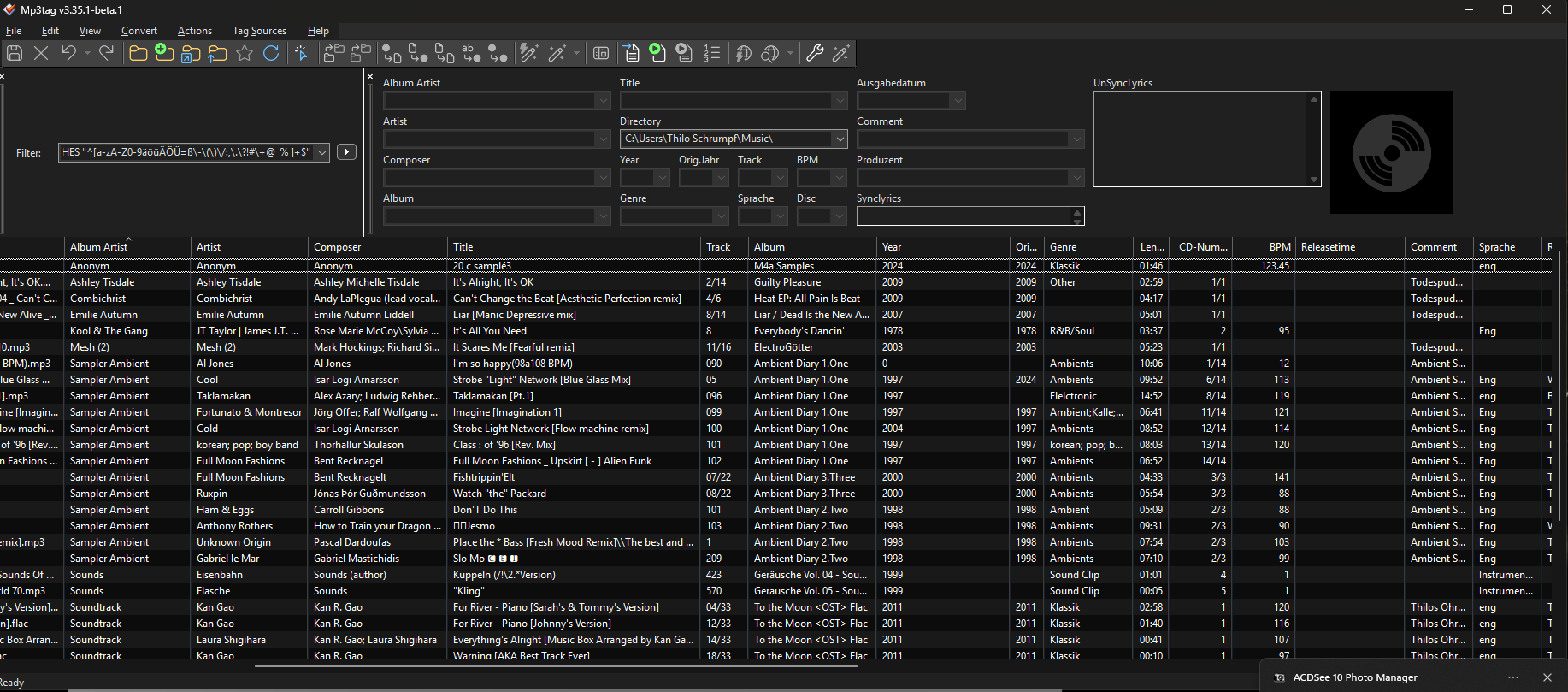
Previously, my interface was set as in photo 3. Trying to change the module lengths yields the same results (it works until I restart the app).
I've also discovered that if I move the file description module very, very far to the right edge of the window, it can return to its previous position on the left side the next time I start it (more or less), although this effect doesn't last very long. I don't know if we're understanding each other. I grab the module by the left edge, move it to the right, and after starting, it doesn't start where I stopped the left edge, but significantly to the left.
This is the same annoying problem as the one I reported earlier and fixed in the patches: the program wouldn't remember the position of its floating windows, for example, for quick editing, library loading, etc. My eyes are accustomed to specific locations on the screen, and now I have to constantly move this module before I can start editing.
Win 10, screen size 3440, only one in the system, installation extended to the length of the screen, portable, version 3.35.
Could you try to update to the latest and then see if the problem is still there?
I just arranged the filter box, the tag panel and the file list side by side and started and closed MP3tag 10 times and the window layout stayed the same each time.
I also detached the filter box completely from the main window and it opened in the same position each time: the one where I dragged it.
Do you get any error messages?
Funny, because thanks to you not reproducing my problem exactly, we now know something more:
Yes, indeed, the panels maintain their size when closed, not at the top, but on the side. They don't maintain their size at the top.
Nor do they maintain their size at the bottom of the window.
I don't understand the question about the version, as I think it's the latest version. I don't have any other.
No errors, but when I try to reproduce your POV, the app deads once, was info about diagnostic sending to server. No any others.
Now I could reproduce the issue:
as soon as Filter and Tag Panel are in 1 line above the full width file list, the configured sizes of Filter and Tag Panel are not kept.