If the tag would be part of the metadata why MP3tag is not reading it ?
Only an investigation of the actual file(s) can answer that question.
The default installation of MP3tag has a column that shows the tag versions.
You could alternatively load the files and check with a filter
%_tag% HAS APE
all the files that are then displayed in the file list have APE tags.
See if these are the ones in which you do not see the modification.
how I do that ?
thanks
See the documentation about filters:

See the documentation on the options to read, write and delete ID3 tags (and APE is one of these):
It could be that the modifications are written to a tag version that is there but not displayed.
Experiment a little with the setting for "Read" for V2 and APE and see how the display of tag data changes.
Also, a check of the extended tags dialogue usually reveals more information than a look at the tag panel or the file list.
It could also be that if the info was written by Traktor, then it has vanished in PRIV frames.
See e.g. here
I've checked the example file, it doesn't contain a TBPM ID3v2 Frame, but it contains a PRIV frame written by TRAKTOR4. Apple Music doesn't show BPM when imported into Apple Music.
This is also a very good recommendation.
Hello Florian, with my example file, do you see the comment field in Apple Music and MP3TAG ?
Also Have you tried to play with the options to read, write and delete ID3 tags in mp3TAG to understand if the tags are in the file but not displayed...
thanks
No.
Traktor has written a PRIV frame with a Comment 2 field. Please read the linked thread about problems with tags written by Traktor.
Besides the PRIV frames, there may also be other fields like GEOB - all with a binary contents that is not handled by MP3tag.
And probably also no other program except the creator of these frames.
ok thanks...I have read the thread... I still don't get why some mp3 files have the comment field displayed in Mp3tag and some are not...and both have comment field readable in Apple Music and Traktor...
I would assume that some have been treated by Traktor and others have not.
The explanation is now: as soon as you enter the editing world of Traktor, you have to stay with it as Traktor creates proprietary tag field contents.
Or: if you want to use the data outside Traktor, then do not use Traktor as editor but other programs like MP3tag that create more compatible tag data.
I never edit tag with Traktor...anyway thanks for your great support
Ummm, something doesn't line up.
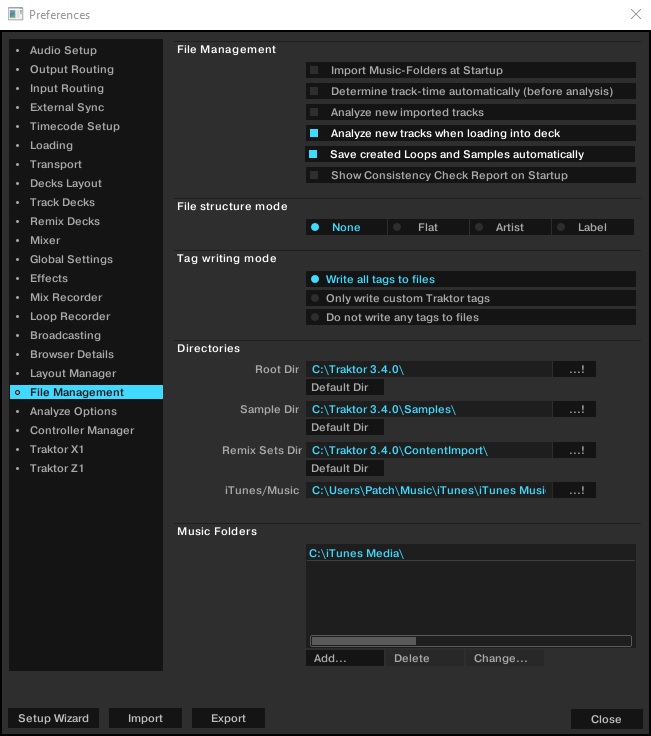
Thanks I will check this box in traktor.
Sometimes I edit a comment while playing a track .. but otherwise I don’t use traktor but mp3tag as main editor.
Also I will convert the .m4a in .mp3
Thanks for your support
This creates the traktor fields.
If you want to see the contents of such a traktor field, then try FLAC as format.
See this thread:
Seeing the contents does not necessarily mean that you can edit it in a meaningful way, though.
So, if you edit a tag in Traktor (as long as it is a .mp3 "File" tag, and not a Traktor "Collection" (native) tag (Comment2, for example), the new info will show up in Traktor, and in MP3Tag next time you open it there.
BUT - if you update a tag in MP3Tag, that alteration WILL NOT SHOW UP IN TRAKTOR until you load that track into a Deck again (when the metadata gets rescanned), OR, until you carry out a consistency check on your collection. 
Yes I constantly run a « consistency » check in traktor to Make sure the latest tags are taken in account.
I did not understood the benefits of using .flac for tagging… .flac are too heavy
I usually convert flac to mp3 320kbps