Apply (regex) action to multiple fields at once?

My need is fairly simple.
I want to apply this regex action to TITLE and ALBUM (for now) without duplicating and maintaining two (or more) identical actions.
While searching for similar topics and solutions, I came across a few that target similar needs.

In 2006, the solution was to apply an action globally to _TAG after exporting the tags that should not be touched and then to reimport those tags afterwards to restore them.

In 2011 the question remained unanswered, but I like the proposal to add a self placeholder to refer to each of the multiple delimited source fields.

In 2017, @ohrenkino provided the interesting idea to use a Guess Value action to achieve this goal.
While it worked for the simple $replace action example, I had no success getting my regular expression action to work in this way.
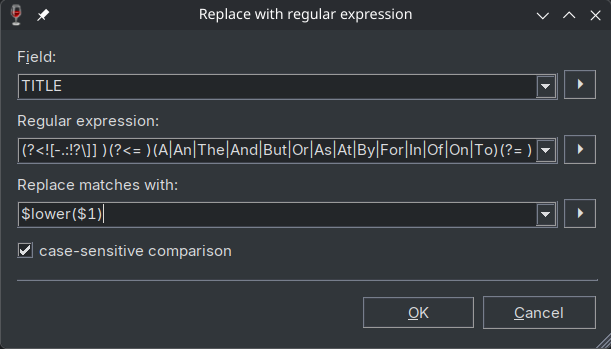
The first pitfall is having to further escape [] within the already fairly cryptic regular expression, turning:

(?<![-.:!?\]] )(?<= )(A|An|The|And|But|Or|As|At|By|For|In|Of|On|To)(?= )

into:

(?<!'['-.:!?\']'']' )(?<= )(A|An|The|And|But|Or|As|At|By|For|In|Of|On|To)(?= )

However even with this working regex, the $lower() function does not appear to be working in this context (or I also have to escape this and don't know how).
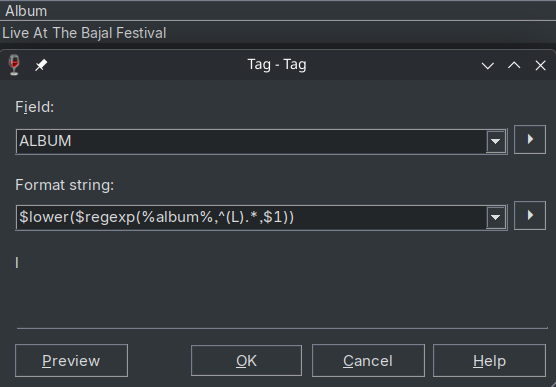
I tested the regexp function in a Tag - Tag Converter:

$regexp(%album%,(?<!'['-.:!?\']'']' )(?<= )(A|An|The|And|But|Or|As|At|By|For|In|Of|On|To)(?= ),$lower($1))
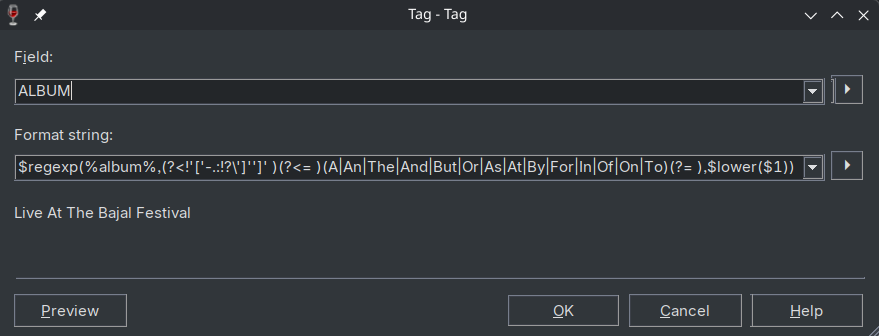

Live at the Bajal Festival would be the expected result.
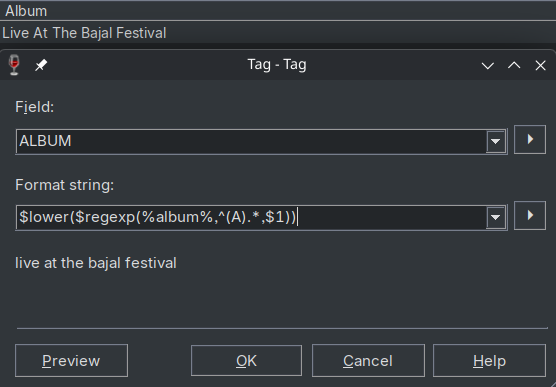
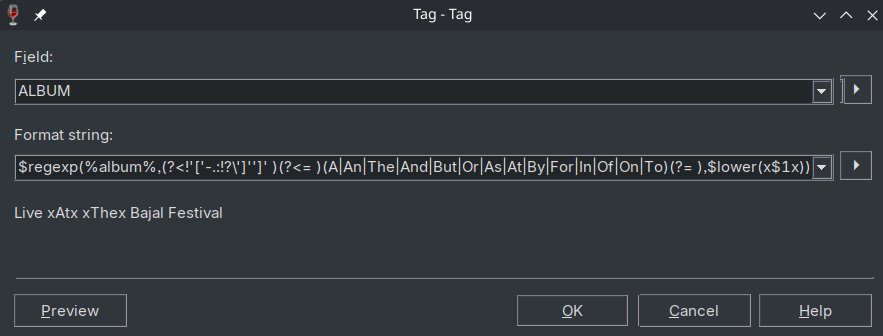
The regex matches successfully, however $lower() is not applied to the matches.
Surrounding the matches with x shows the successful match and replacement:
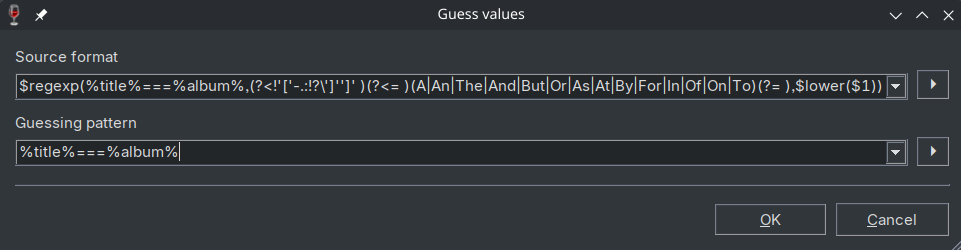
Using the same approach in a Guess Value action (following ohrenkino's approach) also did not yield the expected result.
Adding ,0 to the $regexp to disable the ignore case setting also had no effect.

In 2023 the workaround from 2017 was suggested and accepted.

I personally would prefer the suggested feature to refer to multiple, delimited fields by a self placeholder from the 2011 post, since it does not necessitate further escaping and a (hopefully unique) delimiter like the workaround provided by ohrenkino and would overall be the most straightforward and simple to use.
However in the meantime I'd be interested to learn how I can escape $lower() to make it work in the Guess Value workaround.
"Guess value" has 2 format strings:
the source is a generating format string and the target is a matching format string.
So if you can put together a source string that features all the transformations intended by the regular expression and also include a unique separator so that it is clear, which part of the source string should go to which field, you are done.
The challenge would be to create the source format string.

Try \l : $lower($1) -> \l$1

Thank you for the idea. It's ironic, I used \l on regex101 while I was testing my regular expression but didn't know Mp3tag supports it as well.

\l in the docs and the extended format string syntax

The docs only list it as:

\l matches any lower case character

and not that it can be used to alter the replacement.

They also state that

The Boost-Extended Format String Syntax is not enabled in Mp3tag.

Strangely, that same link lists the \l escape sequence:

\l Causes the next character to be outputted, to be output in lower case.

So is the Extended Format String Syntax enabled or not? I find it a bit confusing.

Execution\evaluation order by design or bug?

After thinking about it some more, the $lower() issue probably stems from a different evaluation/execution order.
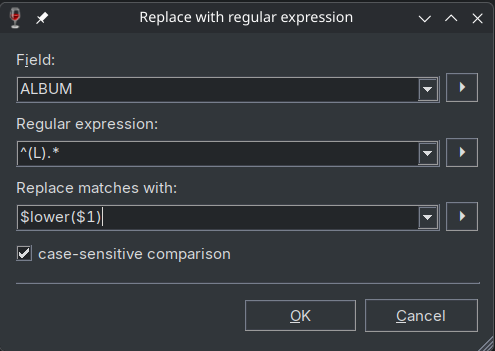
In a Replace with regular expression action, the regex is applied first, the $1 variable is expanded and its value passed to lower(), which is why it works in that context.

However in a $regexp() scripting function, $lower() is evaluated before the $1 from the regular expression is expanded, working on the variable name/literal string $1 instead and $ has no case.

@Florian is this by design or should $lower() work in this context and this is a bug?

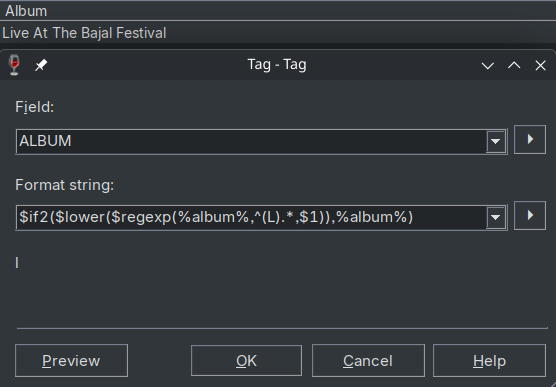
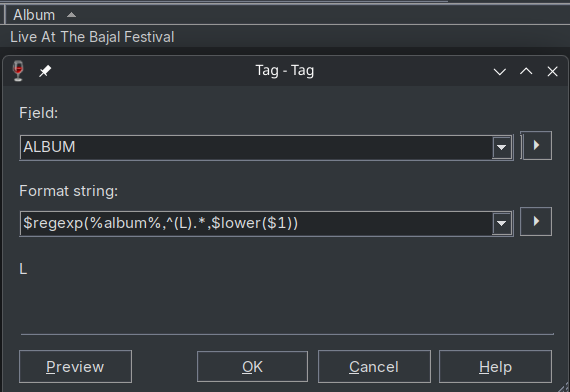
Simple reproduction:


Intuitively these 2 should be identical, but $regexp() yields L while the action yields l.

Adjusted and now working workaround for the core issue

Anyhow, after adjusting the Guess Value workaround to use \l instead of $lower() (and adding dinosaur emojis instead of = because I doubt they'd ever be part of a tag), this now works:

Action type:

Guess Value

Source format:

$regexp(%title%🦕🦖🌋%album%,(?<!'['-.:!?\']'']' )(?<= )(A|An|The|And|But|Or|As|At|By|For|In|Of|On|To)(?= ),\l$1)

Guessing pattern:

%title%🦕🦖🌋%album%

While the workaround is fixed, I'd like to see what Florian thinks about the execution\evaluation order issue (and perhaps about adding the functionality to directly run actions against multiple delimited fields) before I mark this thread as Solved.