Today I've come across an album which had id3v1, id3v2 and APE tags, all with different contents. It is displayed like this in kid3. (I do think it mangled/misdetected the id3v1 tags but you get my point)

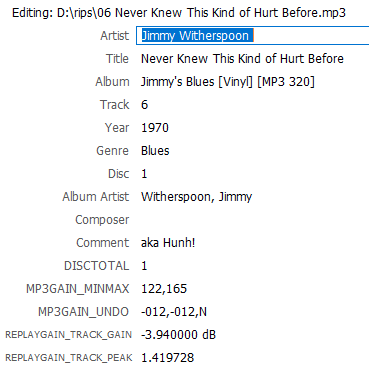
And dbpoweramp Edit ID-Tag displays it like this:
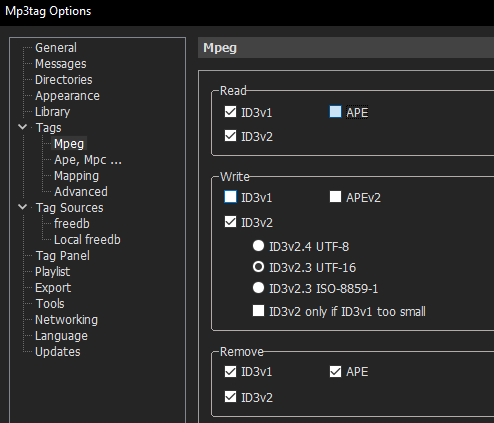
Having set up mp3tag like this, my expectation was that all tags are read by mp3tag and identical tags of a "better" tag format supersede the same field of more restrictive tag types, adhering to the hierarchy id3v1 < id3v2 < APE.

But this is not the case.
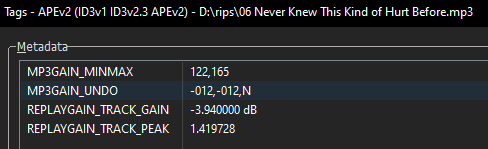
Only the few APE tags are displayed in mp3tag, even in the Extended Tags. While it indicates which tags it is showing if you read the title bar carefully "Tags - APEv2 (ID3v1 ID3v2.3 APEv2)" I still find it confusing that the documentation for Extended Tags states this:
The extended tags dialog available via View → Extended Tags... Alt+T allows for viewing and editing all supported tag fields and cover art for individual files and multiple files at once.
Correct would be that it displays all supported tag fields of the "best" detected tag type, ignoring all other tags present in the file.
My further expectation was that using "Remove tag" would delete ID3v1, ID3v2 and APE tags and upon reverting that action, write back all previously read out tags in the type(s) selected under "Write" (in my case ID3v2.3 UTF-16).
That is also not the case. Mp3tag successfully deletes all 3 tag types and then writes back only the detected APE tags as new ID3v2.3 tags, discarding all ID3v1 and ID3v3.2 tags.
I mean I could deselect "Read" for id3v1 and APE, then always delete all tags and write back the contents of the idv3v2 tags to ensure no residual tags remain, but in my opinion it would be much better if mp3tag reads all selected tag types, resolves identical tag conflicts via a hierarchy and then saves all detected tags in the tag format(s) chosen under "Write".
Or Mp3tag should at least show all detected tags grouped by tag type in the extended tags so the user can copy over the contents of desired tags of one type to another type manually.
In the currect state mp3tag turns a blind eye to all but the "best" tag type while merrily deleting the other types without ever having displayed their contents. That's confusing and for most people probably unwanted behavior.
I've used mp3tag for years without noticing it as luckily most of the files I encounter have ID3v1 and ID3v2 tags, in which case only the ID3v2 tags are displayed. But I'd still like to be able to see the contents of the ID3v1 tags as well. Preferably without changing an option in mp3tag and reloading the files.